
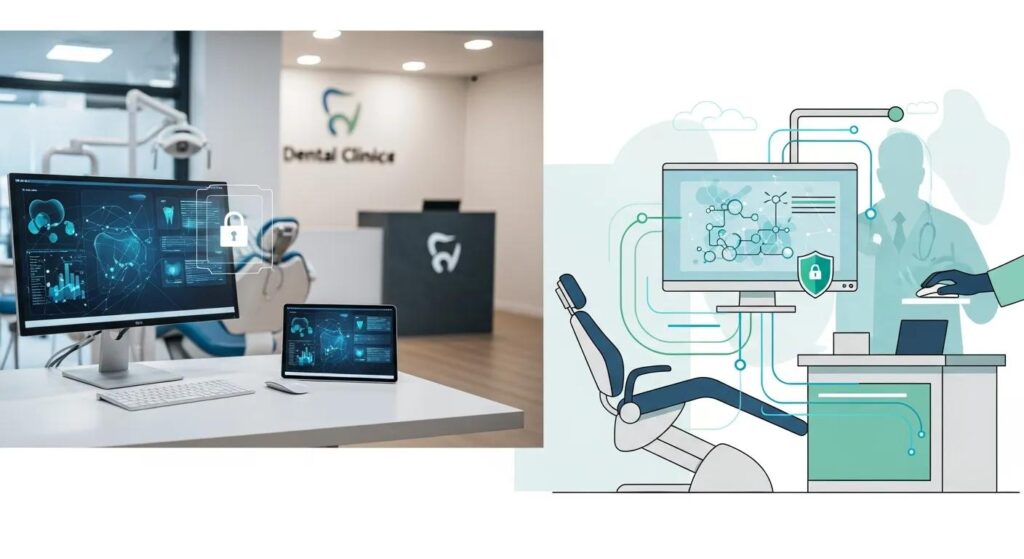
Managed IT Essentials for Dental Clinics
Dental clinics depend on a mix of scheduling, imaging, charting, billing and secure patient records to run smoothly. Managed IT brings those pieces together — protecting data, keeping systems available, and tuning workflows so staff spend less time troubleshooting and more time with patients. This article clarifies what managed IT for dental practices looks like, why cybersecurity and regulatory compliance (PHIPA/PIPEDA/HIPAA) are must-haves, how cloud and hybrid architectures boost resilience, and which operational gains clinics can realistically expect. You’ll find practical controls—endpoint protection, multi‑factor authentication, backup cadences—and integration approaches for practice management and imaging systems. We also explain how a dental‑focused provider can perform audits, continuous monitoring, and hybrid cloud integration without forcing a software conversion. Sections follow the questions dental leaders ask most: improving operations, strengthening cybersecurity, cloud benefits, compliance obligations, practice‑management support, and measurable ROI from managed IT.
Benefits of Managed IT Services for Dental Clinics
Managed IT for dental clinics is a proactive, outsourced program that takes care of routine maintenance, 24/7 monitoring, vendor coordination and strategic IT planning so clinical systems stay available and secure. Centralized patching, a responsive helpdesk, continuous monitoring and disciplined backup processes reduce unexpected outages and turn unpredictable IT spend into a steady operating cost. Managed teams also handle vendor relationships for imaging equipment and digital X‑ray systems, helping avoid compatibility headaches and wasted chair time. The practical outcome is fewer rescheduled appointments, smoother patient flow and steadier revenue — all because technology interruptions happen less often. Understanding these operational mechanics prepares you for the specific tactics that cut downtime and streamline workflows below.
How managed IT lowers downtime and which day‑to‑day tasks vendors perform are the core levers behind improved clinic efficiency and patient satisfaction.
How do managed IT services reduce downtime and improve clinic efficiency?
Downtime drops when monitoring, proactive patching and fast remote troubleshooting intercept issues before they affect appointments. Continuous monitoring spots anomalies in network traffic, server health or device availability and triggers fixes like targeted patches or configuration updates that avert failures. Remote support, backed by clear service level agreements (SLAs), lets technicians restore workstations or servers quickly and keep appointment disruption to a minimum. Automating routine tasks — scheduled updates, antivirus scans, and backups — reduces manual work for front‑desk staff and cuts human error. Together these practices shorten mean time to repair, increase clinician confidence in systems, and make it easier for clinics to handle higher patient volumes without interruption.
What specific IT support does DentalTek provide to Canadian dental practices?
DentalTek delivers services shaped for dental workflows: remote and onsite support, network infrastructure management, cybersecurity monitoring, cloud backup, and hybrid cloud integration that works with your existing practice management software — no forced conversions. Our approach combines initial audits and takeover assistance with regular maintenance: scheduled Windows updates, EDR/antivirus monitoring, and targeted upgrades to keep systems healthy. For practices evaluating partners, DentalTek’s mix of remote helpdesk and onsite remediation reduces coordination burdens with equipment vendors and delivers predictable support. To discuss a demo or a custom quote for Ontario and other Canadian clinics, contact us by phone or email.
How does cybersecurity protect dental practices from growing threats?
Cybersecurity for dental practices shields patient data and keeps clinical systems available by pairing technical controls, clear policies and staff training. Dental clinics face phishing, opportunistic ransomware and risks from misconfigured backups — any of which can cause long outages or regulatory exposure. A layered defense — endpoint detection and response, network segmentation, multi‑factor authentication, and encrypted backups — lowers the chance of unauthorized access and speeds recovery when incidents occur. Staff awareness training and an incident response plan make sure human errors don’t cascade into major breaches. Below are the primary technical and administrative measures clinics should prioritize.
What are the key cybersecurity measures for dental clinics?
Dental clinics should focus on a concise set of high‑impact controls that protect patient data and preserve system availability while staying practical for a clinical setting.
- Multi‑Factor Authentication: Dramatically reduces the risk of unauthorized access if credentials are compromised.
- Endpoint Detection & Response (EDR): Continuous endpoint monitoring with automated containment for suspicious activity.
- Regular, Encrypted Backups: Off‑site, encrypted backups ensure records can be restored after corruption or ransomware.
- Network Segmentation: Separates clinical systems, imaging devices and guest Wi‑Fi to limit lateral movement.
- Email Filtering and Phishing Defenses: Blocks malicious attachments and reduces risky user interactions.
- Access Controls and Logging: Enforces least‑privilege access and keeps audit trails for investigations and compliance.
When these measures are combined with monitoring and measurable SLAs — daily backup verification, 24/7 alerting for critical events and regular patch cycles — clinics gain a resilient security posture. Next, we explain how audit processes and compliance alignment translate into operational cybersecurity services.
How does DentalTek ensure PHIPA, PIPEDA and HIPAA compliance in cybersecurity?
DentalTek maps cybersecurity activities to PHIPA, PIPEDA and HIPAA objectives through regular security audits, risk assessments, secure backup practices and continuous monitoring. We identify configuration gaps, recommend prioritized remediation and implement protections such as EDR, enforced MFA and network segmentation to address common compliance shortcomings. Ongoing monitoring and incident‑response readiness produce the operational evidence — logs, backups and response records — clinics need for breach notifications and audits, helping meet both Canadian and cross‑border privacy obligations.
What are the benefits of cloud solutions for dental offices?
Cloud solutions give clinics on‑demand access to patient records, centralized backups, scalable compute for imaging and analytics, and less on‑site hardware to manage — improving accessibility and resilience. A hybrid cloud approach keeps local performance for imaging and practice management while using remote storage and backups for business continuity, lowering the risk of full‑site failure without throwing out existing software. Centralized cloud backups shorten recovery time and prevent data loss. Compared to pure on‑prem setups, cloud models reduce capital expenses and make remote access for tele‑dentistry or administrative tasks simpler. The table below summarizes trade‑offs for on‑prem, cloud and hybrid approaches in dental settings.
Comparing deployment models clarifies trade‑offs around integration, uptime and migration complexity.
| Deployment Model | Uptime & Resilience | Integration Needs | Data Residency & Conversion |
|---|---|---|---|
| On‑Premise | Controlled by local hardware; moderate downtime risk | Direct integration with local PM and imaging systems | Full control over data residency; no conversion if software stays local |
| Cloud | High resilience with managed uptime SLAs | May require connectors or APIs for legacy PM systems | Off‑site residency; potential conversion or adapter work |
| Hybrid | Local performance with remote backup and failover | Minimal conversion using virtualization or connectors | Local data accessible with off‑site backups; low conversion risk |
How does hybrid cloud integration support practice management software?
Hybrid cloud integration links on‑site servers or virtual desktops to remote storage and management so practice management software continues to run locally while benefiting from cloud backup and remote access. This avoids a disruptive full software conversion by using secure tunnels, virtualization or replication that preserve the familiar local interfaces clinicians use every day. Clinics keep imaging throughput and charting responsiveness while gaining centralized backups, remote patching and cloud‑driven disaster recovery orchestration. The hybrid model minimizes migration downtime and training needs because user workflows remain unchanged and it supports interoperability with digital X‑ray and 3D imaging systems.
What are the advantages of cloud backup and disaster recovery for dental clinics?
Cloud backup and disaster recovery protect patient records and imaging by storing encrypted copies off‑site so systems can be restored quickly and appointments don’t collapse after data loss. Best practices include daily incremental backups with weekly full snapshots, retention that meets regulatory requirements, and quarterly restore tests to validate recoverability and RTO/RPO targets. Tested DR plans reduce downtime costs and preserve scheduling and treatment continuity; automation can even spin up virtual environments during outages. Clinics that prioritize restore testing and documented recovery playbooks limit the operational impact of ransomware or hardware failure and maintain patient trust.
Why is compliance with HIPAA and PHIPA critical for dental IT services?
PHIPA in Canada — and HIPAA where cross‑border data flows occur — protects highly sensitive health information and imposes breach notification and record‑keeping obligations. Regulations require documented policies, access controls, secure storage and transmission, and clear breach response procedures to prevent unauthorized disclosure. Non‑compliance risks reputational harm, enforcement action and patient loss, so IT services must combine technical controls with governance artifacts like vendor contracts and audit logs. Effective compliance programs pair risk assessments, prioritized remediation and ongoing monitoring to demonstrate due diligence.
What are the regulatory requirements for dental data privacy in Canada?
Under PHIPA, personal health information must be collected, used and disclosed only for authorized purposes, stored securely and patients must be notified of significant breaches. Clinics should implement encryption at rest and in transit, retain audit logs, and maintain records per retention policies while respecting patient access and consent rights. Vendor agreements must spell out security responsibilities and breach notification duties so third parties meet the same standards. Meeting these requirements requires technical safeguards, documented policies and regular reviews to verify ongoing compliance.
An effective compliance program links audit findings to prioritized remediation and continuous monitoring to show you’re managing risk.
How does DentalTek support compliance with audits and risk assessments?
DentalTek conducts security audits and risk assessments to identify configuration gaps, recommend prioritized remediation and implement controls aligned with PHIPA and HIPAA goals. We translate findings into practical actions — server hardening, enforced MFA, encrypted backups — and generate documentation clinics can use for governance and regulatory inquiries. Ongoing monitoring and scheduled reassessments help ensure controls remain effective as threats and clinic systems evolve. By pairing audit outputs with actionable remediation and continuous oversight, DentalTek helps clinics demonstrate and maintain a strong compliance posture without excessive administrative burden.
How does practice management software support improve clinic productivity?
Reliable PM and imaging support speeds appointment processing, charting, billing and radiography by reducing software delays, compatibility issues and user frustration. IT teams familiar with PM integrations and imaging pipelines can resolve configuration problems fast, schedule updates with rollback plans and keep interfaces stable so staff maintain throughput. Testing updates in staging environments avoids surprise outages that force reschedules or duplicate data entry. The list below highlights core support actions that directly improve productivity and reduce administrative load.
These software support actions convert into measurable time savings and fewer interrupted appointments.
- Proactive Patch and Update Management: Planned updates with rollback plans to prevent surprise outages.
- Integrated Troubleshooting for PM and Imaging: Prioritizes fixes that keep charting and radiography systems running.
- Change Management and Testing: Uses staging to validate updates before live deployment.
These practices form the basis of stable clinical operations and lead into which software types and vendors specialized IT providers commonly support.
Which dental software does DentalTek integrate and support?
DentalTek supports a range of practice management and imaging integrations commonly used in Canadian clinics, focusing on interoperability to minimize workflow interruption. Exact vendor lists vary by clinic, but our emphasis is deep technical integration that preserves user interfaces and data flows across scheduling, charting and imaging. This reduces manual reconciliation and prevents imaging issues from disrupting charting during procedures. When evaluating an IT partner, confirm they have documented experience with your specific PM and imaging systems to avoid surprises during onboarding.
How are software updates and troubleshooting managed for dental clinics?
Updates are handled in planned maintenance windows, tested in non‑production environments and deployed with rollback strategies to reduce clinical impact. Troubleshooting combines remote diagnostics with onsite remediation for hardware or imaging peripherals, and helpdesk escalation paths that prioritize clinical system availability. Clear communication with staff about maintenance, expected impacts and contingency plans prevents appointment disruptions and preserves patient trust. These disciplined practices increase operational reliability and support the measurable benefits outlined next.
What are the measurable benefits and success indicators of managed IT in dental clinics?
Managed IT produces measurable results: fewer unplanned outages, less administrative time spent on IT, and fewer security incidents — all of which boost clinic productivity and patient experience. Clinics commonly track KPIs such as system availability, average incident resolution time and percentage reduction in appointment reschedules due to IT issues to quantify ROI. Clear scorecards help leadership evaluate performance and justify ongoing investment. The table below is a simple template clinics can use to capture outcomes from managed IT engagements.
This outcomes table offers a practical structure for recording improvements and guiding future IT decisions.
| Clinic Metric | Description | Outcome / Value |
|---|---|---|
| Downtime Percentage | Share of scheduled hours lost to IT outages | Fewer outages = more completed appointments and steadier revenue |
| Admin Time Saved | Hours per week staff no longer spend on IT problems | Time reallocated to patient care and front‑desk productivity |
| Incident Frequency | Number of security or performance incidents per quarter | Fewer incidents lower recovery costs and protect patient data |
Recording these KPIs over time shows whether managed IT is delivering the expected operational and compliance benefits. Below we summarize typical improvements clinics report after partnering with a specialist provider.
What quantifiable improvements have dental clinics experienced with DentalTek?
Clinics working with DentalTek report clearer system reliability, reduced coordination overhead for imaging and PM software, and stronger alignment with PHIPA/HIPAA objectives after structured audits and remediation. While exact figures vary, common outcomes include faster incident resolution through combined remote and onsite support, more predictable IT costs under managed plans, and more reliable backups that shorten recovery time. Our hybrid cloud integrations and continuous monitoring often result in fewer appointment disruptions and more clinician time for patient care. We recommend clinics use the KPI template above to capture their own quantitative gains after implementation.
How does managed IT free dental professionals to focus on patient care?
Removing daily IT interruptions — stalled imaging workflows, login failures or slow charting — lets clinical and front‑desk teams concentrate on patients. Reliable systems reduce reschedules, shorten wait times and remove administrative distractions during treatment, improving patient satisfaction and throughput. When clinical staff trust that backups, security and updates are handled by specialists, they can prioritize care and clinic efficiency projects rather than ad‑hoc troubleshooting. That downstream effect boosts morale, smooths patient flow and elevates care quality, which is the core value of investing in managed IT.
That completes the operational story and shows how technical improvements translate into better patient outcomes and smoother clinic operations.
Frequently Asked Questions
What should dental clinics consider when choosing a managed IT provider?
Look for experience with dental‑specific systems and a clear understanding of PHIPA/HIPAA requirements. Check SLAs for response times and support hours, and ask about their cybersecurity approach — MFA, EDR and audit cadence. Prioritize providers who offer tailored plans that match your clinic’s size, workflows and growth plans rather than one‑size‑fits‑all packages.
How can dental clinics measure the effectiveness of their managed IT services?
Track KPIs such as system uptime, average incident resolution time and the number of IT‑related appointment reschedules. Also measure administrative hours saved and monitor patient satisfaction trends. Reviewing these metrics regularly against goals makes ROI clear and supports data‑driven decisions about future IT investments.
What role does staff training play in the success of managed IT services?
Staff training is essential. Well‑trained teams recognize phishing attempts, follow secure practices and use systems efficiently, which reduces human‑caused incidents and improves uptime. Regular, role‑specific training helps embed secure habits and ensures new workflows are adopted smoothly.
What are the common challenges dental clinics face when implementing managed IT services?
Typical challenges include staff resistance to change, integration hurdles with legacy systems and budget limits that restrict scope. Clear communication about benefits, staged rollouts and adequate training help smooth transitions. Choosing a provider experienced with dental software also reduces onboarding friction.
How do managed IT services enhance patient data security in dental clinics?
Managed IT strengthens security with layered controls — encryption, MFA, EDR, email filtering and secure backups — plus continuous monitoring and incident response planning. Together these measures reduce breach risk, speed recovery if an incident occurs and help demonstrate regulatory compliance.
What are the long‑term benefits of adopting cloud solutions for dental clinics?
Cloud adoption delivers long‑term gains: easier data access, better collaboration, lower on‑site maintenance and scalable resources for imaging and analytics. Centralized backups and DR options protect patient data and speed recovery. Over time, cloud solutions reduce capital expense and make it simpler to add new capabilities as the clinic grows.
Conclusion
Managed IT tailored to dental clinics improves operational reliability, strengthens cybersecurity and helps you meet regulatory obligations — freeing you to focus on patient care. With the right provider, clinics see fewer disruptions, clearer costs and measurable operational gains. Contact us to learn how a tailored IT plan can secure your data, stabilize your systems and keep your team focused on patients.

