
Managed IT for Dental Clinics: Practical benefits for your practice
Managed IT for dental clinics is the practice of outsourcing day-to-day IT management, monitoring, and strategic oversight to a specialist. That shift delivers stronger security, higher uptime and more predictable monthly costs. This guide shows how managed services protect patient records, speed EHR and imaging workflows, lower operating expenses and help practices meet Canadian privacy rules like PIPEDA. Many clinics still struggle with intermittent outages, slow radiographs and the complexity of secure data handling — managed IT brings preventative controls, fast incident response and cloud-backed continuity to address those problems. Read on to learn the main cybersecurity threats facing dental clinics, how network and remote support boost productivity, the budgeting advantages of outsourcing, practical compliance steps for Canadian practices, why dental-specific IT matters and realistic cloud backup and disaster recovery options. Throughout we connect each threat to the control that mitigates it and each system to the service that monitors it, so technical steps translate into better patient care and reliable business operations.
How Does Managed IT Enhance Dental Practice Cybersecurity?
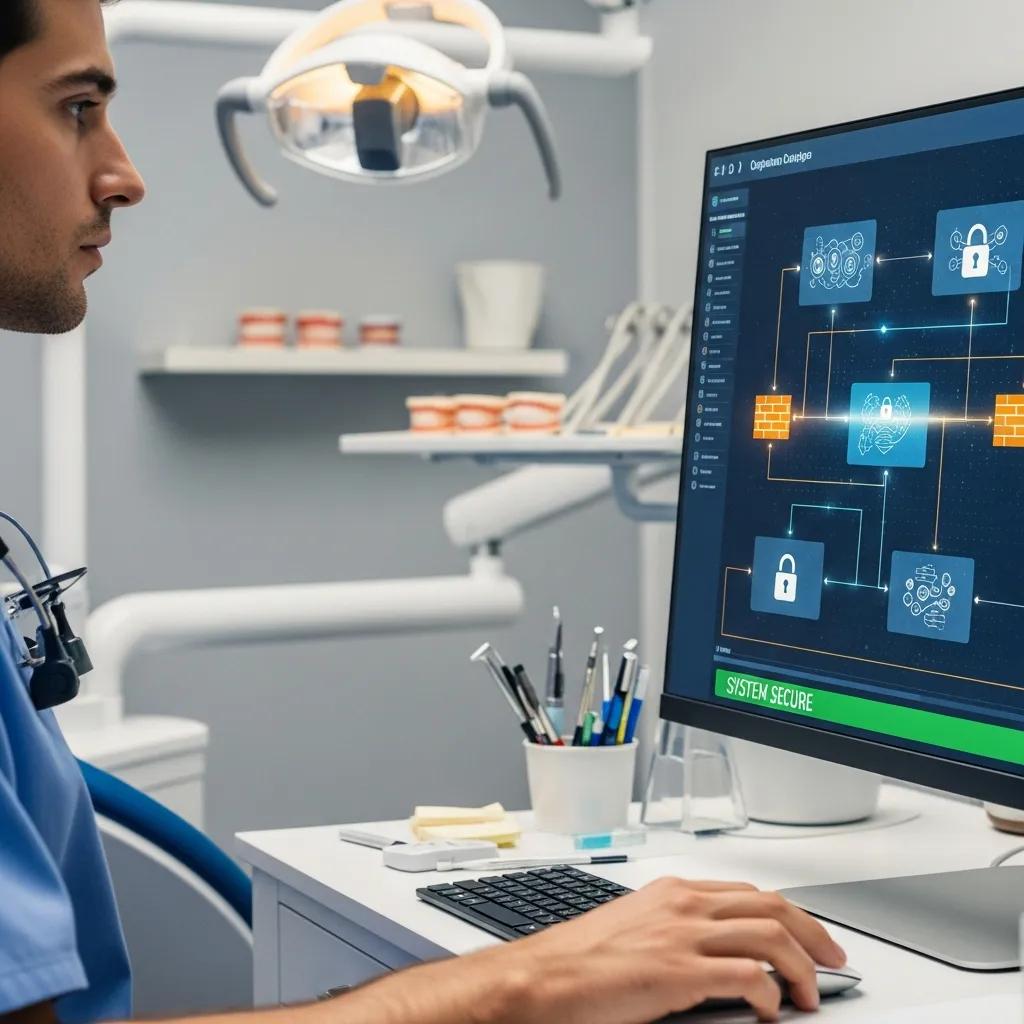
Managed IT improves cybersecurity by layering defenses that prevent, detect and respond to attacks while keeping the clinic running. A managed setup typically includes proactive monitoring, endpoint protection, multi-factor authentication, regular patching and secure backups — all focused on reducing vulnerabilities before they’re exploited. That approach shortens detection time, limits breach impact and helps preserve patient trust by safeguarding EHRs, imaging and scheduling systems. For most practices the result is a clear reduction in ransomware and phishing exposure and faster containment when incidents do occur. Below are the core controls managed services deliver and the outcomes clinics see.
Managed IT delivers these essential security controls:
- Multi-factor Authentication (MFA)
: Adds a second verification step for EHR and admin logins to stop credential-based breaches. - Endpoint Protection
: Continuous antivirus plus behavioral monitoring on desktops and imaging stations to catch threats early. - Proactive Patch Management
: Regular updates for operating systems and practice software to close known security gaps. - Network Segmentation and Firewalls
: Keeps imaging systems, workstations and guest Wi‑Fi separated so an infected device can’t easily spread malware.
Together these controls reduce your attack surface and speed detection-to-response — which brings us to the specific threats dental clinics face.
What Are the Key Cybersecurity Threats Facing Dental Clinics?
Dental clinics face a mix of targeted and opportunistic threats that put patient data and daily operations at risk. Ransomware and phishing are now the most common issues in healthcare. Ransomware can lock EHRs and imaging archives, blocking access to charts and appointments and forcing costly recovery. Phishing and social engineering often target front‑desk and admin staff to steal credentials used for unauthorized access or fraudulent billing. Outdated software and poorly configured remote access increase exposure by leaving known vulnerabilities open. That’s why layered defenses, ongoing staff training and rapid incident response are cornerstones of an effective managed IT strategy.
Recent research highlights the rising frequency and severity of ransomware incidents in healthcare and the large volumes of patient data exposed.
Rising Ransomware Threats in Healthcare Clinics
In a cohort of 374 ransomware incidents, the annual number of attacks on health care delivery organizations more than doubled between 2016 and 2021, exposing personal health information for nearly 42 million patients. Over that period, attacks tended to involve larger data exposures and increasingly affected organizations with multiple facilities. The study concludes that ransomware against health care delivery organizations grew in frequency and sophistication, and that disruptions during attacks can threaten patient safety and outcomes.
Trends in ransomware attacks on US hospitals, clinics, and other health care delivery organizations, 2016-2021, HT Neprash, 2016
How Do Managed IT Services Protect Patient Data and Ensure Compliance?
Managed IT protects patient data by combining technical safeguards — encryption at rest and in transit, role‑based access controls, detailed logging and immutable backups — with operational practices like access reviews and incident response planning. Encryption limits the usefulness of stolen files, while logging and SIEM-style monitoring speed detection of unusual activity. Regular backup verification and tested restore procedures mean clinics can recover records without paying a ransom. Compliance-focused providers map each technical control to regulatory outcomes so a practice can show auditors the safeguards it has in place and meet notification obligations when needed.
| Security Control | Mechanism | Benefit |
|---|---|---|
| Multi-factor Authentication | Second-factor verification for user logins | Reduces risk of unauthorized access |
| Endpoint Protection | Behavioral detection and antivirus on devices | Lowers the chance of malware infection |
| Encrypted Backups | Backups encrypted at rest and in transit | Keeps data confidential during storage and transfer |
When combined, these controls create a defensible security posture that lowers risk and helps meet regulatory obligations — freeing clinical staff to focus on patients instead of firefighting IT issues.
For practices looking for real-world examples, specialized vendors offer managed cybersecurity packages that include proactive monitoring, incident response and ongoing maintenance tailored to dental workflows. DentalTek, a Canadian IT provider focused on dental clinics, lists remote and onsite support, proactive monitoring and maintenance among its managed services — showing how vendor-managed stacks translate into concrete clinic protections.
How Managed IT Support Boosts Dental Practice Efficiency
Managed IT support improves efficiency by tuning networks and systems so EHRs and imaging load quickly, staff spend less time on tech issues and patient flow runs smoother. The work focuses on performance tuning — quality of service (QoS), correct bandwidth allocation and prioritizing imaging traffic — along with regular maintenance to prevent slowdowns. Faster chart access and quicker image rendering reduce chair‑side delays and increase throughput, while centralized management cuts administrative time spent on troubleshooting. Clinics typically see fewer interruptions, shorter check‑in times and more predictable appointment schedules.
Key measurable outcomes from managed support include:
- Reduced downtime
: Fewer unplanned outages and faster recovery. - Faster EHR and imaging access
: Improved clinical throughput and shorter chair time per patient. - Streamlined device management
: Less time spent fixing workstations and applying updates.
Those efficiency gains depend on solid network design and continuous monitoring, which we explain in the following sections.
How Does Network Support Optimize Dental Software and Systems?
Network support configures the clinic’s internal infrastructure to meet the latency and throughput needs of EHRs and digital radiography, keeping charting, imaging and billing responsive. Approaches like VLAN segmentation, Quality of Service (QoS) and prioritizing imaging traffic reduce packet loss and stop large file transfers from slowing interactive sessions. Regular network health checks, firmware updates and capacity planning lower the chance of slow image rendering or file corruption. When network and application settings are tuned together, clinical responsiveness improves and IT tickets become less frequent.
What Role Does Remote Monitoring Play in Minimizing Downtime?
Remote monitoring reduces downtime by watching critical metrics — server availability, disk use, backup success, patch status and antivirus health — and alerting teams before issues escalate. Automated tools flag failed backups or storage thresholds so engineers can remediate remotely or dispatch onsite support under an SLA. This shortens mean time to repair (MTTR) and often prevents disruptions that would otherwise interrupt patient care. Around-the-clock monitoring keeps scheduling, chart access and imaging working smoothly so staff stay productive without constant manual checks.
What Cost Savings and Budgeting Benefits Do Managed IT Services Offer Dental Practices?
Managed IT turns unpredictable, sometimes large, IT bills into predictable monthly expenses and cuts indirect costs from downtime and security incidents. Outsourcing reduces the need for full‑time in‑house IT hires, lowers recruitment and training overhead, and lets a vendor manage hardware refresh cycles. The financial benefit comes from fixed monthly fees combined with proactive maintenance that prevents expensive emergency restores or ransomware recovery — giving practice owners a clearer ROI picture. Below is a comparison to help with budgeting decisions.
Different delivery models compared:
| Approach | Typical Monthly Cost | Response Time | Uptime Risk |
|---|---|---|---|
| In-house IT | Higher fixed payroll and benefits | Varies by staff availability | Moderate to high if understaffed |
| Managed IT | Predictable monthly fee | SLA-driven, often faster | Lower due to proactive monitoring |
| Hybrid | Mid-range cost | Shared responsibilities | Moderate with defined roles |
The table shows how managed IT can reduce uptime risk while making costs easier to forecast and manage.
How Does Outsourcing IT Reduce In-House Expenses?
Outsourcing replaces variable labour and emergency contractor costs with a predictable monthly fee that covers monitoring, patching and scheduled maintenance. It moves unexpected capital spending for hardware replacements into planned lifecycle services, smoothing cash flow and avoiding sudden capital outlays. Faster incident recovery and less downtime also cut indirect losses like missed appointments and manual recovery work. For many clinics this converts an uncertain cost line into a stable operating expense and clearer forecasts for growth and equipment investments.
| Cost Category | In-house | Managed IT | Hybrid |
|---|---|---|---|
| Payroll | High | Low (outsourced) | Medium |
| Equipment refresh | Variable | Scheduled by vendor | Shared |
| Emergency recovery | High risk | Included or discounted | Variable |
These comparisons help practice managers quantify savings and choose the model that fits their growth plans and risk tolerance.
When evaluating vendors, clinics often prefer managed services that offer predictable budgeting and a mix of remote and onsite support. As an example of market offerings, DentalTek provides Managed Services focused on remote and onsite support, proactive monitoring and maintenance — illustrating how a managed provider can deliver predictable costs and fast response for dental environments.
Why Are Scalable IT Solutions Important for Growing Dental Clinics?
Scalable IT lets growing clinics and multi‑location groups add users, replicate secure settings and centralize management without proportional increases in IT overhead. Centralized provisioning, cloud directory services and standard device images enable quick, consistent deployment of workstations and imaging stations across sites. That consistency reduces configuration drift, enforces security policies uniformly and simplifies licensing and updates. For clinics opening new offices, scalability means faster rollouts, a consistent patient experience and controlled incremental costs.
How Do Managed IT Services Ensure Dental Data Protection Compliance in Canada?
Managed IT helps meet Canadian privacy obligations — most notably PIPEDA — by implementing technical and organizational safeguards aligned with regulator expectations for personal health information. Providers map controls like encryption, access auditing and breach response planning to compliance outcomes so practices can document safeguards and respond to incidents on time. Cross‑border data flows add complexity; managed providers can identify jurisdictional risks and recommend mitigations. The actions below summarize what clinics should require from their IT partners.
Key compliance actions for dental practices:
- Data Mapping
: Keep an inventory of where patient data lives and who can access it. - Encryption
: Apply encryption at rest and in transit for sensitive records. - Breach Response Plan
: Maintain and test procedures for detection, containment and notification.
These steps create a defensible position under PIPEDA and make audits and breach responses more manageable. Next we outline PIPEDA’s scope and practical steps clinics should take.
What Is PIPEDA and How Does It Apply to Dental Practices?
PIPEDA is the federal law that governs private‑sector handling of personal information in Canada. It requires reasonable safeguards, appropriate consent for collection and use, and timely breach notification in many situations. For dental practices, PIPEDA typically applies to patient records and billing data when federal rules cover the activity or when no equivalent provincial law applies. Practices should adopt data minimization, secure retention and documented consent processes. Managed IT supports these obligations with encryption, role‑based access, logging and data lifecycle controls — but technical measures should be paired with administrative policies to satisfy regulators and prepare for investigations.
When Is HIPAA Compliance Relevant for Dental Clinics?
HIPAA becomes relevant if a dental clinic handles protected health information of U.S. patients or uses U.S.-based systems or vendors subject to HIPAA. The technical safeguards for HIPAA — encryption, access controls and breach response — overlap with PIPEDA, though notification timelines and penalties differ. Clinics with cross‑border patients or U.S.-located processing should consult legal counsel and ensure their managed IT provider can support HIPAA‑aligned controls when required. Clear contracts and data flow assessments help identify when extra compliance steps are needed.
Why Is Access to Specialized Dental IT Expertise Crucial for Dental Practices?
Specialized dental IT expertise matters because dental workflows depend on tightly integrated imaging systems, practice management software and clinical devices. Misconfigured equipment can halt clinical work. Dental-aware providers understand EHR performance patterns, imaging storage needs and common failure modes, which leads to faster diagnosis and repair. Specialists also guide safe adoption of new tools — cloud imaging, AI diagnostics and similar innovations — while balancing security and compliance. The practical result is fewer long outages and targeted improvements that directly boost patient experience and clinic throughput.
How Does Dental-Specific Technology Knowledge Benefit Clinics?
Dental-focused IT knowledge delivers targeted optimizations: faster image rendering, reliable integration of networked handpieces and smoother software upgrades with minimal downtime. Specialists know common interoperability issues between imaging systems and practice management software and can preconfigure storage and network settings to avoid bottlenecks. That reduces patient wait times, cuts rescheduled procedures and gives confidence that upgrades won’t disrupt daily schedules. Investing in dental-aware IT support therefore produces operational gains beyond generic IT management.
What Innovations Are Managed IT Providers Bringing to Dental Practices?
Managed IT teams are introducing innovations such as AI‑driven threat detection to spot anomalous activity, automation for patching and routine maintenance to reduce human error, and cloud-enabled imaging workflows that let clinicians securely access X‑rays and charts remotely. These tools speed threat detection and automate repetitive tasks so staff can spend more time on care. Adoption requires validating security, compliance and workflow impact, but when done right these advances shorten recovery times and improve clinician access to patient data. Providers that combine innovation with dental domain experience can safely translate new tools into clinic-level improvements.
How Do Cloud Solutions Support Data Backup and Disaster Recovery for Dental Offices?
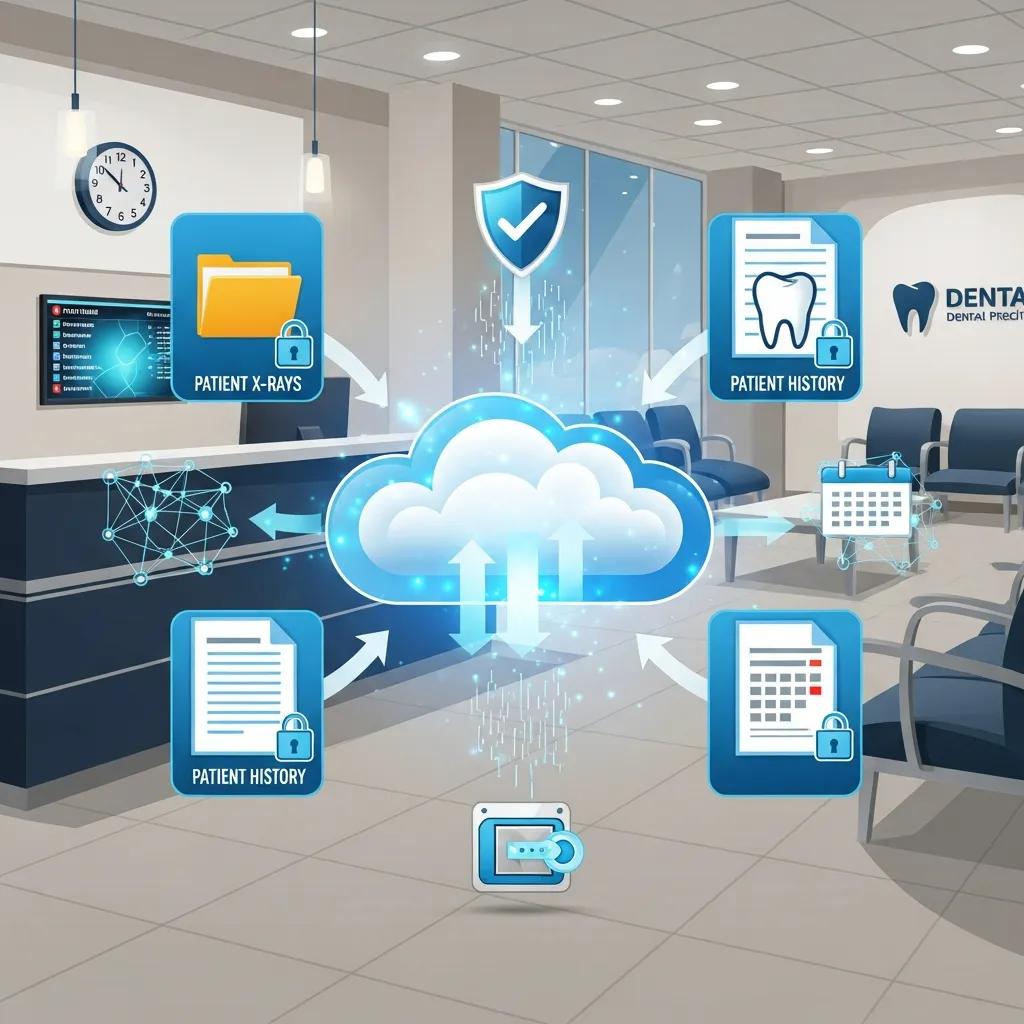
Cloud solutions support backup and disaster recovery with secure offsite storage, encrypted transfers and routine restore testing that usually lower recovery time objectives (RTO) and recovery point objectives (RPO) compared with onsite‑only backups. Providers use geographic redundancy, automated snapshots and restore tests to make sure critical systems — EHRs, scheduling and imaging — can be brought back online quickly. For dental offices this means fewer cancelled appointments, continuous billing and access to essential patient histories. The table below compares common backup approaches so clinics can weigh RTO, RPO and security trade‑offs.
Backup options compared:
| Backup Option | RPO | RTO | Encryption / Redundancy |
|---|---|---|---|
| Onsite NAS | Hours to days | Hours to days | Optional encryption, local only |
| Local Tape | Days | Days to weeks | Typically offline, limited redundancy |
| Cloud Backup | Minutes to hours | Minutes to hours | Encryption at rest/transit, geo‑redundant |
Cloud backups reduce the operational risk of local hardware failure and form a more resilient base for business continuity, especially when paired with documented restore procedures.
What Are the Advantages of Secure Offsite Data Storage?
Secure offsite storage protects against local disasters — floods, fires or theft — that could destroy onsite servers and backups, while providing managed encryption and key handling to keep data confidential. Cloud providers offer geographic redundancy so a regional outage does not erase all copies of records, and managed providers regularly verify backups to ensure recoverability. Scalability lets clinics grow storage without forklift upgrades, and predictable billing helps with budgeting. In short, offsite storage reduces the chance that a single catastrophic event will permanently disrupt operations or erase critical patient data.
How Does Cloud Backup Ensure Business Continuity in Dental Practices?
Cloud backup supports business continuity by combining frequent automated snapshots with prioritized restoration plans that bring essential systems — EHR, scheduling, billing — back first so patient care continues with minimal interruption. A practical disaster recovery checklist includes quarterly restore tests, clear responsibilities and prioritized recovery tiers for systems that must come online first. Automated failover and staged restores reduce manual recovery time and avoid extended appointment disruption. Regular testing and tabletop exercises validate the plan and confirm recovery objectives match clinical priorities, turning backup technology into real operational resilience.
| Backup Strategy | RPO (typical) | RTO (typical) | Notes |
|---|---|---|---|
| Automated Cloud Snapshots | 15–60 minutes | 1–4 hours | Best for EHR and imaging metadata |
| Daily Cloud Backups | 4–24 hours | 4–12 hours | Good for full system restores |
| Onsite + Cloud Hybrid | 15–60 minutes | 1–2 hours | Combines fast local restores with offsite resilience |
Pairing cloud backup with a managed provider and tested restoration procedures gives dental practices the confidence that patient care and revenue cycles can continue after most outages. For clinics evaluating options, DentalTek’s Cloud Backup is one example of a service aimed at secure offsite storage and reliable restoration for dental environments.
Industry experts stress that comprehensive disaster recovery planning is essential for healthcare organizations and outline practical strategies to prepare for varied threats.
Essential Healthcare Disaster Recovery Strategies
Disaster recovery is critical in healthcare. Whether the cause is a cyberattack, a natural event or a system failure, IT teams must be ready to respond quickly to keep patient care running and protect sensitive data. This article outlines key disaster recovery steps every healthcare IT team should know: identify risks, prioritise systems, establish clear communication and test recovery procedures. It highlights the role of cloud backups, encryption and regular testing to ensure recovery steps are both secure and effective.
Ready for Anything: Disaster Recovery Strategies Every Healthcare IT Team Should Know, VVR Boda, 2022
Frequently Asked Questions
What are the benefits of using cloud solutions for dental practices?
Cloud solutions give dental practices secure offsite backups, easier access to records across locations, scalable storage and predictable billing. That combination reduces the risk of data loss from local disasters, supports collaboration between sites and simplifies budgeting — all helpful for modern dental operations.
How can dental clinics ensure their IT provider is compliant with PIPEDA?
Do due diligence: confirm the provider uses encryption, access controls, logging and regular audits, and that they maintain a tested breach response plan. Ask for documentation that demonstrates compliance and schedule periodic reviews to keep controls current and aligned with regulations.
What role does staff training play in enhancing cybersecurity in dental clinics?
Staff training is essential because human error is often the weakest link. Regular sessions on phishing recognition, strong password use and proper data handling reduce risk. Ongoing training keeps teams current on threats and reinforces a culture of security that complements technical controls.
How do managed IT services help with disaster recovery planning?
Managed IT teams assist by building and testing recovery plans, scheduling regular backups, enabling automated failover and running restore tests. They help prioritize systems for recovery and document responsibilities so clinics can recover critical services quickly and reliably after an incident.
What should dental clinics look for in a managed IT service provider?
Choose a provider with dental industry experience, strong cybersecurity practices, reliable backup and recovery options, and clear SLAs for response times. Check references or case studies from similar clinics and confirm the provider can support both remote and onsite needs.
How can dental practices measure the effectiveness of their managed IT services?
Track metrics like system uptime, incident response times, backup success rates and frequency of security events. Pair technical KPIs with operational indicators — reduced wait times, fewer rescheduled appointments and improved access to records — and review performance with your provider regularly.
Conclusion
Managed IT services help dental clinics strengthen cybersecurity, streamline operations and meet regulatory obligations such as PIPEDA. By combining dental‑focused expertise with modern tools — monitored endpoints, secure backups and tested recovery plans — practices can protect patient data, reduce downtime and control costs. If you’re ready to see how tailored managed IT can simplify operations and safeguard your practice, consider a provider with dental experience and proven recovery procedures.

