
Hybrid Cloud for Dental Offices — Secure, Practical Practice Management
Hybrid cloud for dental practices pairs your on‑site practice management system with cloud-hosted infrastructure so teams get secure remote access, dependable backups and integrated communications — all without replacing the software you already use. This guide explains why hybrid cloud matters for dental clinics, how cloud dental software and hybrid models change everyday workflows, and the practical steps practices should take to adopt hybrid services safely and efficiently. Many dental teams struggle with server upkeep, limited off-site access to images and charts, phone-system gaps and data‑loss risk — problems hybrid cloud and cloud backup solutions are designed to solve. Read on for operational benefits, the technical controls that protect patient data, and a clear migration and onboarding path for Canadian practices evaluating providers. Along the way we’ll call out terms like cloud dental software, HIPAA‑compliant dental cloud backup and hybrid cloud solutions in Canada so you can compare options with confidence.
Hybrid Cloud for Dental Practices — Secure Access & Reliable Backups
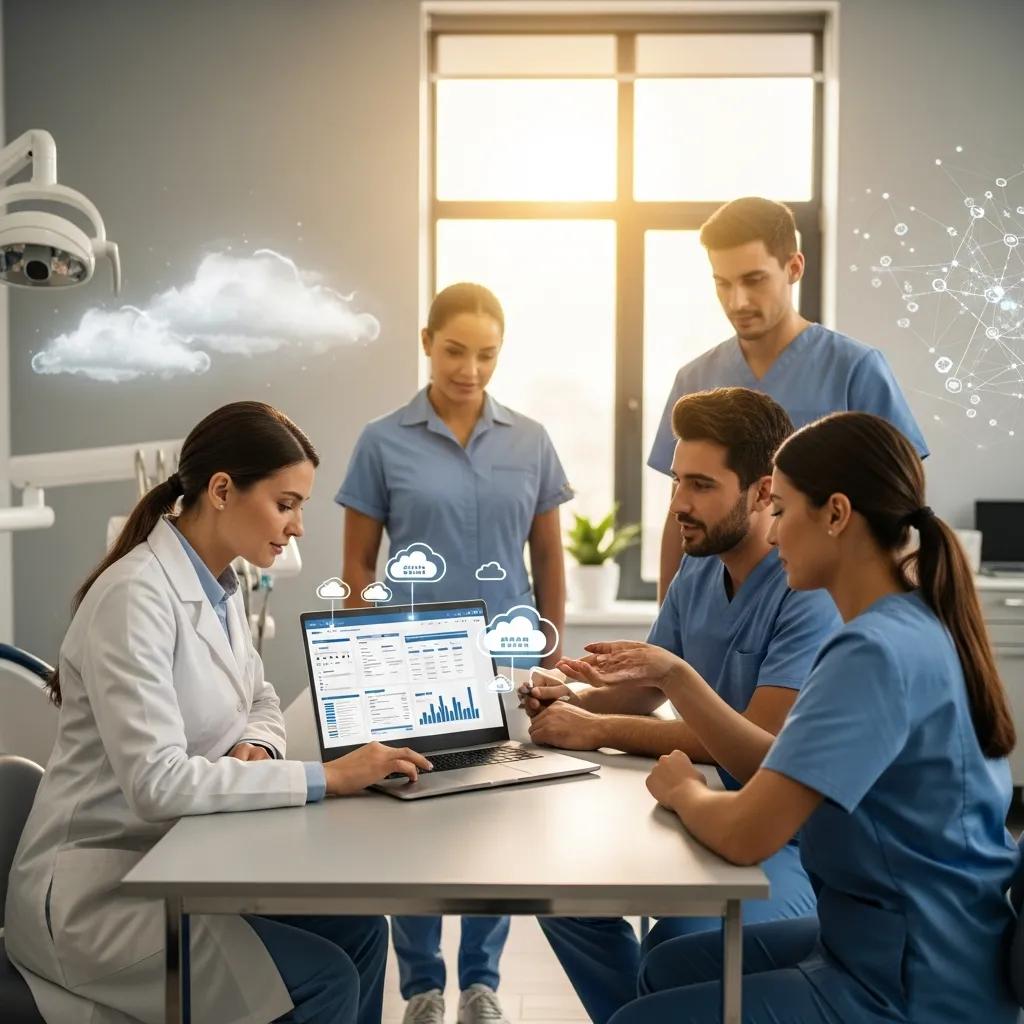
Cloud dental practice management software stores patient records, scheduling, imaging, billing and reporting on remote servers or web platforms instead of keeping everything only on a local server.
At its core, cloud value comes from centralized hosting plus secure remote access. That reduces on‑site hardware needs and enables automatic backups and updates. The practical benefits are clearer teamwork, simpler IT, faster disaster recovery and easier off‑site chart or image review for clinicians. Those gains improve scheduling, billing reconciliation and reporting accuracy — which together increase patient throughput and stabilize the revenue cycle.
Research shows that tackling workflow inefficiencies is a key lever for improving dental practice performance.
Optimizing Dental Clinic Efficiency & Workflow Integration
The study highlighted three themes that shape operational efficiency: workflow optimization, resource allocation and technology integration. Participants pointed to ineffective scheduling, unclear delegation and poor interdepartmental coordination as primary barriers to smooth operations.
Improving Operational Efficiency in Multi-Specialty Dental Clinics, 2025
Cloud solutions change concrete workflows inside the clinic, producing clearer role responsibilities, less downtime and easier management across multiple locations. The list below summarizes the primary operational benefits at a glance.
- Remote access & mobility: Authorized staff and clinicians can securely open records and images from anywhere.
- Less on‑site hardware: Fewer local servers reduce maintenance and capital spending.
- Automatic updates & backups: Centralized patching and backups cut administrative work and risk.
- Scalability: Resources grow with your practice or temporary needs, so you avoid over‑provisioning.
Those benefits translate into day‑to‑day improvements and make hybrid models attractive because they let you keep your current practice management software during migration.
How does cloud computing improve dental office operations?
Cloud computing centralizes storage and processing so the clinical team uses a single, up‑to‑date source of truth for charts, images and appointment statuses. That immediate synchronization improves coordination between front desk staff and clinicians — scheduling changes, billing notes and imaging results show up for authorized users right away.
For example, a dentist can review an X‑ray from home before a consult, shortening chair time and improving preparation.
Another example: when staff are short, administrators can work remotely to keep bookings and billing moving, minimizing disruption to the practice.
These operational gains reduce appointment friction and help teams respond faster to patients, and they set the stage for hybrid cloud options that preserve your current software investment.
What are the key advantages of hybrid cloud solutions for dental practices?
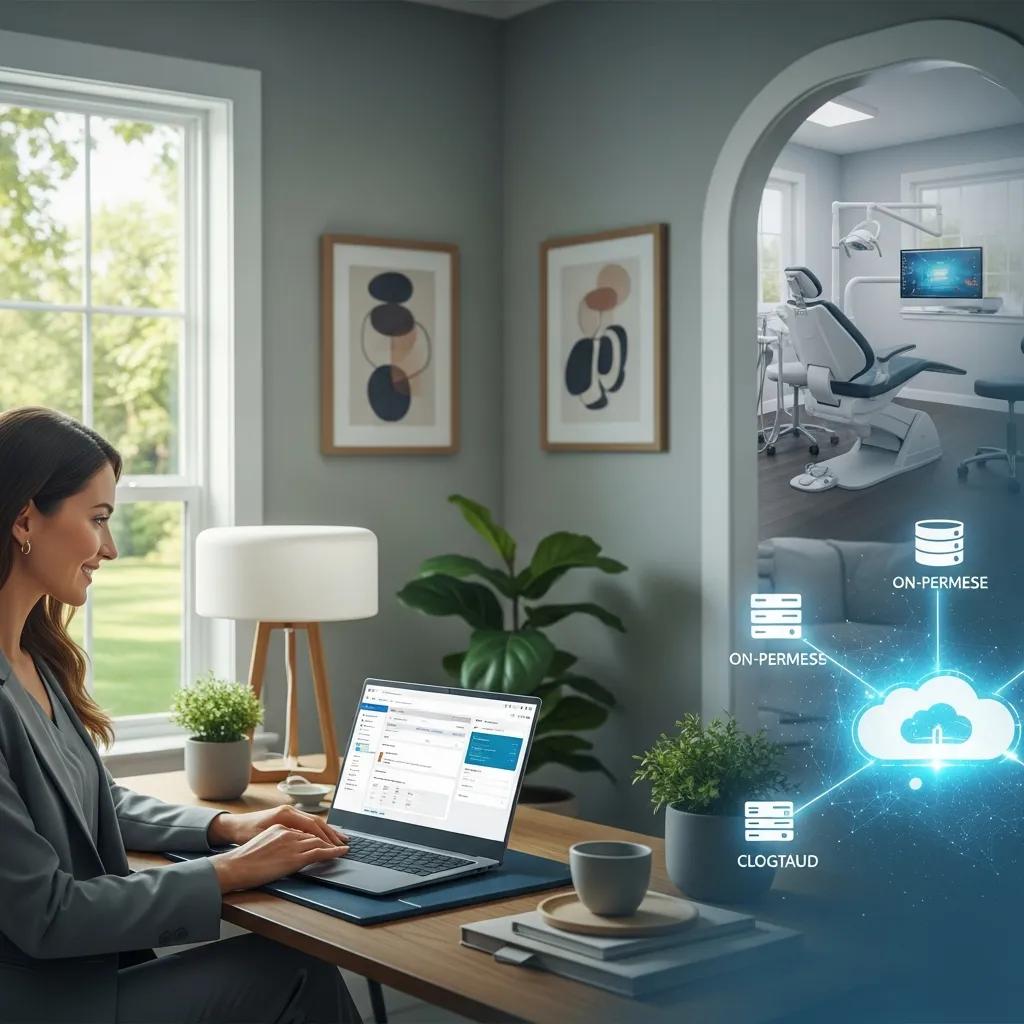
A hybrid cloud blends on‑site infrastructure with cloud‑hosted services so your existing practice management software stays in place while you add redundancy, secure remote access and managed IT services. Technically, this works through encrypted session tunnels, virtual desktops or published apps that make on‑premise software available through a managed cloud environment. That approach avoids costly software conversions and minimizes retraining while delivering cloud benefits like backups and disaster recovery.
- Preserves your existing practice management investment and avoids conversion risk.
- Provides a balance of security and accessibility through controlled remote access.
- Reduces disruption during adoption while offering scalable resources for growth.
Comparing hybrid, full cloud and on‑premise approaches helps practices choose the model that fits their size and digital maturity. The following sections explain integration and migration in practical terms.
How does DentalTek’s hybrid cloud integrate with existing practice management software?
DentalTek’s hybrid cloud uses remote hosting and connector technology to make your clinic’s current practice management system available from the cloud without forcing a software conversion. We preserve the familiar PMS interface and workflows while routing sessions and backups through secure, managed infrastructure — keeping retraining needs to a minimum and maintaining continuity for staff.
Under the hood this relies on encrypted session tunnels, managed virtual desktops or published applications, plus synchronized, secure backups. Those mechanisms keep data intact and ensure every user sees consistent records.
Before you commit, a clear migration roadmap helps set expectations: step‑by‑step actions, realistic timelines and defined roles for both your team and IT. The table below maps phases to clinic actions and expected outcomes.
| Phase | Required Clinic Actions | Expected Result/Timeline |
|---|---|---|
| Assessment & Planning | Share PMS details, network specs and user roles | Defined migration scope; planning complete in 1–2 weeks |
| Pilot Deployment | Allow a test instance, name pilot users and run validation scenarios | Workflows and performance validated in about 1 week |
| Cutover & Support | Book a cutover window, confirm backups and enable support staff | Minimal downtime with a fallback plan during cutover |
| Validation & Handover | Complete staff sign‑off and receive documentation and training | Full production with documented SLAs |
What does a seamless migration without software conversion look like?
A non‑conversion migration starts with discovery: documenting the PMS, peripheral integrations (imaging, labs) and network capacity. Next comes a pilot where a subset of users access the PMS through the hybrid cloud to check performance and workflows. A scheduled cutover follows, backed by full technical support and a rollback plan. Training focuses on connection differences rather than new software processes so productivity is preserved while you gain cloud resilience. This phased approach proves functionality in a controlled setting before full deployment and reduces perceived risk.
Pilot validation also informs cost and downtime reduction plans, which ties directly to how managed hybrid cloud lowers ongoing IT burdens.
How does hybrid cloud lower IT costs and reduce downtime?
Hybrid cloud shifts routine server maintenance and infrastructure tasks from in‑house staff to a managed service model, cutting capital costs and unpredictable repair bills. Downtime drops because of automated backups, managed redundancy and tested disaster recovery that bring services back quickly after hardware failures or local outages.
For instance, if an on‑site server fails, cloud‑hosted replicas can resume operations while the local hardware is repaired — avoiding emergency replacements and lost appointment revenue.
Financially, hybrid cloud reduces the need for dedicated server maintenance staff, moves costs to predictable subscriptions and lowers revenue losses from cancelled appointments due to IT outages. Those savings make hybrid cloud an attractive option for practices seeking stability and predictable IT spend.
What’s included in DentalTek’s 5‑in‑1 Cloud Super System?
DentalTek’s 5‑in‑1 Cloud Super System bundles five services that integrate with your PMS and streamline front‑desk and clinical workflows. It pairs hybrid cloud backup and hosting with communications and patient‑engagement tools: Office Smart Phone (VoIP), Rapid Call (recall/rapid‑response calling), Automated Patient Reminders (SMS/email/voice) and Paperless Intake Forms (digital consent). Each service targets a common pain point — phone handling, recall workflows, appointment confirmations, consent collection and secure off‑site backups — so together they cut no‑shows, speed patient outreach and protect your data while keeping your PMS intact.
Use the quick table below to scan each service and its primary benefit.
| Service | What it does | Primary benefit |
|---|---|---|
| Office Smart Phone (VoIP) | Connects phone system to patient records and call routing | Fewer missed calls; calls linked to charts |
| Rapid Call (Recall) | Automated rapid‑response calling for recalls and recall lists | Speeds recall campaigns and fills openings faster |
| Automated Patient Reminders | Sends SMS, email and voice reminders for appointments | Higher confirmation rates; fewer no‑shows |
| Paperless Forms | Digital intake and consent forms integrated with your PMS | Faster check‑in and less paper handling |
| Hybrid Cloud Backup | Secure backups of PMS data with managed recovery | Protects data and shortens recovery after incidents |
How does the Office Smart Phone improve patient communication?
The Office Smart Phone is a VoIP service that ties caller ID and call history to patient records so receptionists see context as calls arrive. With smart routing and shared voicemail, staff spend less time searching for charts or returning calls, which improves first‑call resolution for scheduling and clinical queries.
VoIP also tends to lower monthly telephony costs versus legacy PSTN lines and enables features like call recording for training and quality assurance where allowed.
Those phone workflow improvements reduce missed appointments and lift patient satisfaction, supporting broader engagement efforts.
What features do Rapid Call and Automated Patient Reminders include?
Rapid Call and Automated Patient Reminders use automated messaging to reach patients via SMS, email or voice based on scheduling rules and confirmation preferences. Common features include scheduled reminder timing, two‑way SMS confirmations, bulk recall campaigns, retry logic for unanswered calls and reporting on confirmation rates to refine timing.
By automating reminders and recall follow‑ups, clinics typically see higher confirmation rates and fewer no‑shows, which increases chair utilization and revenue per provider. Recommended timing (for example, an initial reminder seven days before and a second 24–48 hours before) helps maximize confirmations while staying convenient for patients.
How does DentalTek protect dental cloud data and support HIPAA?
Dental cloud storage and hybrid hosting protect patient data through encryption, automated backups and strict access controls that map technical measures to compliance requirements. In practice this means PHI is encrypted in transit and at rest, backups are performed and verified regularly, and role‑based access limits who can see patient data.
DentalTek emphasizes audited logs, multi‑factor authentication for administrative access and tested disaster‑recovery procedures so clinics can show they follow responsible safeguards. Mapping these controls to compliance principles helps practices see how technical safeguards support HIPAA and related privacy obligations while enabling reliable recovery and auditability.
| Security Component | Control Attribute | Compliance Outcome |
|---|---|---|
| Encryption | TLS for data in transit; AES‑256 at rest | Protects PHI confidentiality during transfer and storage |
| Automated Backups | Regular snapshots with verification | Ensures data availability and recovery for audits |
| Access Controls | Role‑based access and MFA | Limits PHI exposure and supports minimum‑necessary access |
| Logging & Monitoring | Audit trails and alerts | Provides accountability and forensic evidence for incidents |
| Disaster Recovery | Tested failover and restore procedures | Demonstrates operational resilience for compliance reviews |
What specific security measures protect patient data in the cloud?
Key safeguards include encryption of data in transit and at rest, multi‑factor authentication for admin access, role‑based staff permissions, network segmentation (separating clinical systems from guest networks) and continuous monitoring with audit logs to flag unusual activity.
Encryption prevents intercepted data from being read. MFA and role‑based controls reduce the risk from stolen credentials. Logging and monitoring create the forensic trail needed to investigate incidents and meet breach‑notification obligations. Together these layers reduce risk and support regulatory expectations for HIPAA‑compliant dental cloud backup.
How does DentalTek handle Canadian privacy laws like PIPEDA?
To meet Canadian privacy requirements such as PIPEDA, hybrid cloud services pair technical protections with contractual safeguards, clear policies and, when relevant, data‑residency options. Providers map controls like encryption, access management and logging to privacy principles such as accountability and safeguarding of personal information.
Vendors supporting Canadian clinics typically include written agreements that spell out responsibilities for data handling and breach notification and can help with privacy impact assessments and documentation for provincial differences. That transparency helps practices judge whether a hybrid cloud provider meets both HIPAA‑style expectations and Canada‑specific privacy obligations.
Why choose DentalTek’s cloud solutions for dental offices in Canada?
DentalTek focuses on hybrid cloud solutions for Canadian dental clinics and packages those services into the 5‑in‑1 Cloud Super System. Our core promise is simple: keep the practice management software you know while adding cloud backups, secure remote access and integrated communications and patient engagement tools. That hybrid route lowers conversion risk, reduces upfront hardware spending and delivers managed support with predictable costs. For Canadian practices balancing privacy and continuity, hybrid cloud offers a pragmatic middle ground between full cloud migration and maintaining legacy on‑site servers.
When you compare options, weigh conversion complexity, retraining, predictable costs and data‑residency concerns. The hybrid model addresses many of these criteria while keeping integration and continuity front‑and‑center. Use the guidance below to match the right approach to your practice profile.
How does DentalTek compare to full cloud and traditional on‑premise systems?
Hybrid cloud sits between full cloud and traditional on‑premise setups: it preserves current workflows while adding remote access, backups and managed infrastructure. Full cloud often requires moving to cloud‑native PMS solutions, which can increase retraining but offers pure SaaS simplicity and broad scalability. On‑premise keeps maximum control but brings higher maintenance and single‑point‑of‑failure risk.
For solo or small practices that can’t tolerate conversion downtime and want predictable costs, hybrid is often the best balance. Growing multi‑location practices may choose hybrid or full cloud depending on integration goals. DSOs and highly centralized organizations may prefer full cloud for consistent, cloud‑native workflows across sites.
Decision factors include practice size, growth plans and risk tolerance — matching those to the right model helps avoid surprises down the road.
What real results do Canadian practices report?
Clinics that adopt hybrid cloud and integrated communications commonly report fewer no‑shows thanks to automated reminders, faster recall closures with Rapid Call, fewer phone‑related scheduling errors after VoIP integration, and quicker recovery after hardware problems because of managed backups.
Quantified improvements typically show up as higher confirmation rates, fewer IT tickets and improved chair utilization from reduced missed appointments. While exact numbers vary, these operational gains are consistent across practices that successfully integrate hybrid cloud services with their PMS.
How can dental offices start cloud migration with DentalTek?
Start with a focused onboarding checklist, clear staff communication and a plan for validation and support so the transition causes minimal disruption. Begin by assessing your PMS, network capacity and integration points, then run a pilot to validate performance and workflows.
DentalTek provides migration planning and managed support that keeps your software in place while adding cloud‑hosted access and backups as part of the 5‑in‑1 Cloud Super System. These steps set clear expectations and prepare your team for cutover while ensuring technical and privacy safeguards are in place.
Use the short starter checklist below to begin preparing.
- Assess: Inventory your PMS, imaging systems, peripherals and network readiness.
- Plan: Define migration scope, responsibilities, pilot users and cutover windows.
- Pilot: Deploy a test instance and validate daily workflows with staff.
- Cutover: Run the scheduled migration with technical support and a fallback plan.
- Validate & Support: Confirm operations, complete training and enable ongoing managed support.
What does onboarding for DentalTek’s hybrid cloud look like?
Onboarding follows assessment, pilot, cutover and post‑launch support phases with clear responsibilities for both the clinic and DentalTek. During assessment we document PMS configuration and network details; in the pilot a small group validates real workflows; during cutover our technical team executes the migration in a planned window with a rollback option; post‑launch includes training, documentation and SLA‑backed support. Timelines vary by clinic size, but the structured phases reduce risk and keep patient care running smoothly during the transition.
What pricing and support options are available?
Hybrid cloud pricing usually follows subscription models that cover hosting, managed backups and bundled communications tools, often priced per practice or per seat. Support tiers range from basic monitoring and patching to managed support with guaranteed SLAs and dedicated onboarding. When comparing providers, evaluate response times and what’s included in each tier.
Because integrations and PMS environments differ, we recommend requesting a tailored quote to understand total cost of ownership and the level of managed services included. Choosing the right pricing and support tier brings predictable IT spend and clear expectations for maintenance and incident response.
Frequently Asked Questions
What challenges should practices expect when moving to a hybrid cloud?
Common challenges include integration complexities, a short period of potential downtime during cutover, and the need for staff training on new connection steps. Compliance questions around HIPAA and PIPEDA can add paperwork. Thorough assessments, a good pilot and clear change management reduce these risks and keep patient care steady.
How can practices keep data secure during migration?
Keep data secure by using strong encryption for data in transit and at rest, enabling multi‑factor authentication, and running security audits. Work with a reputable provider that offers automated backups and disaster recovery. Clear data handling policies and staff training also help protect sensitive patient information throughout the migration.
How important is staff training for hybrid cloud adoption?
Training is essential. Good training helps your team understand how to connect, where to find data and which security practices to follow, minimizing disruption to daily workflows. Ongoing support and refresher sessions help staff adapt and get the most value from the new environment.
Does hybrid cloud support practice growth and scalability?
Yes. Hybrid cloud lets you scale IT resources as your practice grows without large upfront hardware costs. You can add capacity for more patients, extra locations or new technologies while keeping existing systems integrated and avoiding disruptive conversions.
What are the cost implications of adopting hybrid cloud?
Hybrid cloud can reduce hardware and maintenance costs and replace unpredictable capital expenses with predictable subscription fees. Reduced downtime and improved operational efficiency can also increase revenue. Be sure to evaluate total cost of ownership, including any fees for data transfer or optional services.
How do practices measure success after implementing hybrid cloud?
Track KPIs such as reduced downtime, higher appointment confirmation rates, fewer IT tickets and improved staff productivity. Monitor data retrieval times and communication speed, and gather regular feedback from staff and patients to evaluate overall impact.
Conclusion
Hybrid cloud gives dental practices practical gains: stronger data protection, smoother operations and seamless integration with existing software. Those advantages help clinics focus on patient care while staying compliant with privacy requirements. If you’d like to see how DentalTek’s hybrid approach could work for your practice, reach out for a consultation — we’ll walk through options and a migration plan tailored to your needs.

