
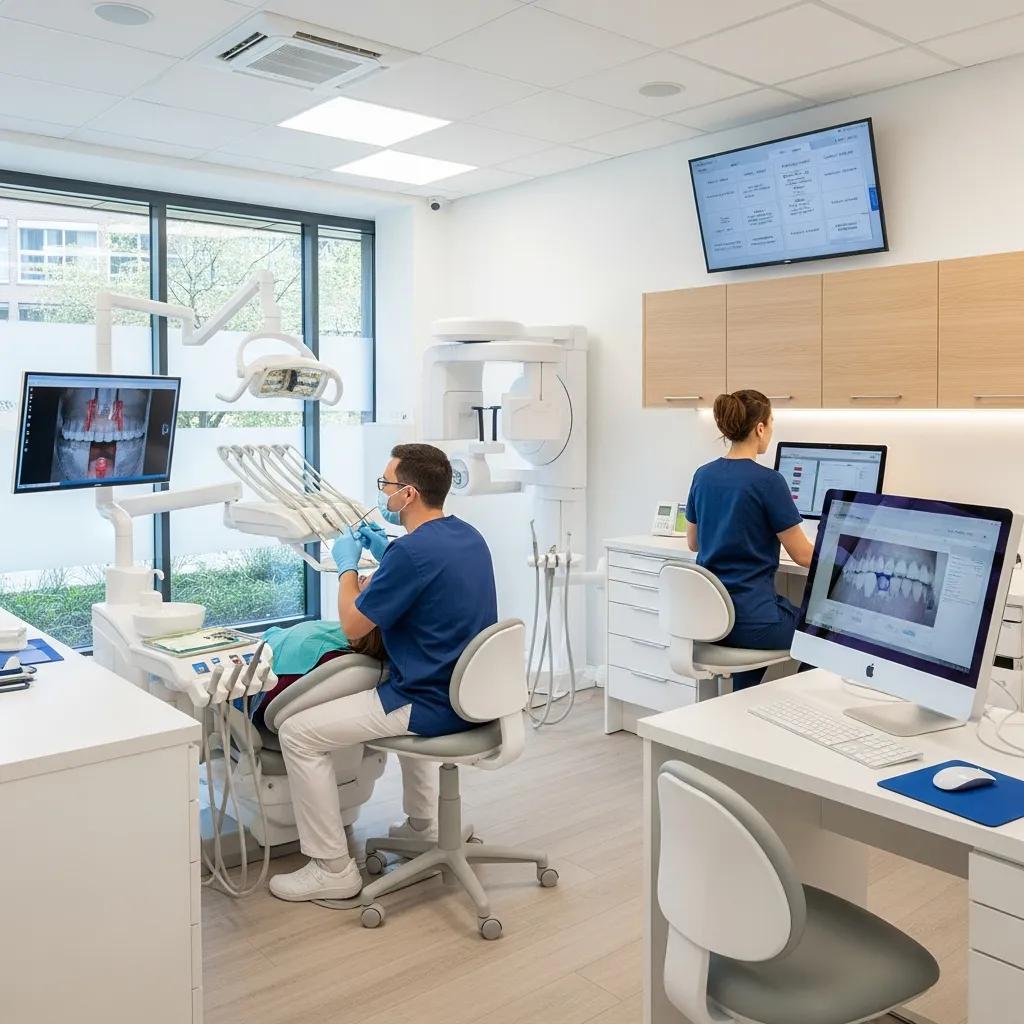
Scalable IT for Dental Service Organizations — Managed IT, Cybersecurity & Cloud for Multi-Location Dental Groups
For multi-location dental groups, scalable IT is about building a dependable foundation that supports clinical workflows, safeguards patient information, and lets you add clinics without added complexity. This guide shows how managed services, layered cybersecurity, cloud-based data strategies, and resilient networking work together to keep dental groups running, compliant, and efficient. You’ll find common DSO IT challenges, practical managed-service patterns that reduce downtime, security controls aligned with HIPAA-like and Canadian privacy expectations, and cloud and infrastructure options that enable safe growth. Each section mixes clear definitions, how things work, and the benefits so practice leaders and IT decision-makers can compare approaches and prioritize investments. Where useful, we point to vendor-neutral tactics and examples that align with DentalTek’s onboarding and support approach.
What are the key IT challenges faced by Dental Service Organizations?
As dental groups expand, their IT environments often become fragmented: multiple practice management systems, imaging silos, and mixed vendor stacks create operational friction and higher compliance risk. Fixing these issues improves reliability, cuts downtime, and enables centralized reporting that supports both clinical care and business decisions. Below are the highest-impact IT problems DSOs commonly face.
- Fragmented data and uneven IT support across clinics produce duplicate records and limit analytics.
- Elevated ransomware and phishing exposure threatens PHI and can disrupt operations across sites.
- Complex integrations between PMS, imaging, and admin software increase support overhead.
- Scaling without hardware and configuration standards drives unpredictable costs and delays.
- Limited visibility into IT spend makes budgeting and measuring ROI difficult.
These issues slow new-location onboarding and create inconsistent patient experiences. The next two sections dig deeper into two common drivers: fragmented data and cybersecurity risk.
How do data silos and inconsistent IT support impact DSOs?
Data silos form when clinics run different practice management systems, imaging servers, and local backup processes that never centralize. The result: duplicate patient records, slower reporting, and friction in billing and referrals. Inconsistent endpoints and backup schedules produce varying data fidelity and recovery capabilities, which forces manual reconciliation and wastes staff time. For example, harder access to records can lengthen appointments and increase wait times; unreliable backups raise the chance of partial data loss in an incident. Standardizing architecture and centralizing data reduces administrative overhead and enables unified analytics that directly support growth and quality initiatives.
Why is cybersecurity critical for protecting patient data in dental groups?

Cybersecurity protects PHI, helps maintain regulatory compliance, and prevents operational shutdowns that interrupt patient care. Dental groups hold sensitive health information — a breach can trigger fines, reputational harm, and expensive recovery efforts. Attackers exploit weak patching, poor access controls, and exposed remote-access tools; phishing and ransomware can cascade across multiple locations. A layered defense—encryption, multi-factor authentication, endpoint detection, and immutable backups—reduces both the chance and the impact of incidents. Strong security shortens recovery time and preserves patient trust, which matters when you’re scaling services across sites.
How do Managed IT Services support multi-location dental practices?
Managed IT Services give continuous oversight and consistent processes that lower incident counts and speed repairs, helping DSOs scale predictably. Core elements include 24/7 remote monitoring, vendor coordination, and standardized endpoint management, which together create consistent SLAs and centralized accountability. Central monitoring catches anomalies early, vendor management removes finger‑pointing, and standard device images speed new-site onboarding. Combined, these practices increase uptime, simplify procurement, and convert variable IT spend into predictable operating costs that support growth.
Our managed services follow a four-step delivery model—Audit, Takeover, Upgrade, Maintain—to onboard multi-location dental groups securely and methodically. During Audit we discover systems and gaps; Takeover secures transitions and consolidates support; Upgrade standardizes hardware and software; and Maintain provides ongoing monitoring, backups, and vendor coordination. This sequence shortens time-to-onboard and gives dental groups a single point of operational accountability.
Common managed features map directly to measurable operational outcomes:
| Managed Feature | Attribute | Typical Operational Outcome |
|---|---|---|
| 24/7 remote monitoring | Continuous telemetry and alerting | Faster detection and shorter incident windows |
| Vendor management | Single coordination point | Reduced escalation time and clear accountability |
| Standardized images | Pre-configured endpoint builds | Quicker onboarding and consistent support |
| SLA-driven helpdesk | Tiered response commitments | Predictable resolution times and cost control |
The table shows how managed services produce repeatable improvements in uptime and onboarding speed. The following sections unpack monitoring and maintenance with practical metrics and workflows.
What are the benefits of 24/7 remote monitoring and vendor management for DSOs?
Continuous monitoring spots performance problems and security anomalies before they become business-impacting. Telemetry from endpoints, servers, and network devices feeds automated alerts and human triage, enabling faster remediation. Vendor management funnels communications through a single escalation path so hardware and software vendors are coordinated by one accountable partner instead of many local contacts. Measurable gains include lower mean time to detection and resolution, fewer cross‑vendor delays, and clearer incident ownership — all of which reduce downtime and help clinics keep appointments on schedule.
How does proactive IT maintenance reduce downtime in dental groups?
Proactive maintenance relies on scheduled patching, health checks, and lifecycle planning to avoid avoidable outages. By applying security updates on a set cadence and replacing aging devices before they fail, clinics avoid sudden disruptions during clinical hours. Maintenance also covers backup verification and performance tuning to limit surprise incidents. Recommended cadences include monthly patch cycles, quarterly hardware reviews, and regular restore testing. Together these practices raise overall uptime and turn reactive firefighting into planned operational resilience.
What advanced Cybersecurity solutions ensure HIPAA compliance for Dental Service Organizations?
Advanced cybersecurity for DSOs pairs technical controls, governance, and recovery capabilities to protect PHI and meet regulatory expectations. Core controls include encryption at rest and in transit, role-based access with multi‑factor authentication, endpoint detection and response (EDR), immutable backups, and regular risk assessments with staff training. These layers work in sequence: prevention lowers attack likelihood, detection shortens exposure, and recovery limits business disruption. Below is a concise checklist of critical controls DSOs should prioritize for HIPAA-comparable protection.
- Encryption for stored and transmitted patient data to limit unauthorized access.
- Access controls and multi-factor authentication to reduce credential compromise.
- Ransomware detection plus immutable backups to support recovery without paying ransom.
- Regular risk assessments and an incident response plan to close governance gaps.
- Ongoing staff training and phishing simulations to reduce human-factor risks.
Following this checklist helps dental groups align technical defenses with the administrative controls required by privacy frameworks. The table below maps specific security solutions to compliance outcomes and typical remediation timelines.
| Security Control | Attribute | Compliance Outcome |
|---|---|---|
| Encryption (at rest/in transit) | AES-based storage and TLS for transport | Lowers data exposure risk and supports data protection requirements |
| Multi-factor Authentication (MFA) | Role-based MFA rollout | Limits unauthorized access and strengthens audit trails |
| Endpoint protection & EDR | Behavioral and signature detection | Enables rapid containment and forensic readiness |
| Immutable backups | Air-gapped or write-once snapshots | Supports recovery without ransom and shortens RTO |
| Regular risk assessments | Quarterly or annual scans and reviews | Demonstrates due diligence and informs mitigation plans |
This mapping shows how technical controls translate into compliance benefits and faster remediation in incident scenarios. The next sections explain ransomware protection and the human layer in more detail.
In addition to these technical controls, DentalTek provides focused cybersecurity services and partner-backed capabilities tailored to dental groups. We work with vendors such as Veeam and Microsoft to deliver immutable backup architectures, EDR, and secure cloud integration designed for PHI protection. For DSOs interested in a security assessment or demo, DentalTek offers a targeted review and a roadmap to reduce breach and ransomware exposure while supporting regulatory alignment.
How does ransomware protection safeguard sensitive dental patient information?
Effective ransomware protection uses layered defenses: prevention through timely patching and endpoint controls, detection via network and EDR monitoring, and recovery with immutable backups and tested disaster recovery plans. Typical recovery steps isolate affected systems, restore from immutable snapshots, validate integrity, and bring services back online within defined RTO/RPO targets. For dental practices we often aim for RTOs measured in hours and RPOs that limit chart loss to minutes or, at most, an hour depending on system criticality. Regular restore testing confirms that backups are usable and that teams can recover workflows quickly — preserving patient care and reducing financial impact.
Recent research underscores how pervasive ransomware has become and why resilient backup strategies and operational readiness matter in practice settings.
Ransomware Defense & Cybersecurity for Digital Systems
As systems become more digital, keeping them secure is an increasing challenge. Ransomware is now one of the most common threats, often deployed by advanced persistent threat groups to maximize impact. Attacks typically encrypt data and lock users out, with ransom demands often paid in cryptocurrency. In many cases attackers also exfiltrate data and use double- or triple-extortion tactics — threatening to release, sell, or weaponize stolen data to force payment.
Operational Resilience: Backup Strategies for Crisis Management in the Age of Ransomware, 2023
What role does employee cybersecurity training play in dental IT security?
People are often the weakest link — training reduces that risk. Effective programs are role-based, include frequent simulated phishing, and provide simple reporting steps so staff know how to escalate suspicious activity. Trackable KPIs — phishing click rates, training completion, and time-to-report — demonstrate behavioral improvements. Short, regular training modules combined with realistic simulations reduce risky behavior and help staff spot social engineering attempts. Embedding training in governance closes the loop between tools and everyday user actions, strengthening overall resilience.
How do Cloud Solutions and Data Management enhance scalability for dental groups?
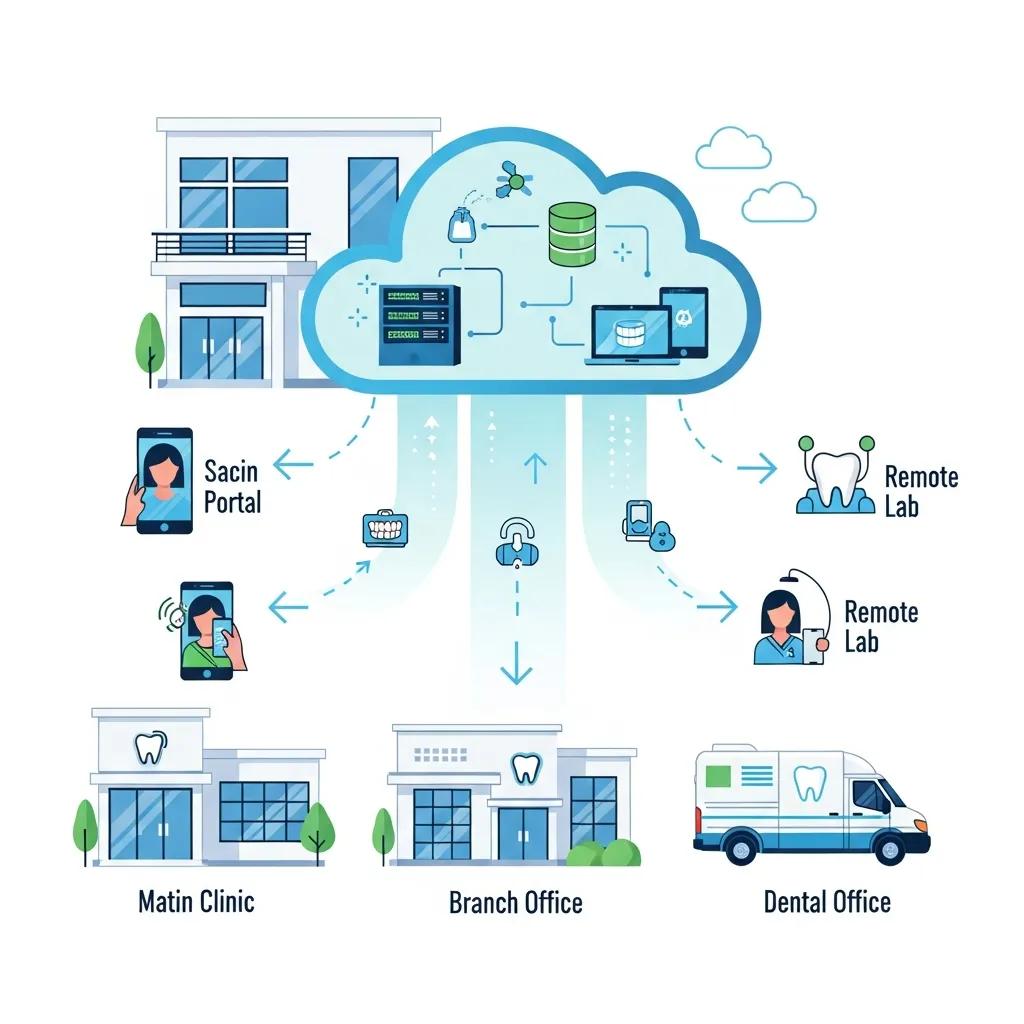
Cloud solutions let DSOs centralize data, standardize backups, and scale compute and storage independently of individual clinic hardware. A centralized data architecture supports unified analytics, simpler reporting, and automated backup orchestration — which speeds onboarding and increases operational visibility. Hosting options—on-premises, private cloud, public cloud, or hybrid—trade off cost, scalability, and data residency. DSOs should evaluate those choices against their RTO/RPO goals and regulatory constraints. Below is a short comparison to help align architecture with business continuity and compliance needs.
Understanding cloud infrastructure trade-offs matters; recent work continues to examine benefits and challenges for healthcare data exchange.
Cloud Computing Solutions for Healthcare Data Exchange
This analysis examines data exchange across healthcare organizations, comparing centralized and decentralized cloud approaches and their respective advantages and limitations for healthcare use cases.
Centralized vs. decentralized cloud computing in healthcare, M Abughazalah, 2024
| Hosting Model | Characteristic | Typical Impact on RTO/RPO |
|---|---|---|
| On-premises | Local control with limited elasticity | Longer RTO without offsite replication; RPO tied to local backup cadence |
| Private cloud | Dedicated environment with higher control | Shorter RTO with engineered redundancy; predictable costs |
| Public cloud | Elastic scalability and multi-region options | Fast failover and shorter RTOs with cross-region replication |
| Hybrid | Mix of local and cloud resources | Flexible RTO/RPO balance; supports data residency needs |
The table highlights how hosting choices affect recovery objectives and operational flexibility. The following sections cover centralized backups and continuity strategies in more detail.
What are the advantages of centralized data architecture and cloud backup for DSOs?
Centralized architecture consolidates patient records, imaging metadata, and administrative datasets into a single store for analytics and reporting. Aggregation reduces duplicate records, simplifies backups, and enables cross-location KPI tracking. Cloud backups offer automated snapshots and geographic redundancy that shorten recovery steps and cut manual restore effort. The ROI includes faster onboarding, lower local storage costs, and more consistent data — all of which support quality programs. Centralized systems also make it easy to roll out updates and security policies across the whole dental group.
How does cloud hosting improve business continuity and disaster recovery?
Cloud hosting enables geographic redundancy and faster failover than single-site setups. By replicating critical services across regions and using snapshots for quick restores, clinics can resume operations on alternate infrastructure if a site is impacted. Recommended DR checklists include defined RTO/RPO targets, documented failover steps, and quarterly restore testing. With cloud snapshots and tested failover plans, DSOs can keep appointments running and protect PHI during outages or regional incidents, preserving both care delivery and regulatory posture.
How can IT Infrastructure and Network Support optimize operations for scaling DSOs?
Reliable infrastructure and network support are the glue that keeps imaging, VoIP, and practice management systems performant across locations. Apply segmentation to isolate clinical imaging from guest Wi‑Fi, use QoS to prioritize VoIP and imaging transfers, and standardize hardware images to simplify device lifecycle management. These choices reduce imaging latency and keep call quality consistent at front desks — together improving patient experience and operational efficiency. The sections below outline network design best practices and considerations for VoIP and imaging.
Network and hardware standardization leads to less complexity and more predictable procurement:
- Standard device images
: Pre-configured endpoints reduce configuration errors and speed support. - Segmentation and QoS
: Protect clinical traffic and ensure voice/image performance. - Lifecycle planning
: Scheduled replacements prevent in‑service failures.
These practices create a repeatable template for new sites and cut ad hoc variations that complicate support.
What network design and hardware standardization strategies benefit multi-location dental practices?
A multi-site network should segment clinical systems from administrative and guest networks to limit lateral movement during incidents. Standard device images and consistent procurement simplify support and accelerate onboarding, while QoS ensures time-sensitive services like VoIP and imaging transfers get priority. Minimum specs should define router/firewall performance, switches with adequate throughput, and common endpoint configurations for imaging workstations. This template reduces troubleshooting time and delivers predictable performance across locations, supporting clinical workflows and centralized monitoring.
How do VoIP and digital imaging system support improve dental group communications?
VoIP and digital imaging need bandwidth planning, redundancy, and prioritized network paths to keep voice clear and images moving quickly. Best practices include reserving bandwidth for imaging uploads, applying QoS to voice packets, and adding failover internet links for critical communications. Monitoring jitter, packet loss, and imaging queue times lets technical teams proactively address bottlenecks. Reliable voice and imaging systems reduce appointment delays and increase clinician productivity, making consistent patient experiences easier to deliver across the group.
Why choose DentalTek for strategic IT consulting and scalable solutions for DSOs?
DentalTek specializes in IT for multi-location dental groups, offering managed services, network support, cybersecurity, and cloud backup designed around dental workflows. Our Audit–Takeover–Upgrade–Maintain model creates a repeatable, secure onboarding path that lowers consolidation risk and accelerates standardization. We emphasize security and compliance, partner with vendors like Veeam, Dell, Dentalcorp, and Microsoft to build resilient backup and infrastructure stacks, and act as an operational hub to simplify vendor coordination for DSOs. For leaders evaluating IT partners, DentalTek offers demos and security assessments to align technical plans with growth and compliance goals.
DentalTek’s four-step process breaks down into clear deliverables and timelines for dental groups:
| Phase | Deliverable | Outcome |
|---|---|---|
| Audit | Discovery and gap analysis | A clear remediation roadmap and prioritized risks |
| Takeover | Secure transition and consolidation | One support contact and minimal disruption |
| Upgrade | Standardization of hardware/software | Faster onboarding and fewer incidents |
| Maintain | Ongoing monitoring, backups, reporting | Predictable SLAs and compliance readiness |
This EAV-style view explains how each phase converts into operational improvements and measurable outcomes. Our vendor partnerships support immutable backups and tested DR paths, and our focus on dental IT shortens time-to-value when rolling out standardized environments.
How does DentalTek’s Audit, Takeover, Upgrade, and Maintain process empower dental groups?
During Audit we document systems, integrations, and risk exposure to produce a prioritized action plan. Takeover secures accounts, consolidates vendor contacts, and sets clear accountabilities to reduce transition risk and avoid downtime. Upgrade standardizes device images, patching regimes, and network templates to ensure consistent performance across locations. Maintain provides 24/7 monitoring, backup validation, and periodic reporting so DSOs have predictable SLAs and operational visibility. Together, these phases shorten onboarding, lower incident rates, and give a structured path for safe growth.
What success stories demonstrate DentalTek’s impact on DSO growth and compliance?
Anonymized before-and-after examples from multi-location dental groups typically show lower incident volumes, faster clinic onboarding, and more reliable backups. After a full Audit–Takeover–Upgrade–Maintain engagement, common metrics include reduced mean time to resolution, fewer ransomware-related outages thanks to immutable backups, and quicker rollouts through standardized images. These results show how a dental-focused IT partner turns technical improvements into operational capacity that supports expansion and compliance. For teams seeking a targeted demo or discussion, DentalTek provides assessments linking technical gains to business KPIs and risk reduction.
Frequently Asked Questions
What are the benefits of using cloud solutions for dental service organizations?
Cloud solutions centralize data management, improve scalability, and boost operational efficiency. With cloud infrastructure, DSOs can standardize backups, simplify data access, and make reporting across locations easier. That centralization reduces data silos and improves collaboration between clinics. Cloud platforms also let you scale resources as needed, so growth doesn’t require large upfront hardware purchases.
How can dental groups ensure compliance with data protection regulations?
To stay compliant, dental groups should adopt a layered cybersecurity strategy: encryption, strict access controls, and routine risk assessments. Strong data governance, regular audits, and staff training on privacy practices are also essential. Keeping policies and controls up to date helps maintain adherence to frameworks such as HIPAA and relevant Canadian privacy laws. These practices protect patient data and lower breach risk.
What role does vendor management play in IT support for dental practices?
Vendor management centralizes communications and accountability across multiple IT providers. By routing vendor interactions through a single contact, dental groups reduce confusion and speed incident response. Effective vendor management also ensures solutions are compatible and meet practice needs, minimizing downtime and letting clinical teams focus on patient care rather than technical issues.
How does proactive IT maintenance contribute to operational resilience?
Proactive maintenance prevents unexpected outages by keeping systems patched, performing health checks, and replacing aging hardware on schedule. Regular activities like patch management and backup verification keep systems secure and available. This approach improves uptime, reduces emergency support costs, and helps dental groups deliver consistent patient care.
What are the key considerations when choosing a managed IT service provider for dental groups?
When choosing a managed IT provider, consider industry expertise, service scope, and scalability. Look for a provider with a proven dental track record who understands compliance and workflow needs. Evaluate support structure, response times, and customization options. Finally, confirm their approach to cybersecurity and data protection so patient information stays secure and compliant.
How can dental practices leverage data analytics for improved patient care?
Centralized data systems let practices analyze records, treatment outcomes, and operational metrics to identify trends and improve scheduling. Analytics can measure treatment effectiveness, optimize resource use, and personalize patient communications. Data-driven insights help dental groups make informed decisions that enhance clinical outcomes and patient satisfaction.
Conclusion
Scalable IT is essential for Dental Service Organizations that want more reliable operations, stronger data protection, and predictable growth across locations. By tackling data silos and cybersecurity risks, DSOs can build a robust IT foundation that supports consistent patient care and regulatory compliance. Working with a specialist managed IT provider like DentalTek streamlines onboarding, standardizes environments, and provides ongoing support tailored to dental workflows. Learn how our practical, security-focused solutions can help your dental group scale safely and efficiently.

