
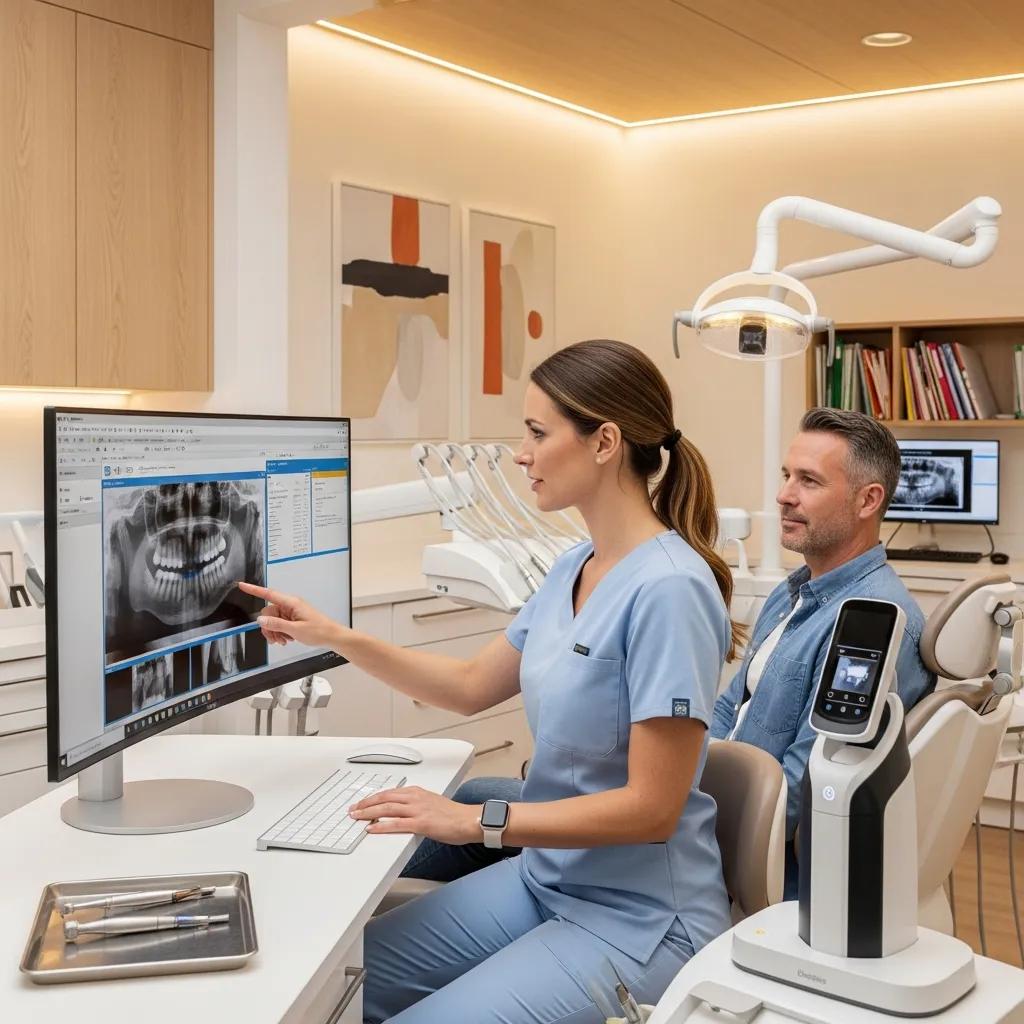
Managed IT Services for Ontario Dental Practices: Secure, Compliant, and Efficient Solutions
Managed IT for dental practices keeps clinical systems running, secures personal health information, and aligns technical controls with PHIPA expectations. Ontario clinics juggle sensitive patient records, large imaging files and a need for near‑continuous availability; dental‑focused IT blends network design, endpoint defense and reliable backups to protect records and reduce downtime.
This guide covers why dental clinics benefit from specialized managed IT, the solutions that support imaging and practice management software, how PHIPA maps to technical controls, and practical steps for disaster recovery and onboarding. You’ll find actionable guidance on monitoring, cybersecurity, backup strategies, software integrations and how to engage a dental‑specialized provider for demos or audits. We focus on pragmatic controls—network segmentation, immutable backups and coordinated vendor management—that lower risk and improve clinic efficiency across Ontario.
Why Do Ontario Dental Practices Need Specialized Managed IT Services?
Dental clinics have a specific mix of sensitive clinical data, high‑bandwidth imaging needs and regulatory duties under PHIPA. Large radiographs and scans put pressure on networks and storage, practice management systems need coordinated backups, and healthcare data is a frequent target for cyberattacks. That combination calls for tailored network design, endpoint protection and policies that preserve clinical access without compromising security. Below are the main reasons dental practices should choose specialized managed IT over general IT support.
Ontario dental practices need managed IT because of distinct technical and legal demands:
- Large imaging volumes and storage needs require optimized local networks and backup plans.
- PHIPA and breach‑reporting rules create legal duties for secure handling and auditable logs.
- Clinical uptime matters—short outages disrupt patient flow and revenue.
- Ransomware and phishing campaigns increasingly target healthcare providers for PHI.
The growing risk from ransomware highlights why strong cybersecurity practices are essential for dental clinics.
Ransomware Risks and the Need for Strong Cyber Defenses
As clinics digitize more systems, keeping those systems secure becomes a top operational challenge. Ransomware remains one of the most common and damaging threats: attackers encrypt files, often exfiltrate data, and may use double‑extortion tactics to force payment. Effective defenses combine prevention, detection, immutable backups and tested incident response to limit impact and recovery time.
Operational Resilience: Backup Strategies for Crisis Management in the Age of Ransomware, 2023
Those realities are why a dental‑experienced IT partner matters. After assessing clinic needs, practices should evaluate providers for dental experience, backup architecture and compliance support; DentalTek follows an audit‑to‑maintain model designed to meet these requirements and can provide demos or risk reviews for your clinic.
What Unique IT Challenges Do Dental Clinics Face in Ontario?
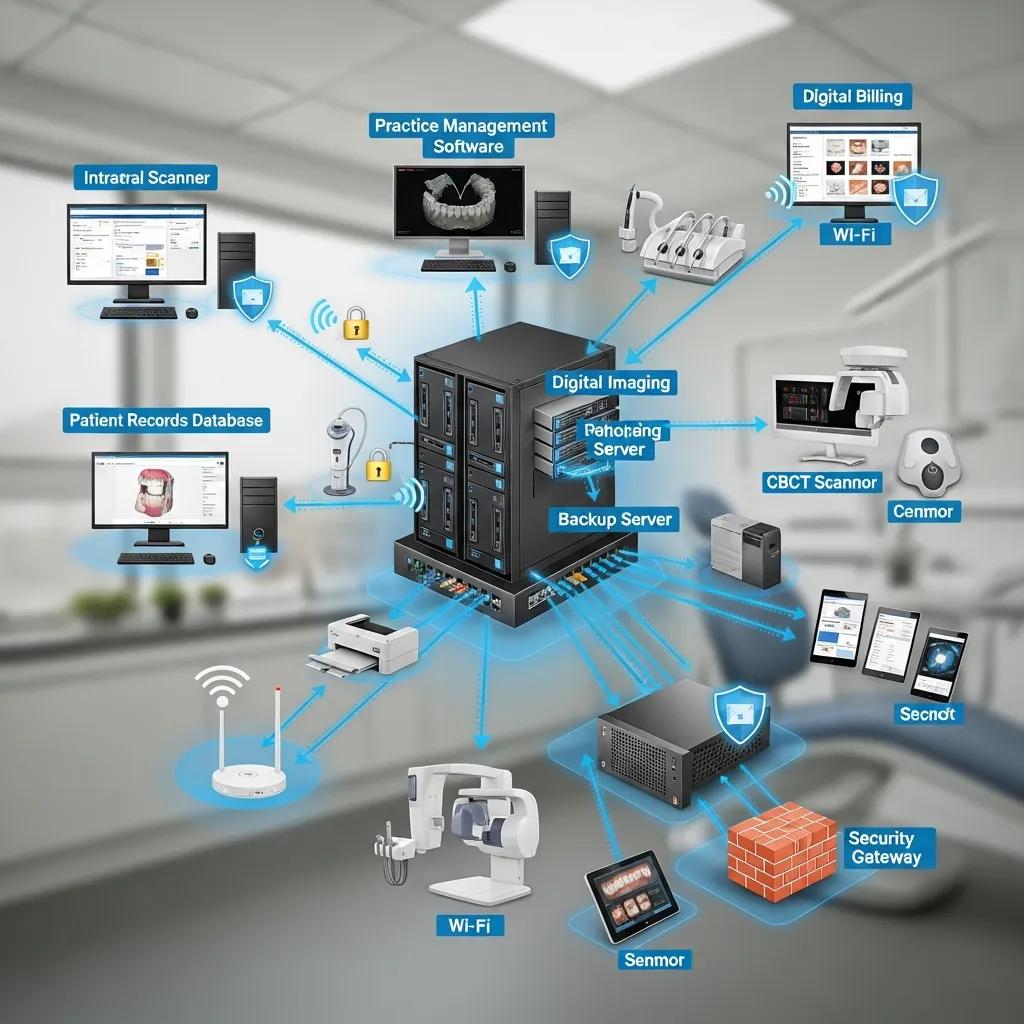
Dental clinics run multiple integrated systems—practice management, digital imaging and external lab systems—creating interoperability and storage challenges that general IT teams often miss. Imaging produces large DICOM or TIFF files that quickly use server and NAS capacity, slowing retrieval and causing network congestion during busy hours. Many clinics run hybrid environments with on‑prem workstations, cloud PMS instances and mobile devices, which raises management complexity. Proactive monitoring and configuration control are essential to avoid appointment delays and data integrity problems.
Integrating digital radiography and PACS presents technical and workflow challenges unique to dental settings, as enterprise implementations have shown.
Digital Radiography and PACS in Dental Settings
Implementing digital radiography across a large dental enterprise reveals the need for a dedicated dental PACS and careful coordination between vendors and clinical teams. High‑resolution dental imaging has specific requirements for capture, storage and workflow that exceed many generic imaging solutions. Successful rollouts emphasize specification, vendor selection, phased installation, training and validation to preserve image quality and clinical usability.
Enterprise-wide implementation of digital radiography in oral and maxillofacial imaging: the University of Florida Dentistry System, MK Nair, 2009
This connected environment calls for targeted technical controls—QoS for imaging traffic, segmented VLANs for clinical devices and validated backups—that reduce the risk of disruptive failures and improve day‑to‑day reliability.
How Can Managed IT Services Improve Dental Practice Efficiency?
Managed IT reduces downtime, automates routine maintenance and centralizes vendor coordination so front‑desk staff and clinicians can focus on patients. Proactive monitoring spots failing drives, missed backups or expiring certificates before they cause outages, leading to better uptime and fewer appointment interruptions. Standardized patching and scheduled upgrades cut surprise compatibility issues, while integrated support for PMS and imaging software speeds resolution when problems occur. A solid managed IT program lowers administrative overhead, shortens mean time to resolution and improves patient throughput.
Those efficiency gains depend on 24/7 monitoring, clear SLAs and defined escalation paths so critical systems receive priority attention—laying the groundwork for stronger security and compliance controls.
What Comprehensive Managed IT Solutions Does DentalTek Offer for Dental Clinics?
A comprehensive dental IT program pairs a phased engagement—audit, takeover, upgrade, maintain—with a core services suite that protects data, ensures uptime and supports clinical workflows. The initial audit identifies technical and compliance gaps; takeover handles secure migration; upgrades improve network, storage and endpoint defenses; and ongoing maintenance provides monitoring, support and backups tailored for imaging and PMS systems. DentalTek works with vendors like Veeam, Dell and Microsoft to deliver resilient backup, hardware and cloud solutions aligned with dental clinic requirements.
Key elements of a dental‑focused managed services package include:
- Audit and risk assessment to identify PHIPA exposures and performance bottlenecks.
- Takeover and secure migration with minimal disruption to clinical operations.
- Network, storage and endpoint upgrades to improve reliability and security.
- Ongoing monitoring, maintenance and support backed by clear SLAs.
DentalTek’s phased model simplifies onboarding and centralizes vendor coordination, helping clinics recover faster and strengthen their security posture. For practices that want a hands‑on review, DentalTek offers demos and consultations to map services to your clinic’s systems and workflows.
How Does Proactive Monitoring and Support Ensure Continuous Dental IT Operations?
Proactive monitoring combines endpoint and network telemetry with automated alerts and a ticketing workflow that routes issues to the right technical responder. Continuous health checks track storage use, backup completion, imaging server responsiveness and workstation performance so faults are fixed before they disrupt care. SLAs set response times by severity and describe escalation to onsite technicians when remote fixes aren’t enough. For example: an alert flags a failing RAID, a ticket is created, remote triage isolates the issue and an onsite tech replaces the array under SLA—preventing data loss and lengthy downtime.
These monitoring practices produce predictable uptime and support planned maintenance windows that avoid clinic interruption. The same telemetry feeds security analytics, tying operational reliability to threat detection and response.
What Cybersecurity Measures Protect Patient Data in Dental Practices?
Effective cybersecurity for dental clinics blends technical controls—EDR, next‑gen firewalls, network segmentation and MFA—with procedural safeguards like staff training and phishing simulations. Endpoint protection blocks known threats; segmentation keeps imaging and PMS servers separate from guest Wi‑Fi and admin devices to limit lateral movement. MFA and role‑based access reduce risk from stolen credentials, while secure email gateways and DNS filtering block common attack vectors. Regular patching, immutable backups and documented incident playbooks add resilience against ransomware and breaches.
A layered security program with continuous testing and user education both meets PHIPA expectations and strengthens your clinic’s overall security posture.
How Does DentalTek Ensure PHIPA Compliance for Ontario Dental Practices?
PHIPA compliance requires translating legal obligations into technical controls, documentation and operational processes that demonstrate safeguards and breach readiness. Core PHIPA duties—protecting electronic personal health information, detecting and reporting breaches, and managing retention and secure disposal—are met with encryption, access logging, secure backups and incident workflows. DentalTek couples technical controls with audit‑ready documentation and regular compliance reviews so clinics can show PHIPA conformity during internal or external assessments. The table below links key PHIPA requirements to DentalTek actions and expected outcomes.
| PHIPA Requirement | DentalTek Action | Outcome |
|---|---|---|
| Electronic safeguards for PHI | Encryption (at rest and in transit), strong access controls | Patient data confidentiality preserved |
| Breach detection & reporting | Continuous logging, monitored alerts and incident playbooks | Faster detection and documented reporting timelines |
| Data retention & secure disposal | Policy‑driven retention and secure wipe procedures | Compliant lifecycle management and audit trails |
This mapping shows how technical controls become audit‑ready outcomes and reduce legal exposure. The next section explains specific PHIPA items and how each translates into practical IT controls.
What Are the Key PHIPA Requirements for Dental IT Services?
PHIPA requires custodians to implement reasonable safeguards for personal health information, to detect and report breaches promptly, and to manage retention and secure disposal according to policy. Reasonable safeguards include administrative policies, physical protections and technical measures such as encryption, access logging and controlled remote access. Breach response requires timely investigation, documentation and notification when necessary, and retention rules define how long records and imaging files are kept and how they’re securely destroyed. Mapping these legal duties to specific IT controls helps clinics demonstrate compliance during regulatory reviews or patient inquiries.
Turning requirements into practice means pairing policy documents with technical enforcement—key management, role‑based access and immutable backups—so legal obligations are backed by observable system behavior. That approach reduces risk and builds patient confidence in how data is handled.
How Does Compliance Enhance Patient Data Security and Trust?
Compliance reassures patients that the clinic treats their health information with care, which improves retention and reputation while lowering legal and financial risk. When patients know a clinic follows recognized safeguards and has a tested breach response, they’re more comfortable with electronic records and digital communication—helping clinical efficiency. Compliance also simplifies third‑party assessments and payer audits because documented controls and logs provide clear evidence of due diligence. In short, a proactive compliance stance is both a risk reducer and a competitive advantage.
Beyond meeting legal requirements, compliance programs build a culture of security awareness among staff, reinforcing behaviors that further reduce risk and support long‑term clinic stability. Those cultural gains feed directly into stronger backup and disaster recovery practices described below.
Which Dental Practice Management Software and Technologies Does DentalTek Support?
Dental IT should reliably support the practice management and imaging systems your clinic uses each day. DentalTek supports major PMS platforms and common imaging solutions, offering remote support, on‑site configuration and integration tuning so scheduling, charting and imaging workflows stay available. Compatibility testing, automated database backups and performance tuning for imaging servers reduce interruptions during busy hours. The table below outlines typical integrations and how DentalTek supports them.
| Software/System | Integration Type | Typical Support Tasks |
|---|---|---|
| Dentrix | Remote support / On‑prem configuration | Database backups, patching and performance tuning |
| AbelDent | Remote configuration / Backup | Secure backups, update management and access controls |
| Tracker | Integration support / Troubleshooting | API connectivity and data synchronization checks |
| Dexis (Imaging) | Network / PACS integration | Storage planning, QoS and data integrity validation |
| Carestream (Imaging) | PACS & archive management | DICOM storage, backup verification and bandwidth tuning |
This compatibility matrix shows how specialist IT support reduces failures and keeps clinical systems aligned. Next, we explain why integrating PMS and imaging under managed IT improves workflows and reliability.
What Are the Benefits of Integrating Dentrix, AbelDent, and Tracker with IT Services?
Integrating practice management systems with managed IT delivers consistent backups, faster troubleshooting and secure remote access so clinical staff stay productive and downtime is minimized. Centralized management ensures updates and patches are tested for compatibility before rollout, preventing scheduling disruptions and data issues. Secure remote access lets authorized clinicians view charts or images offsite in emergencies while preserving audit logs and access controls. These improvements mean fewer billing errors, faster chair‑side access to records and quicker recovery after incidents.
Integration also simplifies vendor coordination: managed IT becomes the single point for software, hardware and imaging issues, shortening resolution cycles and letting staff focus on patient care. That consolidated approach supports stronger SLAs and measurable uptime gains.
How Does DentalTek Support Digital Imaging and X-ray Systems?
Supporting digital imaging requires high‑bandwidth network design, appropriate storage tiers and validated backup strategies for large radiograph and CBCT files. DentalTek configures QoS to prioritize imaging traffic during clinical hours, designs storage to separate active datasets from long‑term archives, and runs regular restore tests to confirm imaging integrity. PACS or local archive integrations are validated to avoid corrupted transfers, and scheduled maintenance reduces the chance of lost images. These steps protect diagnostic quality and ensure images are available when clinicians need them.
Regular validation and capacity planning prevent unexpected storage shortfalls and retrieval delays, keeping clinicians productive and protecting the clinic from imaging‑related outages. This infrastructure work is the foundation for effective cloud backup and disaster recovery.
What Are the Benefits of Cloud Backup and Disaster Recovery for Dental Clinics?

Cloud backup and disaster recovery protect patient records and imaging files from hardware failure, ransomware and accidental deletion while enabling defined recovery objectives (RPO/RTO) that support clinical continuity. Offsite encrypted backups eliminate single points of failure and, when paired with immutable or air‑gapped snapshots, provide strong ransomware resilience. DR plans define recovery steps, roles and communication protocols so clinics can resume patient care quickly after incidents. The table below compares common backup and DR attributes and their value for dental clinics.
| Backup/DR Component | Characteristic | Value for Dental Clinics |
|---|---|---|
| Cloud Backup | Daily encrypted offsite snapshots | Protects patient records and imaging from local loss |
| Retention Policies | Versioning and retention windows | Enables point‑in‑time restores after corruption or ransomware |
| RPO / RTO | Defined recovery objectives | Ensures acceptable downtime and data loss limits |
| Immutable Snapshots | Air‑gapped backup copies | Improves ransomware resilience and recovery confidence |
Cloud backup paired with tested DR runbooks lowers clinic risk and reduces dependence on on‑prem hardware. The following subsections explain encryption and DR planning that deliver practical resilience.
How Does Secure Cloud Backup Protect Dental Patient Data?
Secure cloud backup protects dental data with end‑to‑end encryption, versioning and immutable storage that prevents unauthorized modification or deletion of backup copies. Encryption in transit and at rest keeps backups confidential, while versioning and retention let you restore to known‑good states if data is corrupted or encrypted by ransomware. Regular restore testing confirms backups are usable and meet your RTO targets. Using backup technologies tuned for large imaging files ensures efficient and predictable restores.
Encryption, immutable snapshots and periodic testing together form a practical backup strategy that balances cost, recoverability and PHIPA‑compliant handling of patient records.
What Disaster Recovery Plans Ensure Business Continuity for Dental Practices?
A practical disaster recovery plan includes a risk assessment, clear RPO/RTO targets, documented failover steps and assigned staff roles for escalation and communication. The plan covers common scenarios—ransomware, server hardware failure or office network outage—and defines when to fail over to cloud systems or temporary operations. Regular DR tests exercise the runbook, reveal gaps and refine timelines to meet clinic continuity goals. Clear communication protocols for staff and patients ensure coordinated responses that protect care and reputation.
Maintaining and testing the DR plan on a regular cadence keeps the clinic prepared for real events and helps ensure recovery times meet clinical needs. These preparedness measures tie directly to vendor‑managed backup and monitoring services.
How Can Ontario Dental Practices Partner with DentalTek for Reliable IT Support?
Partnering with a dental‑focused IT provider usually follows a phased onboarding path—audit, takeover, upgrade, maintain—that assesses risks, transitions systems securely, optimizes infrastructure and delivers ongoing monitoring and support. DentalTek’s engagement model follows this approach: an initial audit finds PHIPA gaps and performance bottlenecks; takeover handles secure migrations with minimal clinical impact; upgrades deliver necessary architectural improvements; and maintenance provides continuous monitoring and remediation. Local support and clear SLAs help Ontario clinics get timely responses and predictable results.
To help clinics evaluate and engage, here are practical onboarding steps and what to expect during a demo or consultation:
- Request an assessment
: Share a summary of current systems and your main pain points to start the audit. - Schedule a clinic audit
: DentalTek performs a technical and compliance review to identify priority fixes. - Review the recommended roadmap
: Receive an actionable plan with phased upgrades, timelines and SLA details.
This engagement model streamlines procurement and focuses on measurable outcomes like reduced downtime and validated backups. After onboarding, clinics have documented systems and procedures that support both clinical workflows and compliance.
What Are the Advantages of Choosing DentalTek’s Managed IT Services?
A dental‑specialized IT provider delivers focused domain expertise, phased onboarding to minimize disruption and partnerships with enterprise vendors for resilient backup and hardware. DentalTek emphasizes PHIPA‑aligned controls, consolidated vendor coordination and service models tuned to dental workflows, all of which reduce mean time to recovery and strengthen security. Expect measurable improvements in uptime, faster ticket resolution and successful backup/restore validations that demonstrate operational readiness.
These outcomes give clinic managers confidence in their IT environment and free staff to concentrate on patient care rather than troubleshooting. The next section explains how to request a demo and what to prepare.
How Can Dental Clinics Request a Demo or Consultation?
To request a demo or consultation, prepare an overview of your current systems, priority pain points and examples of recent incidents or outages that affected operations. A concise list of practice management software, imaging systems and existing backup approaches speeds the audit and helps produce a more accurate roadmap. During a demo expect a review of your architecture, a risk outline and proposed next steps with timelines and SLA options. Clinics can request demos through DentalTek’s website or Google Business Profile; expect follow‑up to schedule an audit and onboarding session.
Bringing the following items to the consultation makes it more effective:
- A current list of PMS and imaging systems in use
- A brief description of recent outages or security incidents
- Typical weekly imaging volume and storage requirements
DentalTek will use this information to scope an initial audit and recommend a phased plan that minimizes clinical disruption while improving security and reliability.
Frequently Asked Questions
What are the key benefits of partnering with a specialized IT provider for dental practices?
Partnering with a specialist like DentalTek brings tailored solutions for dental‑specific issues—PHIPA compliance, large imaging files and integrated PMS workflows. Specialists understand vendor ecosystems and common failure modes, provide proactive monitoring to reduce downtime, and offer faster, more reliable support than generalist providers. The result is improved operational efficiency and stronger data protection.
How can dental clinics ensure their data is secure during cloud backups?
Secure cloud backups use end‑to‑end encryption, immutable storage and versioning to protect data in transit and at rest. Immutable copies and air‑gapped snapshots protect against unauthorized changes and ransomware, while regular restore tests verify recoverability. Together these practices help maintain PHIPA compliance and ensure you can recover when needed.
What role does staff training play in enhancing cybersecurity for dental practices?
Staff training is a vital layer of defense. Regular sessions on phishing awareness, strong password habits and secure data handling reduce human error—the most common cause of breaches. Ongoing training and simulated phishing campaigns keep staff vigilant and support the technical controls in your security program.
What should dental clinics consider when selecting a managed IT service provider?
When choosing a provider, prioritize dental experience, PHIPA compliance know‑how, proactive monitoring, resilient backup solutions and clear SLAs. Confirm their vendor partnerships and ask for references from other dental clients. A provider who can coordinate vendors and act as a single point of contact will simplify operations and speed issue resolution.
How can dental practices prepare for a successful IT audit?
Prepare documentation of your IT architecture, software and hardware inventory, security measures and recent incidents. Compile retention policies and any compliance paperwork you have. Having this information available lets auditors and providers quickly identify gaps and produce a prioritized remediation plan.
What are the common challenges faced by dental clinics in managing their IT systems?
Common challenges include integrating multiple software and imaging systems, handling large volumes of imaging data, meeting PHIPA requirements and defending against ransomware. Limited IT staff and mixed cloud/on‑prem environments also complicate maintenance and backups. A dental‑focused managed service addresses these challenges with targeted controls and operational processes.
Conclusion
Investing in specialized managed IT helps Ontario dental practices improve efficiency, meet PHIPA expectations and protect sensitive patient data. Tailored solutions reduce downtime, streamline workflows and strengthen security so clinics can focus on care. Partnering with a dental‑focused provider like DentalTek makes the transition to resilient, compliant IT smoother and more predictable. Explore our services to start optimizing your clinic’s IT infrastructure today.

