
Dental Practice Cybersecurity: Securing PHI and HIPAA Compliance
Cybersecurity for dental practices combines technical, administrative, and physical safeguards that protect patient health information (PHI) and keep clinic operations running despite digital threats like ransomware, phishing, and data leaks. Strong security reduces the ways attackers can get in, hardens your systems, and ensures you can recover quickly so patient care isn’t interrupted. This guide explains why dental clinics are attractive targets, outlines the top threats in 2025, and offers prioritized, clinic-sized controls you can put in place right away. You’ll get concrete, practical steps—MFA, patch management, network segmentation, and proven backups—along with guidance on managed solutions and how those measures align with HIPAA (U.S.) and PIPEDA (Canada). Each section gives clear actions, comparison tables, and checklists to help small and medium practices assess risk and pick partners. Read on for a clinic-focused roadmap to secure electronic records, limit downtime, and build an incident response plan that satisfies regulators and protects patients.
What Are the Biggest Cybersecurity Threats to Dental Practices in 2025?
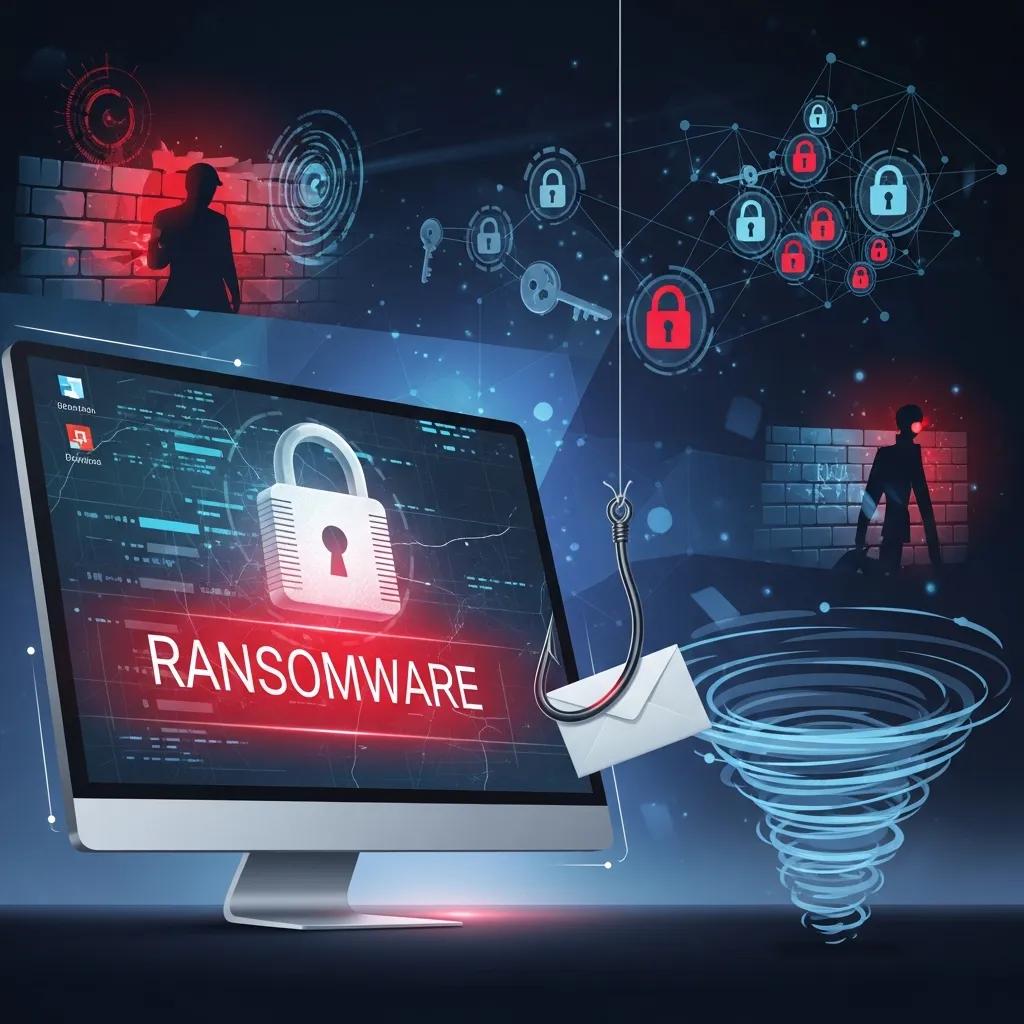
In 2025 the main risks for dental offices are extortion malware, targeted social-engineering attacks, and insecure networked devices or vendors. Ransomware can lock patient files and clinical systems, forcing clinics to pay or stop operations. Phishing and business-email-compromise remain the most common initial access methods because they exploit staff behavior rather than technical defenses. Old practice management systems, unmanaged IoT equipment (like networked imaging), and weak vendor security increase exposure and regulatory risk. Knowing these threats helps you prioritize detection, stronger authentication, and reliable recovery—next we break down ransomware and phishing in practical terms so you can act fast.
How Does Ransomware Impact Dental Clinics and Patient Data?
Ransomware encrypts files and systems and demands payment for the keys. In a dental setting that can stop appointments, block access to X‑rays and charts, and force slow manual processes that affect care. Attackers often enter via phishing, remote‑access flaws, or unpatched servers, then spread laterally to increase damage. The fallout can be days or weeks of downtime, direct recovery costs, possible fines for PHI exposure, and lost patient trust. Treat ransomware as a two-part problem: prevent initial access with MFA, patching, and endpoint detection, and prepare to recover with immutable cloud backups and regularly tested restorations to minimize patient impact and financial loss.
Why Are Phishing Attacks the Leading Cause of Dental Data Breaches?
Phishing succeeds because it targets people, not just systems—tailored messages trick staff into handing over credentials, opening malware, or approving fake payments. Dental teams are often busy and handle time‑sensitive vendor and insurance messages, which makes them attractive targets. Modern phishing uses brand spoofing, invoice scams, and credential‑harvesting pages, and attackers increasingly use AI to personalize messages for better success. The best defenses are layered: regular phishing simulations and training, strong email filtering plus DMARC/SPF/DKIM, and MFA so stolen passwords alone won’t grant access. These measures lower successful attacks and speed detection; practical steps follow in the next section.
How Can Dental Practices Protect Patient Information and Prevent Data Breaches?
Protecting PHI requires a prioritized mix of policies, staff training, and technical controls sized to your clinic. Start with the controls that cut common attack paths—MFA, disciplined patch management, endpoint protection, and daily incremental backups—then add network segmentation, least-privilege access, and vendor risk checks. Regularly test backup restores and run tabletop incident exercises so staff know what to do under pressure; those drills turn written plans into real resilience. Below is a short, practical checklist clinics can use immediately, followed by a compact comparison of expected impacts.
The following short checklist is designed for quick operational prioritization:
- Enable multi‑factor authentication (MFA) on every user account to stop credential‑based access.
- Keep a monthly patch schedule for workstations and servers; enable automatic updates where safe.
- Install endpoint protection with EDR features and monitor alerts for suspicious behavior.
- Use role‑based access and network segmentation so clinical systems are isolated from guest/administrative networks.
- Run daily encrypted backups with immutable retention and perform quarterly restore tests.
These steps reduce common breach vectors and increase confidence in recovery. The table below links each control to the primary impact you can expect.
| Control | Primary Impact | Typical Benefit |
|---|---|---|
| Multi-Factor Authentication (MFA) | Prevents credential misuse | ~99.9% reduction in automated account takeovers |
| Patch Management | Remediates known vulnerabilities | Reduces exploit surface from public CVEs |
| Endpoint Detection & Response (EDR) | Detects and contains endpoint threats | Shortens attacker dwell time and enables remediation |
| Immutable Cloud Backup | Ensures recoverability after encryption | Enables full restore without paying a ransom |
| Role-Based Access Control | Limits lateral movement | Minimizes impact of compromised accounts |
Combining prevention with reliable recovery reduces both breach likelihood and operational interruption. Next we explain how managed providers can take these controls from policy to day‑to‑day operations for busy clinics.
DentalTek integration note: If your team prefers to outsource implementation, DentalTek specializes in IT services for dental clinics—Managed Services, Network Support, Cybersecurity, Cloud Backup, Remote Support, and Onsite Support. DentalTek’s clinic‑focused packages audit, upgrade, and maintain practice IT while enforcing security best practices. If you want help with MFA rollouts, patch automation, or staff training, request a demo or contact DentalTek to discuss a tailored plan that follows the checklist above.
What Are Essential Cybersecurity Best Practices for Dental Clinics?
Essential practices blend low‑effort, high‑impact technical steps with simple administrative processes to create a defensible baseline. Start with enforced MFA, unique user accounts, centralized patching, and endpoint protection that includes behavioral EDR. Ensure backups are immutable and regularly validated, with documented RPO (recovery point objective) and RTO (recovery time objective) aligned to your appointment schedule and revenue impact. Administrative items—clear password policies, vendor security reviews, and an incident response playbook—help maintain security through staff turnover and third‑party interactions.
These basics set the stage for more advanced monitoring and managed services described later.
How Does Employee Training Reduce Cybersecurity Risks in Dental Offices?

Training turns people from the primary risk into an active defense. Focus on phishing recognition, safe handling of PHI, proper device use, and vendor verification—train at onboarding and run regular refreshers (quarterly is common) with simulated phishing tests. Simulations yield measurable KPIs—click rates and report rates—that guide follow‑up training and show improvement over time. When staff are both trained and measured, detection and reporting improve, incidents are caught sooner, and overall exposure drops.
A steady training schedule and phishing simulations complete the human side of your defense, working alongside technical controls that block advanced threats.
Enforcement of HIPAA Privacy and Security Rules in Dental Practices: A Qualitative Study
ABSTRACT: Henson, Angelique. Capella University. ProQuest Dissertations & Theses, 2016. 10162005.
A qualitative case study on the enforcement of HIPAA privacy and security rules in dental private practices, 2016
What Advanced IT Security Solutions Are Available for Dentists?
Advanced security options include managed detection and response, continuous network monitoring, EDR‑level endpoint protection, and encrypted cloud backups built for fast recovery. These services move day‑to‑day security operations to teams and toolsets that detect anomalies, enforce policy, and execute containment. Clinics should evaluate MDR/SIEM‑style monitoring, managed firewalls with segmentation, and cloud platforms that offer immutable snapshots. Comparing in‑house versus managed approaches clarifies tradeoffs in cost, response time, and technical depth—especially for smaller clinics without dedicated security staff.
| Solution Category | Key Attribute | Clinic-Level Value |
|---|---|---|
| Managed Services (MSSP/MDR) | 24/7 monitoring & incident response | Reduces dwell time and supplies SLAs for remediation |
| Network Security | Managed firewall & segmentation | Limits lateral spread and protects imaging/PHI systems |
| Endpoint Protection (EDR) | Behavioral detection & response | Identifies suspicious processes and contains endpoints |
| Cloud Backup | Immutable snapshots & automated restores | Fast recovery from ransomware without decryption payments |
This comparison shows how managed and technical solutions work together to deliver prevention and recovery for dental practices. The next section explains the value of managed services in more detail.
How Do Managed IT Services and Network Support Enhance Dental Cybersecurity?
Managed IT and proactive network support give continuous oversight, patch management, and incident response that most small clinics can’t sustain internally. A managed provider monitors logs and alerts, applies tested patches on a schedule, and follows playbooks for rapid containment—translating into less downtime and predictable recovery. Outsourcing is a cost‑effective way to gain enterprise‑grade controls like EDR, centralized logging, and regular vulnerability scans without hiring full‑time specialists. Managed providers also coordinate vendors and keep compliance documentation up to date.
In short, outsourcing converts complex security tasks into reliable outcomes so clinicians can focus on patient care.
Why Are Cloud Backup and Data Encryption Critical for Dental Practices?
Encrypted cloud backups and strong encryption protect data in transit and at rest so that, even if systems are breached, exposed data remains unreadable and your practice can restore operations. A practical backup strategy includes daily incremental backups, weekly full snapshots, and retained immutable copies for ransomware recovery; recommended RTOs and RPOs vary by appointment volume but many clinics aim for an RTO under 24 hours for critical systems. Encryption safeguards PHI on stolen devices or backups, and regular restore drills confirm backups are usable. Together, these steps lower regulatory and operational risk after an incident.
DentalTek integration note: DentalTek’s Cloud Backup and Cyber Security services combine encrypted, immutable backups with monitoring and remediation workflows tailored to dental clinics. Clinics can request a demo to see how these solutions match their RTO/RPO needs and recovery goals.
How Do Dental Practices Ensure HIPAA and PIPEDA Compliance in Cybersecurity?
Meeting HIPAA and PIPEDA means documented risk assessments, written policies and procedures, workforce training, technical safeguards (access controls, encryption), and a breach notification plan that meets local timelines. Compliance isn’t just installing controls—it’s keeping evidence: risk analyses, remediation logs, training records, and incident reports that show due diligence to auditors. Canadian practices should align PIPEDA principles—consent, data minimization, and notification—with HIPAA‑style security controls. The table below summarizes recommended activities, frequency, and scope for dental clinics.
| Compliance Activity | Recommended Frequency | Recommended Scope |
|---|---|---|
| Risk Assessment | Annual or after major changes | Entire environment, including third‑party vendors |
| Policies & Procedures | Review annually | Access controls, backup, BYOD, incident response |
| Training & Awareness | Quarterly or semi‑annually | All staff, role‑specific modules, phishing simulation |
| Breach Response Plan | Test annually | Notification steps, containment, forensic engagement |
This structured approach helps clinics show accountability and build the documentation auditors expect. The next subsection breaks down key HIPAA Security Rule requirements in clinic terms.
What Are the Key HIPAA Security Rule Requirements for Dental Clinics?
The HIPAA Security Rule requires administrative safeguards (risk analysis, workforce training, policies), physical safeguards (device controls, facility access), and technical safeguards (access controls, audit logging, integrity checks, and encryption). Practically, clinics should document where PHI is created, stored, and transmitted; apply role‑based access to EHRs; enable audit logs to detect unauthorized access; and secure endpoints with encryption and anti‑malware. Policies governing device use, removable media, and remote access reduce exposure, while training records and incident logs demonstrate ongoing compliance. Together these measures form a defensible security posture that protects patients and meets auditor expectations.
Research on HIPAA enforcement in dental practices reinforces the need to understand and follow these rules.
Enforcement of HIPAA Privacy and Security Rules in Dental Practices: A Qualitative Study
ABSTRACT: Henson, Angelique. Capella University. ProQuest Dissertations & Theses, 2016. 10162005.
A qualitative case study on the enforcement of HIPAA privacy and security rules in dental private practices, 2016
How Does DentalTek Help Dental Offices Meet Compliance Standards?
DentalTek provides clinic‑focused audits, risk assessments, and remediation plans that turn compliance requirements into concrete tasks. Services include an initial audit to find gaps, a prioritized remediation roadmap, and help implementing technical safeguards—encrypted backups, access controls, and patch management—while documenting activity for regulatory evidence. DentalTek also helps prepare and test breach response plans so clinics can act quickly and notify stakeholders with the required documentation. Practices needing external support for HIPAA and PIPEDA alignment can request a demo or contact DentalTek to find the right compliance package.
These services are designed to convert audit findings into measurable remediation that reduces regulatory exposure and operational risk.
What Should Dental Practices Consider When Choosing a Cybersecurity IT Partner?
Choose an IT security partner by evaluating industry specialization, service scope, SLA response times, transparency in monitoring, and contract terms that fit your clinic size and budget. Dental‑specialist providers understand practice management systems, imaging workflows, and regulatory nuances, which shortens onboarding and aligns security with clinical priorities. Key decision points include whether the vendor offers MDR/EDR, immutable cloud backups, documented incident response playbooks, and regular reporting you can review. The checklist below highlights the main items to ask when comparing vendors.
When evaluating potential partners, ask these core questions to surface capability and fit:
- Does the provider have documented incident response plans and playbooks tailored for healthcare?
- Can they show experience with dental systems and imaging workflows?
- What are the SLA response times for critical incidents and remediation?
- Which monitoring and reporting tools will you receive, and how often?
- How does pricing scale as you add devices or additional clinic locations?
This checklist uncovers red flags and helps ensure vendor commitments match your clinic’s operational risk. The next section outlines sample evaluation metrics and SLA considerations.
How to Evaluate Managed Security Services for Dental Clinics?
Evaluate managed security services by reviewing service scope, transparency, SLA metrics, and experience with dental systems. Ask for SLAs that specify detection and response times, sample reports that show alert prioritization, and details on monitoring tools (EDR, SIEM‑style aggregation). Request evidence of audited processes for patch management, backup verification, and role‑based access provisioning that align with your compliance needs. Warning signs include opaque monitoring, no documented playbooks, or inability to demonstrate backup recoverability. Clear evaluation criteria reduce uncertainty during an incident and ensure contracts provide measurable guarantees.
Using defined criteria helps clinics compare vendors on technical merit and operational reliability before signing an agreement.
What Role Does Cyber Liability Insurance Play in Dental Cybersecurity?
Cyber liability insurance complements technical safeguards by covering breach response costs, forensic work, notification, and potential business interruption—but insurers usually require baseline security controls to qualify. When shopping for policies, check breach response limits, whether regulatory fines are covered where allowed, business interruption limits tied to downtime, and any vendor security obligations. Underwriting often evaluates your technical posture—MFA, backups, endpoint protection—so treat insurance as risk transfer that works best with documented security practices, not as a replacement for them.
Knowing insurance scope and prerequisites helps clinics negotiate appropriate coverage and meet insurer requirements.
What Emerging Cybersecurity Threats Should Dental Practices Prepare For?
Emerging threats include AI‑enhanced phishing that crafts highly personalized lures, deepfake audio/video used in social engineering, and supply‑chain risks from third‑party vendors for practice management, imaging, or cloud services. These trends make fraudulent requests more believable and can defeat simple verification checks, so strict verification processes, continuous monitoring, and incident readiness are essential. Preparing means investing in fast detection, identity protections like MFA, verification protocols for sensitive requests, and regular tabletop exercises to validate response playbooks. The next subsections describe AI‑driven social engineering and why continuous monitoring and IR planning matter in practical terms.
How Are AI-Powered Phishing and Deepfake Attacks Affecting Dental Clinics?
AI makes phishing and deepfakes more convincing by personalizing messages, mimicking vendor language, or creating realistic voice requests for payments or access. For dental clinics this can mean fake invoices that look legitimate or calls impersonating office managers asking for password resets or transfers. Defenses include strict verification for financial or access requests, mandatory MFA to block single‑factor takeovers, and staff training to escalate anything suspicious. Vendor and voice verification procedures plus monitoring for unusual login activity significantly reduce the success of AI‑enhanced social engineering.
These advanced threats raise the bar for identity and verification controls, which is why continuous monitoring and incident response are necessary.
Why Is Continuous Monitoring and Incident Response Vital for Dental Security?
Continuous monitoring shortens attacker dwell time by flagging anomalies—unusual logins, odd process behavior, or bulk file changes—early. An incident response (IR) plan turns those detections into fast containment and recovery actions. Early detection limits data exposure, reduces operational impact, and supports timely breach notification under HIPAA and PIPEDA. A tested IR plan with clear roles, forensic steps, and communication templates reduces confusion during incidents and helps meet regulatory obligations. Regular tabletop exercises and restore drills make sure monitoring and response work under pressure.
Together, strong monitoring and rehearsed response procedures form the final layer of resilience that keeps patient care moving during and after security events.
DentalTek final CTA: Effective cybersecurity for dental clinics mixes prevention, monitoring, and proven recovery. DentalTek’s services—managed security, network support, cloud backup, remote and onsite support—are built around those elements and designed to meet compliance responsibilities. If you’d like a tailored security assessment, request a free demo or contact DentalTek to see how managed services and compliance support can fit your practice.
Conclusion
Robust cybersecurity is essential for dental practices to protect patient data and meet HIPAA and PIPEDA requirements. Prioritize controls such as multi‑factor authentication, ongoing staff training, and a tested incident response plan to cut your exposure to cyber threats. Working with a specialist IT partner like DentalTek can simplify implementation and strengthen operational resilience. Take the next step—request a tailored security assessment to secure your practice and protect your patients today.

