
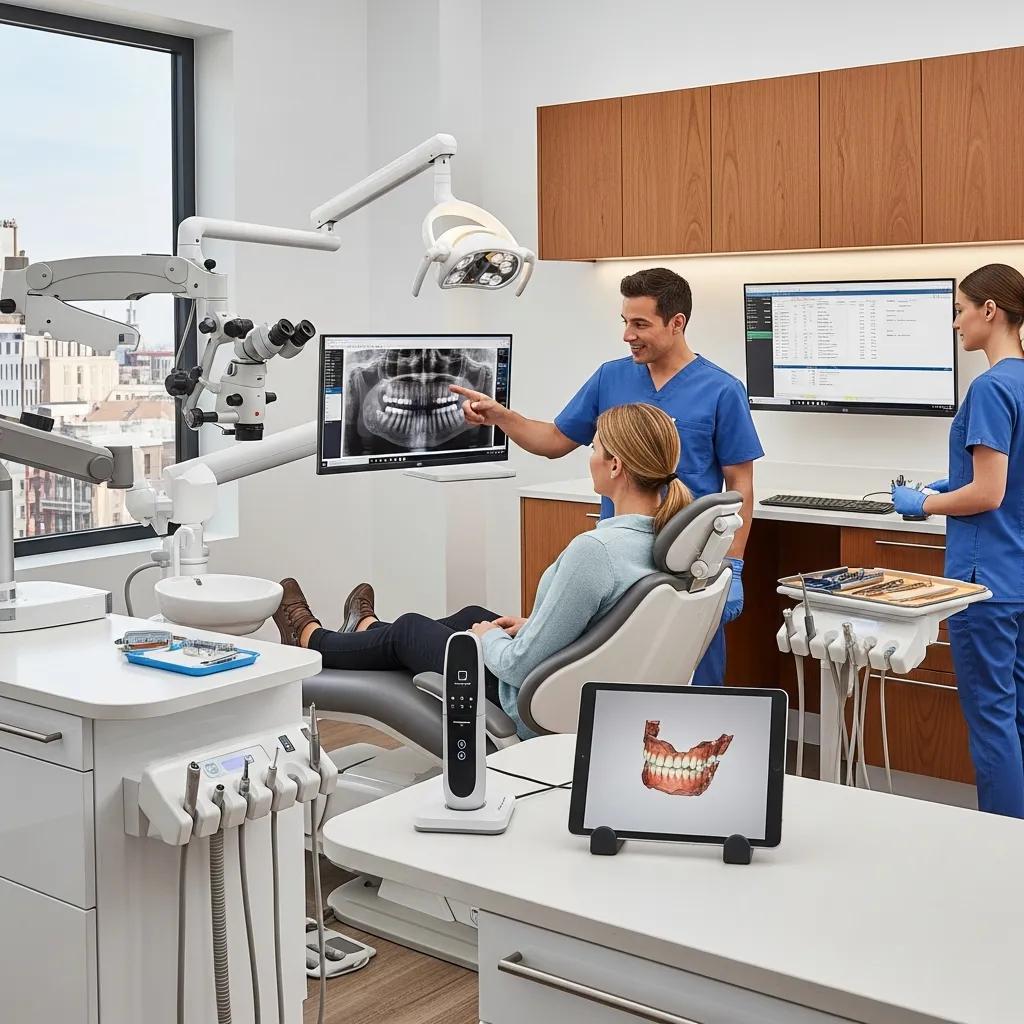
Secure, Efficient IT Integration for Dental Practice Mergers
IT integration during a dental acquisition is the coordinated work of assessing, consolidating, securing and running clinical technology so patient care stays uninterrupted and regulatory obligations are met.
When two practices merge, differing hardware, software versions, inconsistent backups or unclear vendor licenses create real risks to ePHI, scheduling, imaging workflows and business continuity.
In this guide we walk through proven steps—focused due diligence, careful data migration, prioritized cybersecurity and managed services—that reduce downtime, keep patients’ trust and protect compliance. You’ll get a practical due‑diligence checklist, a phased plan for EHR and imaging migration, priority security controls for PIPEDA/HIPAA environments, an operational Audit → Takeover → Upgrade → Maintain workflow, and clear cost vs. benefit considerations. Along the way we flag the dental‑specific technical capabilities to look for, how to evaluate vendors, and the right questions to ask during demos or support scoping.
What is IT Due Diligence in Dental Practice Acquisitions?
IT due diligence is a structured review of hardware, software, networks, security and vendor agreements that quantifies operational risk and the work needed before closing. A good review surfaces end‑of‑life devices, unsupported software, backup gaps, license constraints and security holes so teams can prioritize fixes or negotiate terms. A tight checklist captures comparable data fast and turns findings into action items. Done well, due diligence reduces surprises after close, shortens stabilization time and defines the scope for integration or managed takeover.
This checklist covers the core areas specific to dental M&A:
- Inventory and Age Assessment: Record hardware models, purchase dates and warranty status to identify replacements and immediate risks.
- Software and Licensing: Confirm EHR, imaging and practice‑management versions and whether licenses transfer.
- Network and Connectivity: Map topology, ISPs, and VPN/cloud links that affect continuity.
- Security and Backups: Verify patching, MFA, endpoint protection and encrypted backups to measure ePHI exposure.
- Vendor Contracts and Integrations: List third‑party vendors, SLAs and integration points needing coordinated transfers.
A compact assessment matrix makes side‑by‑side comparisons easy before planning remediation.
| Asset Category | Key Attribute to Record | Typical Action Recommended |
|---|---|---|
| Hardware | Model, age, warranty status | Replace unsupported devices; prioritize critical clinical workstations |
| Software | Version, license transferability, vendor support | Consolidate onto supported versions or negotiate license assignments |
| Network | Topology, bandwidth, firewall rules | Segment clinical systems; upgrade links where needed |
| Backups | Frequency, encryption, offsite copies | Implement encrypted cloud backups and test restores |
| Vendors | Contracts, SLAs, integration points | Secure vendor transition agreements or maintain existing SLAs |
This EAV‑style comparison helps you decide what needs tactical stabilization now and what can be scheduled as a longer‑term upgrade.
The next section shows how to inventory hardware and confirm software compatibility during a merger.
How to Assess Hardware and Software Compatibility During Mergers
Start with a complete inventory: clinical PCs, imaging workstations, servers, routers and peripherals. Export device lists and check firmware and OS patch status to flag unsupported endpoints that create immediate risk—audio‑visual and imaging devices often use legacy drivers that don’t play well with modern EHR integrations. Then cross‑reference installed dental imaging, EHR/PM and lab‑interface software against the acquiring practice’s stack to map interoperability gaps and migration effort.
Prioritize quick wins—replace end‑of‑life desktops and update drivers that restore basic interoperability—and schedule larger upgrades for legacy imaging servers. Tag each asset with a remediation priority and an estimated time‑to‑stabilize so acquisition teams can plan phased cutovers and minimize appointment disruption. Those estimates feed directly into migration planning and backup validation described next.
Why is a Cybersecurity Audit Critical in Dental IT Due Diligence?
A concise cybersecurity audit measures exposure to ransomware, unauthorized access and data loss by reviewing authentication controls, patch cadence, endpoint detection and backup integrity. Dental practices hold sensitive health data that’s attractive to attackers; finding weak authentication, unpatched systems or exposed remote access during due diligence lets buyers require fixes or escrow remediation funds. Use a simple risk rubric (High/Medium/Low across confidentiality, integrity and availability) to translate findings into business decisions and to decide whether transitional controls—like enforced MFA or temporary network segmentation—are needed before close.
This practical, security‑forward approach to due diligence aligns with established M&A research on data privacy and information security.
M&A Due Diligence: Technical Challenges, Data Privacy & Information Security
This paper assessed the legal and technical complexities of modern M&A due diligence and proposed a framework covering data privacy, information security, e‑discovery, information governance and deal recordkeeping.
Immediate mitigations we typically recommend include isolating legacy systems, enforcing strong access controls, confirming backups are complete and encrypted, and applying critical patches. Those steps stabilize the environment so data migration and operational takeover can move forward with lower breach risk—foundational work for the migration plan below.
How to Effectively Migrate Data and Integrate Dental Practice Technology After Acquisition?
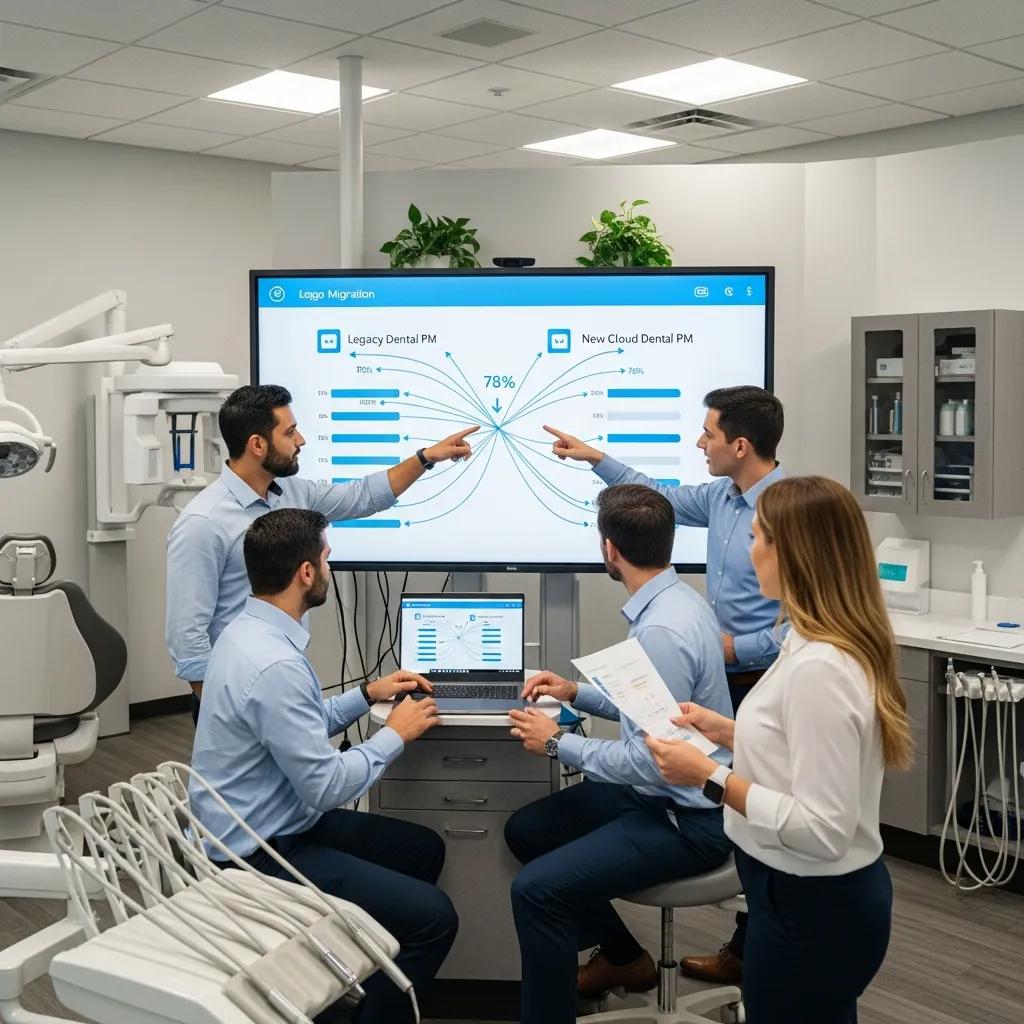
We follow a phased approach: discovery & mapping, staging & validation, cutover & reconciliation, then post‑cutover monitoring with rollback readiness. Clear mapping between source and target EHR/PM fields, standardized patient identifiers and careful handling of imaging formats preserve data integrity and audit trails. Staging environments let you validate transformed records and reconcile appointments, billing codes and clinical notes before go‑live. Robust rollback plans and tested restores ensure you can revert safely if critical issues appear during cutover.
- Discovery & Mapping: Inventory EHR, imaging and lab interfaces and map fields to the target schema.
- Staging & Transformation: Export to staging, transform formats and run validation scripts to reconcile record counts and key fields.
- Cutover Testing: Execute mock cutovers, validate appointment flows, imaging links and billing processes; confirm end‑user access.
- Final Cutover & Reconciliation: Do the final migration in a low‑impact window, reconcile discrepancies and lock source systems as needed.
- Post‑Cutover Monitoring: Watch transaction logs, patient access and backups for 30–90 days and respond quickly to user reports.
Use a compact EAV table to compare EHR platforms and estimate migration complexity before you schedule resources.
| EHR / Imaging System | Typical Export Format | Migration Complexity |
|---|---|---|
| Common Dental EHR A | CSV/XML export with attachments | Medium — mapping required for custom fields |
| Imaging Server B | DICOM with proprietary viewers | High — viewer integration or replacement needed |
| Practice Management C | Database export + appointment tables | Medium — needs reconciliation with billing codes |
| Cloud-hosted EHR D | API-based extraction | Low to Medium — depends on API coverage |
This quick comparison helps teams estimate effort and plan timelines. Below we cover best practices for moving patient records without losing audit trails.
What are Best Practices for EHR and Patient Record Data Migration?
Preserve auditability and referential integrity, and minimize clinical disruption through staged validation. Keep original records and audit logs throughout extract‑transform‑load so you can trace and reverse issues. Use test patients and limited pilots to validate transformations—check appointment histories, treatment notes, consent records and billing entries. Schedule final cutover during low volume and make sure staff training and on‑site or remote support are available immediately after migration to resolve workflow gaps or broken imaging links.
Maintain a documented reconciliation checklist and sign‑off criteria for appointments, imaging access and prescriptions to reduce post‑migration errors and support compliance during the transition.
How to Plan Backup and Recovery for Dental IT Systems Post‑Acquisition?
Define recovery point objectives (RPO) and recovery time objectives (RTO) for clinical systems, implement encrypted offsite/cloud backups and verify restores regularly. Prioritize clinical databases and imaging repositories with higher backup frequency and retain copies per legal requirements. Include an offline or immutable backup to defend against ransomware, and ensure encryption in transit and at rest. Set a restore testing cadence—quarterly or more often for mission‑critical systems—with written procedures and assigned roles.
Tested restores prove SLA commitments and reduce the chance of prolonged patient‑care interruptions. Validating recovery procedures in staging environments lowers surprises and supports the incident response steps we describe in the cybersecurity section.
What Cybersecurity Measures Protect Dental Practices During and After Acquisitions?
Prioritize technical controls and policy actions that protect patient data during the transition and beyond: encryption, robust backups, network segmentation, endpoint detection and strict access controls. Encrypt patient data at rest and in transit to prevent interception during migration. Segment networks to limit lateral movement if an endpoint is compromised. Deploy endpoint detection & response (EDR), centralized patch management and enforce multi‑factor authentication. Test incident response playbooks so breach notification and containment happen quickly and correctly.
- Encrypted Backups: Store encrypted backups offsite to enable recovery without data exposure.
- Network Segmentation: Separate clinical systems from administrative networks to contain threats.
- Multi‑Factor Authentication (MFA): Require MFA for remote and administrative access to reduce credential theft risk.
- Endpoint Detection & Response (EDR): Use centralized EDR to detect and remediate suspicious activity fast.
- Centralized Patch Management: Apply critical patches promptly to close known vulnerabilities.
Implement these measures in the first 30–90 days to reduce exposure and buy time for longer‑term work like rolling upgrades and staff security training.
How to Ensure HIPAA and PIPEDA Compliance in Dental Mergers?
Compliance requires documented privacy impact assessments, clear data transfer agreements and unambiguous assignment of responsibilities for protected health information. Map data flows, identify access points and flag any cross‑border transfers or cloud providers that introduce jurisdictional issues. Then document retention, consent and breach notification policies. Review third‑party contracts and update business associate agreements (or equivalents) to reflect new ownership and responsibilities. Keep thorough records of decisions and remediations to demonstrate due diligence to regulators and insurers after the acquisition.
What Are Key Strategies for Ransomware Protection and Network Security?
Ransomware protection is multi‑layered: immutable backups, least‑privilege access, segmentation, timely patching, EDR and ongoing user training. Use write‑once backups to stop attackers from encrypting copies, limit and monitor administrative credentials to prevent privilege escalation, and run regular phishing simulations and role‑targeted training to reduce human risk. EDR and network monitoring speed detection and containment.
Short‑term mitigations—isolating legacy hosts, enforcing MFA and validating backups—should be followed by architectural improvements and vendor consolidation to harden defenses long term.
How Does DentalTek’s Managed IT Support Facilitate Smooth Dental Practice Mergers and Acquisitions?
DentalTek provides managed IT tailored to dental acquisitions, using a four‑step workflow—Audit, Takeover, Upgrade, Maintain—that matches acquisition phases to stabilize and modernize acquired clinics. We begin with a focused audit to inventory assets and highlight high‑risk items, move to a takeover phase that secures access and applies immediate stabilization, then execute upgrades to standardize systems and configurations, and continue with ongoing maintenance to preserve continuity. The result: less downtime, centralized backups and consistent security baselines across locations.
- Network Support: Design and stabilize on‑site and cloud network configurations during takeover and upgrades.
- Managed Services / Helpdesk: Offer 24/7 monitoring and remote support to reduce appointment disruptions during cutover.
- Cybersecurity: Deploy MFA, EDR, patch management and incident response planning during audit and takeover.
- Cloud Backup: Implement encrypted, offsite backups and restore testing as part of upgrade and maintenance.
Packaging these services inside the Audit → Takeover → Upgrade → Maintain workflow delivers fast stabilization and a clear roadmap for long‑term IT governance.
What is the Audit, Takeover, Upgrade, and Maintain Process?
Audit, Takeover, Upgrade, Maintain is our practical four‑step method: a thorough audit, a secure takeover with immediate controls, phased upgrades to standardize systems, and continuous maintenance to protect uptime and compliance. The audit produces an inventory, risk scoring and remediation plan. The takeover secures access, enforces MFA and verifies backups to stabilize critical systems. Upgrades standardize configurations, migrate data and replace unsupported hardware. Maintain delivers monitoring, patching, backups, helpdesk support and regular reviews to keep the environment secure and efficient.
Deliverables typically include an audit report with prioritized remediation items, a takeover checklist with immediate mitigations, an upgrade roadmap with timelines, and SLA‑backed monitoring and support to track uptime and response metrics.
How Does Ongoing IT Support Reduce Downtime and Enhance Patient Care?
Ongoing managed IT reduces downtime by combining continuous monitoring, fast incident response and proactive maintenance so problems don’t become appointment‑impacting outages. Monitoring flags anomalies early, remote support fixes many issues without an onsite visit, and scheduled maintenance prevents unexpected failures during clinic hours. Tracking metrics like mean time to repair (MTTR) and uptime helps quantify gains and guide future investments. With reliable IT support, clinical staff focus on patient care while systems stay available, interoperable and secure.
Typical measurable impacts include fewer appointment cancellations from system failures, faster restoration of imaging access during outages and fewer billing reconciliation errors after system standardization.
What Are the Costs and Benefits of IT Integration for Dental Practice Acquisitions?
Costs vary by scope, data complexity and number of sites. Benefits include operational efficiency, lower per‑location IT spend, improved compliance posture and reduced breach risk. Major cost drivers are EHR and imaging migration complexity, hardware replacement needs, license transfers and the level of security hardening required. Investing in standardized backups and managed services often pays back through fewer emergency fixes, less downtime‑related revenue loss and streamlined admin across locations.
| Service / Initiative | Typical Cost Range | Expected Operational Benefit |
|---|---|---|
| Baseline IT Audit | Moderate | Clear scope, prioritized remediation list to inform negotiation |
| EHR & Imaging Migration | Moderate to High | Single‑source patient records, fewer staff errors, unified billing |
| Hardware Refresh (clinical endpoints) | Moderate | Reduced failures, better performance for imaging and charting |
| Managed Services + Monitoring | Ongoing monthly cost | Lower MTTR, improved uptime, consistent security posture |
| Cloud Backup + Restore Testing | Setup + recurring | Faster recovery, ransomware resilience, regulatory evidence |
Use this comparison to choose between an immediate full upgrade or a phased approach that spreads costs while reducing risk.
What is the Typical Cost Range for IT Due Diligence and Integration Projects?
Costs depend on scale: a single‑location acquisition with a cloud EHR can have modest audit and migration costs, while multi‑location rollups with on‑prem imaging servers and custom integrations need larger budgets. Key drivers are data extraction complexity, legacy imaging viewers, license transfer fees and the amount of hardware replacement required. Plan for an initial audit, a stabilization window for takeover, migration labor for EHR/imaging reconciliation, and a three‑ to twelve‑month maintenance and monitoring contract.
Adopting a phased approach—stabilize first, then standardize—reduces immediate cash outlays while controlling exposure and enabling predictable ROI from efficiency gains and lower breach risk.
How Does IT Integration Improve Operational Efficiency and Compliance?
Integration improves efficiency by consolidating systems, eliminating duplicate entry, unifying appointment workflows and centralizing backups and security policies—reducing administrative overhead and human error. Compliance improves with standardized breach notification procedures, documented access controls, consistent retention policies and regular restore testing that proves recoverability. Measurable outcomes include fewer scheduling conflicts, less time reconciling records across systems and fewer security incidents thanks to consistent patching and monitoring.
Those operational and compliance improvements translate into cost savings, lower insurance exposure and more predictable clinical operations across the merged footprint.
Where Can Dental Practices Find Expert IT Support for Mergers and Acquisitions?
When choosing an IT partner for dental mergers, prioritize vendors with dental experience, clear M&A processes, PIPEDA/HIPAA compliance knowledge and managed‑service capabilities like network support, cybersecurity, cloud backup and helpdesk operations. Evaluate providers on their ability to deliver the Audit → Takeover → Upgrade → Maintain workflow, ask for documented deliverables and timelines, and request references or case studies that show successful cutovers with minimal downtime. A vendor evaluation checklist keeps conversations focused and comparable.
Use the checklist below to steer vendor selection and demo requests.
- Dental Specialization: Confirm the provider has dental integrations and experience with imaging and EHR/PM systems.
- Compliance Expertise: Ask for examples of PIPEDA and HIPAA‑related workflows and documentation.
- Process Clarity: Request a clear Audit → Takeover → Upgrade → Maintain plan with deliverables and timelines.
- Support Model: Verify monitoring, SLA targets, backup strategies and escalation procedures.
Why Choose Specialized Dental IT Services Like DentalTek?
Specialized dental IT providers like DentalTek know dental imaging systems, practice workflows and regulatory details that general MSPs often miss. That domain knowledge shortens integration time: technicians anticipate viewer and EHR interoperability issues and can map clinical priorities like appointment continuity and imaging access into technical plans. For acquisitions, that means faster stabilization, more accurate migration estimates and less clinical disruption during cutover.
Working with a niche provider typically delivers faster time‑to‑value because technical templates, migration checklists and preventive controls are already tuned to dental use cases.
How to Request a Demo or Support for Dental Practice IT Integration?
Prepare a short intake packet: current inventory (hardware and software), EHR and imaging vendors, key pain points and preferred cutover windows. A concise intake speeds scoping and lets providers present a targeted demo that covers migration strategies, backup designs and security approaches.
Expect a demo to show an audit snapshot, an outline of Audit → Takeover → Upgrade → Maintain phases, sample timelines and typical SLA terms.
If you’re considering a specialized partner, contact DentalTek through our public business profile or official channels to request a demo and an initial assessment tailored to dental acquisitions; ask for a preliminary audit scope and sample deliverables to compare providers.
- Prepare Inventory and Priorities: Gather hardware lists, EHR/imaging details and primary pain points for an efficient intake.
- Request an Audit Snapshot: Ask the vendor for a sample audit deliverable to understand their depth and format.
- Compare Roadmaps: Evaluate proposed timelines, stabilization steps, backup plans and SLA commitments before selecting a partner.
Frequently Asked Questions
What are the common challenges faced during IT integration in dental practice acquisitions?
Common challenges include data compatibility issues, different software versions and inconsistent hardware environments. Those gaps can disrupt patient care, complicate data migration and create compliance risks. Weak cybersecurity or incomplete backups also increase exposure. Thorough planning, clear due diligence and a shared understanding of both practices’ IT landscapes are essential to avoid surprises.
How can dental practices ensure a smooth transition for staff during IT integration?
Prioritize clear communication, focused training and easy access to support. Explain new systems and workflows ahead of cutover, run phased rollouts where possible, and provide on‑site or remote support during the first days after go‑live. Regular feedback sessions help catch issues early and make staff feel supported through the change.
What role does vendor evaluation play in successful IT integration?
Vendor evaluation is critical: the right partner brings dental experience, compliance knowledge and the technical skills needed for smooth migration. Evaluate vendors on dental‑specific integrations, PIPEDA/HIPAA experience, documented processes and client references. A careful assessment lowers risk and speeds stabilization.
How can practices measure the success of their IT integration post‑acquisition?
Measure system uptime, user satisfaction and operational efficiency. Track KPIs such as mean time to repair (MTTR), appointment scheduling accuracy and billing reconciliation errors. Staff surveys and support ticket trends also show where workflows improved or still need work. Success means smoother patient care, fewer manual workarounds and stronger compliance evidence.
What are the best practices for maintaining data security during and after IT integration?
Maintain strong access controls, regular security audits and continuous staff training. Encrypt data at rest and in transit, keep systems patched, and run vulnerability assessments. Have a tested incident response plan so any breach is contained and reported quickly. Regular restore testing of backups proves recoverability and supports compliance.
What should dental practices consider when planning for future IT upgrades after integration?
Consider scalability, compatibility with existing systems and your clinical priorities. Budget for ongoing maintenance and future upgrades, and align technology choices with long‑term practice goals. Work with IT partners on strategic roadmaps so upgrades support efficiency, compliance and predictable cost models.
Conclusion
Thoughtful IT integration makes dental acquisitions smoother, protects patient care and strengthens compliance. Prioritize due diligence, cybersecurity and managed services, and choose a partner with dental expertise to speed stabilization and reduce risk. Contact DentalTek to discuss an initial assessment and see how we can help your merger go smoothly and securely.

