
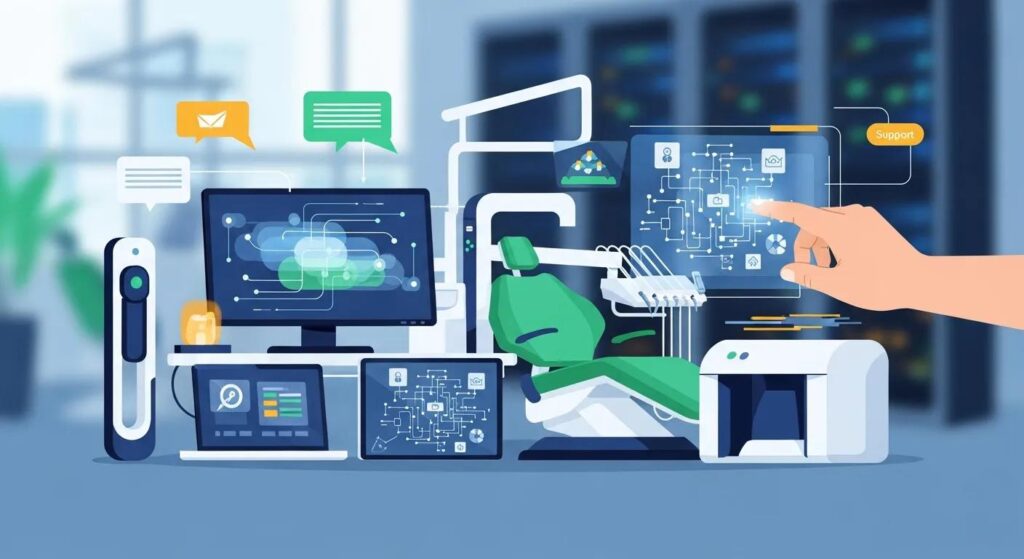
How to Choose the Right Dental IT Support
Dental IT support combines managed IT services and practical dental-industry know‑how to keep clinics running: networks, practice-management integrations, cybersecurity, backups, and patient communication tools. Picking the right partner reduces downtime, safeguards patient records, and keeps front‑desk and clinical workflows moving so appointments stay on schedule. This guide walks you through what to evaluate in a dental IT provider, how proactive managed services improve uptime and security, the compliance steps required under Canadian privacy laws, common integration approaches for practice management software, and how to assess cost versus expected return. You’ll also get checklists, comparison tables, and actionable items that highlight the must‑have qualities, core services, security controls, hybrid cloud options, and pricing models for dental practices. Read on to learn how to weigh specialization, service levels, monitoring, backups, and software compatibility so you can select a provider that protects clinical data while supporting patient care.
What Are the Essential Qualities of a Dental IT Provider?
A reliable dental IT provider pairs dental-industry experience with full managed services, clear service‑level agreements, strong cybersecurity, and transparent pricing so your practice sees measurable value. A dental‑focused team understands practice management software, imaging equipment, and chairside workflows — which shortens troubleshooting and prevents appointment interruptions. Proactive monitoring, tested backups and disaster recovery, plus compliance guidance help preserve patient records and lower breach risk. Look for scalable solutions and simple pricing that match your clinic’s growth and budgeting needs.
Dental‑specific expertise matters because dental clinics use specialized software and hardware that general IT teams may not support efficiently. Below are the vendor‑agnostic qualities to prioritize when comparing providers.
Top qualities to evaluate in a dental IT provider:
- Proven dental industry expertise and familiarity with common PM systems and imaging hardware.
- Comprehensive managed services covering helpdesk, network setup, backups, and cybersecurity.
- Proactive support with 24/7 monitoring, remote assistance, and clear SLAs for response and resolution.
- Compliance knowledge for PIPEDA and PHIPA, plus documented security and breach‑response procedures.
- Transparent pricing and demonstrable ROI through less downtime and improved staff productivity.
These points form a practical checklist for shortlisting vendors and help you score proposals against your clinic’s clinical and business priorities. Next, we explain why dental‑specific experience changes outcomes in practice settings.
Why Is Dental Industry Expertise Crucial for IT Support?
Dental industry expertise means technicians know practice management systems, chairside imaging workflows, digital radiography, and how appointment timing affects troubleshooting. That familiarity lets teams resolve issues faster without disrupting patient care. Specialists can also handle integrations — like patient reminders and secure backups — in ways that don’t force staff to relearn software or undergo heavy retraining. Practices supported by specialists generally see fewer repeat tickets and less downtime, which improves patient flow and stabilizes revenue.
With workflow specifics understood, the next section shows which core services a dental IT provider should include.
Which Comprehensive Services Should a Dental IT Provider Offer?
A well‑rounded dental IT offering maps directly to clinic pain points: fast helpdesk support on appointment days, network reliability for imaging, cybersecurity to protect records, and cloud or hybrid options for continuity. Essential managed services include:
- Remote and on‑site support
- Secure cloud backup solutions
- Hybrid cloud setups that preserve local performance while adding off‑site redundancy
- Network installation and ongoing maintenance
- Proactive 24/7 monitoring
- Patient reminder systems integrated with your practice management software
Each service addresses a clear clinic need: backups protect records, monitoring prevents overnight failures, and hybrid cloud gives resilience without forcing staff to change how they work.
Key service comparison for quick evaluation:
| Service | Key Features | Why it matters for dental clinics |
|---|---|---|
| Managed IT & Helpdesk | Remote support, ticketing, on‑site escalation | Keeps front desk and clinical systems operational during patient hours |
| Cybersecurity & Backups | Endpoint protection, encryption, tested recovery | Protects PHI/PII and shortens recovery time after incidents |
| Hybrid Cloud Solutions | Local performance with off‑site redundancy | Ensures continuity and lowers hardware maintenance costs |
| Network & Hardware Services | Installation, monitoring, maintenance | Keeps imaging and digital X‑ray systems reliable |
| Patient Communication Tools | Automated reminders, PM software integration | Reduces no‑shows and improves patient engagement |
This table helps you prioritize services during procurement and prepares you to ask targeted questions about SLAs, monitoring coverage, and recovery testing. The next section explains how proactive support changes outcomes versus reactive approaches.
How Does Proactive Support Enhance Dental IT Services?
Proactive support means continual monitoring, scheduled maintenance, and fixing issues before they become appointment‑blocking failures — delivering higher uptime and more predictable IT costs. With 24/7 monitoring and automated alerts, providers spot signs like failing drives or unusual traffic patterns that can indicate ransomware. Proactive maintenance — patching, firmware updates, and health checks — reduces emergency outages that disrupt patient care. For clinics, this translates into fewer rescheduled appointments, fewer chart access problems, and a smoother patient experience.
Proactive models also shift costs from unpredictable break‑fix bills to managed service fees, improving budgeting and speeding up resolutions. Clinics typically realize these benefits when proactive support is in place:
- Reduced downtime: Continuous monitoring finds issues before they cause outages.
- Faster incident recovery: Remote fixes and prioritized SLAs shorten mean time to repair.
- Cost predictability: Managed fees replace variable emergency billing and make planning simpler.
Those operational gains lead into the concrete value of 24/7 monitoring and remote assistance explained next.
What Are the Benefits of 24/7 Monitoring and Remote Assistance?
24/7 monitoring and remote assistance detect operational and security problems outside business hours and let technicians remediate them without waiting for an on‑site visit — minimizing appointment disruption and potential data loss. Continuous monitoring can flag slow server responses, failing backups, or suspicious logins so technicians can act before staff notice issues. Remote remediation often resolves configuration errors, quarantines malware, or restarts services within minutes, maintaining availability for PM software and imaging systems. This is especially valuable for tight clinical schedules and chairside imaging access.
Routine monitoring also supports compliance by producing logs and alerts that feed audit trails, helping your practice stay ready for regulatory review. Next we cover how planned maintenance prevents downtime.
How Does Proactive Maintenance Prevent Downtime in Dental Clinics?
Proactive maintenance — scheduled patching, hardware health checks, firmware updates, and capacity planning — prevents surprise failures and keeps systems appointment‑ready. Regular patching closes vulnerabilities, health checks reveal failing drives or overloaded servers before they interrupt a busy day, and staged updates performed off‑hours avoid disruptive outages. Replacement planning and rollback procedures preserve staff productivity and reduce emergency service calls, creating a predictable environment for patient care.
Clear change windows and tested rollback plans build resilience that protects clinical workflows and leads into the data security and compliance requirements covered next.
What Should You Know About Data Security and Compliance in Dental IT?
Data security and compliance are non‑negotiable because patient health information is both sensitive and regulated in Canada. Technical controls, policies, and processes must work together to protect PHI. Key measures include encryption in transit and at rest, multi‑factor authentication, network segmentation, regular backups, strict access controls, audit logging, and a documented breach response plan. A compliant IT provider will also help with documentation, consent management, and breach notification procedures aligned with PIPEDA and PHIPA. These controls reduce risk and demonstrate due diligence in protecting patient data.
Use this concise compliance checklist to evaluate vendors and internal practices.
- Encryption for data at rest and in transit.
- Role‑based access controls and multi‑factor authentication for staff accounts.
- Regularly tested backups and a disaster recovery plan.
- Audit logging, vulnerability assessments, and documented incident response procedures.
That checklist sets up the next subsection on how PIPEDA and PHIPA affect dental IT responsibilities.
How Do PIPEDA and PHIPA Impact Dental IT Support Services?
PIPEDA (federal) and PHIPA (Ontario) govern how personal health information is collected, used, disclosed, and protected, and they require dental practices to implement reasonable safeguards and notification procedures in case of breaches. IT providers serving Canadian clinics should enable consent management, data minimization, secure transmission, and timely breach reporting. Practically, this means encrypting records, keeping access logs, running regular risk assessments, and supporting breach response and notification workflows. Documenting these safeguards is essential to show compliance during audits or investigations.
These legal duties make technical safeguards a practical necessity and lead naturally into the cybersecurity measures clinics should adopt.
What Cybersecurity Measures Protect Patient Data in Dental Practices?
Good cybersecurity for dental clinics relies on layered controls: endpoint protection, firewalls and network segmentation, encryption, multi‑factor authentication, secure backups, and regular vulnerability scanning — plus staff training and strict access policies. Endpoint protection prevents common malware, segmentation limits lateral movement, and reliable backups with off‑site redundancy enable recovery from ransomware without paying extortion demands. Logging and monitoring support forensic analysis and breach notification, while ongoing staff training reduces phishing risk. Implementing and testing these controls regularly keeps your security posture current and defensible.
How Can Dental IT Solutions Integrate with Practice Management Software?
Integration options range from on‑premises setups to cloud and hybrid cloud models that combine local performance with off‑site resilience, allowing seamless use of practice management software without retraining or data conversion. Hybrid cloud preserves chairside speed for imaging and quick PM lookups while providing secure, automated off‑site backups and remote access for administrative staff. The chosen integration should prioritize compatibility with common systems and protect data integrity during synchronization. The right model reduces hardware costs, improves continuity, and keeps clinical workflows intact.
Below is a short table with compatibility notes and typical integration approaches for common dental practice management systems.
| Software | Integration Approach | Benefit |
|---|---|---|
| Open Dental | Hybrid cloud‑friendly synchronization | No retraining required; supports remote access and backups |
| Dentrix | Local‑first with cloud backup options | Maintains local performance for imaging‑heavy workflows |
| Eaglesoft | Managed network integration and backup | Ensures reliable chairside access and secure archives |
This table clarifies how hybrid and backup strategies support different PM systems and prepares you for the advantages of hybrid cloud explained next.
What Are the Advantages of Hybrid Cloud Integration for Dental Software?
Hybrid cloud blends on‑premise servers for low latency with secure off‑site backups and cloud services for resilience, simpler maintenance, and remote access. For clinics, hybrid cloud reduces reliance on costly local hardware while keeping the performance needed for digital radiography and charting during visits. It also lets IT providers automate backups and disaster recovery testing without interrupting daily operations. Hybrid models are ideal when a practice wants redundancy and remote access without forcing staff to switch software or retrain.
These benefits explain why many practices choose hybrid approaches during infrastructure upgrades and lead into common software supported by dental IT providers.
Which Dental Practice Management Software Are Commonly Supported?
Dental IT providers typically support a range of PM systems and imaging solutions so clinics can keep using their chosen software while improving reliability and security. Common systems include Open Dental, Dentrix, and Eaglesoft — each with integration considerations like database synchronization, plug‑in compatibility, and imaging workflows. Support covers backup strategies, update management, and vendor connectors that preserve patient records and appointment history. Choosing a partner experienced with your PM system reduces migration risk and avoids costly disruptions.
Understanding software compatibility also helps when assessing cost and ROI, which we cover next.
Integrating Dental IT Solutions with Practice Management Software
Cost considerations include pricing models (flat‑fee managed services, per‑incident billing, or tiered plans), capital hardware purchases, and the soft costs of downtime and lost productivity. Transparent pricing with clear inclusions helps clinics budget and compare providers, and predictable managed fees often deliver a positive return when you factor in reduced downtime and fewer emergency repairs. ROI should be measured across improved uptime, staff productivity, lower hardware replacement frequency, and avoided breach costs. Comparing service levels and recovery objectives helps clinics pick the plan that balances risk, performance, and cost.
The table below compares typical service types and the qualitative value they deliver for ROI assessment.
| Service | Cost / Price Model | Typical Value / ROI |
|---|---|---|
| Managed IT Services | Flat monthly fee | Predictable budgeting; fewer emergency costs; improved uptime |
| Hybrid Cloud Solutions | Subscription or tiered pricing | Lower on‑premise hardware spend; faster recovery and business continuity |
| Cybersecurity & Backups | Included or add‑on packages | Reduced breach risk; shorter recovery time; regulatory compliance support |
Use this comparison to estimate financial outcomes and to understand the practical benefits of transparent pricing discussed next.
How Does Transparent Pricing Benefit Dental Clinics?
Transparent pricing means predictable budgeting, easier procurement, and simpler comparisons between providers — no surprise invoices. A flat monthly managed‑service converts emergency expenses into a stable operating cost, making overhead forecasting straightforward and clarifying the value of uptime improvements. Clear contracts also spell out what’s included — monitoring, backups, response times — and what triggers extra charges, reducing procurement friction. Clinics using transparent pricing can more accurately measure changes in downtime, staff productivity, and patient throughput after switching providers.
That clarity leads into how to calculate and expect ROI from specialized dental IT solutions.
What Is the Return on Investment from Specialized Dental IT Solutions?
ROI from specialist dental IT shows up as less downtime, faster ticket resolution, fewer appointment cancellations, and more efficient administrative workflows — translating into recovered staff hours and steadier revenue. Track metrics like hours of avoided downtime per month, reduction in helpdesk ticket volume, and drops in emergency repair spending to build a practical ROI picture. Preventing a single full‑day outage that would force cancellations can offset several months of managed‑service fees. Run a simple estimate comparing current downtime and IT costs to projected results under a proactive managed model.
Quantifying these benefits helps guide procurement and prepares your practice to request a tailored demo or compliance review.
When you’re ready to evaluate specialist dental IT support, a compliance review or free demo will show how managed services and hybrid cloud options work with your PM software. To request information or schedule a demo, contact the provider below.
- Phone: +1 (888) 368-5835
- Email: support@dentaltek.ca
Use these contact methods to start a conversation about pricing, SLAs, and migration planning before you commit to a solution. The next section explains why a dental‑focused provider may be the best partner for your clinic.
Why Choose DentalTek as Your Dental IT Support Partner?
DentalTek is a specialist IT provider for dental clinics offering managed IT services, hybrid cloud integration, cybersecurity, secure backups, and patient communication tools — the core services you should expect from a dental‑focused partner. DentalTek emphasizes proactive 24/7 monitoring, remote assistance, and on‑site support options that reduce downtime and improve staff productivity. Their services include network installation and maintenance, hybrid cloud solutions that integrate with existing PM software without retraining or data conversion, and patient reminder systems designed to cut no‑shows. For clinics evaluating vendors, DentalTek offers demos and compliance reviews to show exactly how these services map to clinic needs.
This vendor overview shows what to expect from a dental specialist and leads into the specific benefits of their focus.
How Does DentalTek’s Specialized Focus Benefit Your Practice?
DentalTek’s dental‑specific focus means faster issue resolution because technicians recognize common PM software behaviours, imaging hardware dependencies, and chairside workflow constraints — which reduces ticket resolution time and appointment disruptions. That specialization typically results in fewer repeat issues and a smoother patient experience because integrations — like patient reminders or hybrid backups for Open Dental — are handled without retraining staff. The net effect is improved clinic efficiency and lower hidden costs from recurring break‑fix events. Partnering with a specialist aligns technical operations with clinical priorities and supports both reliability and patient care.
These practitioner‑facing benefits prepare your clinic to consider DentalTek’s service offerings.
What Unique Services Does DentalTek Offer to Dental Clinics?
DentalTek combines managed IT, hybrid cloud integration, cybersecurity, secure cloud backups, network services, and patient communication tools tailored to dental workflows. Key offerings include hybrid cloud solutions that work with your existing PM software to avoid data conversion or retraining, patient reminder systems that sync with appointment schedules, and focused cybersecurity and compliance support for Canadian dental clinics. Each service aims to reduce downtime, protect patient data, and improve front‑desk efficiency while enabling remote access and business continuity.
These capabilities show how a specialist provider maps services to clinic needs and complete the article content.
Frequently Asked Questions
What should I consider when evaluating the cost of dental IT support services?
When evaluating cost, compare pricing models — flat‑fee managed services, per‑incident billing, or tiered plans — and include capital hardware expenses plus soft costs from downtime and lost productivity. Look for transparent pricing that clearly states inclusions and exclusions so you can compare apples to apples. The best choice balances cost with service quality and expected ROI from improved uptime and fewer emergency repairs.
How can I ensure my dental IT provider complies with Canadian privacy laws?
To ensure compliance with PIPEDA and PHIPA, confirm your provider uses appropriate technical and administrative safeguards: encryption in transit and at rest, role‑based access controls, regular audits, and a documented breach response plan. The provider should also support consent management and data minimization practices and be able to assist with breach notification workflows. Regular communication about compliance measures keeps your practice aligned with legal requirements.
What role does staff training play in dental IT security?
Staff training is essential — human error is a frequent cause of breaches. Training should cover phishing recognition, correct data handling, password hygiene, and how to report suspected incidents. Regular, practical training keeps security procedures top of mind and reduces the chance of successful attacks, strengthening the practice’s overall security posture.
How can dental clinics benefit from hybrid cloud solutions?
Hybrid cloud gives clinics the speed of on‑premise servers with the resilience of off‑site backups. It improves data resilience and business continuity while maintaining chairside performance. With automated backups and disaster recovery testing, hybrid models minimize disruption, reduce dependence on costly local hardware, and provide secure remote access for administrative tasks when needed.
What are the key indicators of a reliable dental IT support provider?
Look for industry‑specific expertise, comprehensive managed services, and a strong cybersecurity focus. Providers should offer proactive 24/7 monitoring, clear SLAs, and transparent pricing. Demonstrated ROI through reduced downtime and improved productivity, plus a track record of successful integrations with common PM software, are strong signs of a reliable partner.
How does proactive IT support differ from reactive support in dental practices?
Proactive IT support focuses on continuous monitoring, scheduled maintenance, and early remediation to prevent problems. Reactive support waits until issues occur and often leads to longer downtime and higher emergency costs. Proactive models help clinics maintain higher uptime, predict IT expenses, and reduce appointment cancellations and workflow interruptions — improving both operational efficiency and the patient experience.
Conclusion
Choosing the right dental IT support provider is critical to keeping clinical workflows efficient and patient data secure. Prioritize dental‑specific expertise, proactive support, and transparent pricing to minimize downtime and protect your practice. A specialist partner like DentalTek delivers tailored solutions that align with your operational needs. To see how DentalTek can strengthen your clinic’s IT infrastructure, contact us for a consultation.

