
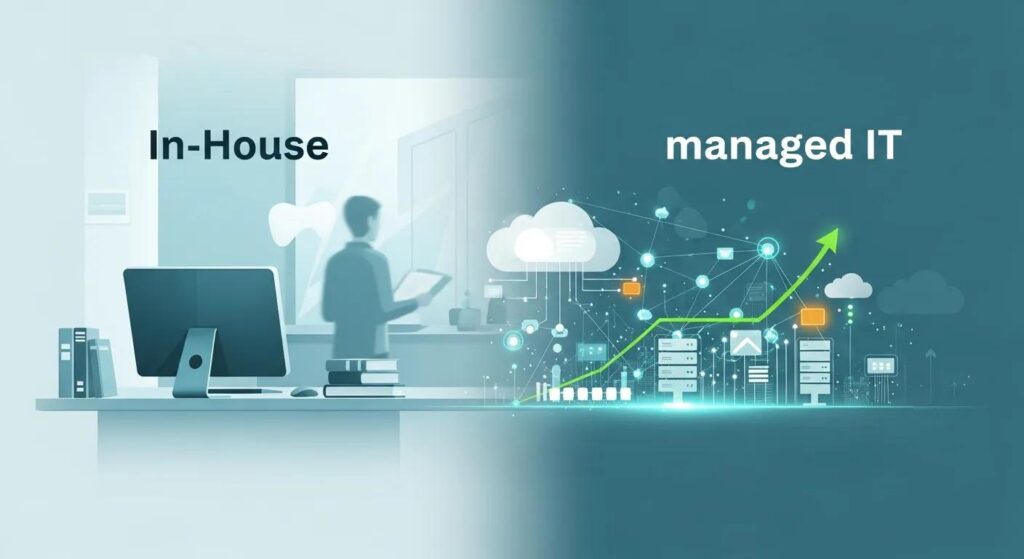
In-House vs. Managed IT for Dentists
Dental clinics face a clear decision when planning IT support: hire and build an in‑house team or outsource to a managed services provider (MSP) that knows dental workflows. This guide helps Canadian dental leaders weigh “in‑house IT support” against “managed IT for dental practices,” focusing on cost, scalability, security, and day‑to‑day impact. You’ll get a concise breakdown of responsibilities, common failure points, and how dental‑focused managed IT protects clinical uptime, imaging integrations, and patient data. The article is organized into definitions, benefits, cost & scalability, security & compliance, support & downtime, and a practical decision checklist for single‑site clinics and growing groups. We reference dental systems like Dentrix, Eaglesoft, DEXIS, Open Dental and Curve Dental and explain the implications for HIPAA and PIPEDA compliance. By the end you’ll have an actionable framework and a checklist to evaluate providers and internal hires.
What Are In-House IT and Managed IT Services for Dental Clinics?
In‑house IT means technicians employed directly by the practice who handle daily technical tasks, maintain local networks, and respond to support requests—keeping clinical software, imaging devices, and admin systems running. Managed IT services for dental clinics are outsourced arrangements where a vendor delivers continuous remote monitoring, patch management, help desk support, backups and on‑site assistance under service‑level agreements (SLAs). Practically speaking, in‑house teams focus on immediate, local issues, while MSPs deliver a structured program of proactive maintenance and scalable resources. That difference matters for downtime risk, cost predictability and the depth of dental‑software expertise available to your clinic. Knowing how each model works is the first step to choosing a reliable, compliant long‑term IT strategy for your practice.
Quick comparison between in‑house and managed models:
- Responsibility: In‑house staff directly manage devices and vendors; MSPs assume responsibility under contract and documented processes.
- Availability: In‑house teams typically cover business hours; MSPs usually provide 24/7 monitoring and escalation.
- Cost model: In‑house requires salary, benefits and overhead; MSPs convert many expenses into predictable monthly fees that scale.
Those differences shape daily operations and the services each model commonly includes.
How Does In-House IT Support Operate in Dental Practices?
In‑house IT often handles help desk triage, local network administration, workstation imaging and basic backups, and serves as first responder for printers, scanners and dental‑imaging issues. Staffing ranges from a single technician at a small clinic to a small IT department for multi‑site groups. Duties frequently include coordinating with vendors for imaging systems (DEXIS) and practice management integrations (Dentrix, Eaglesoft). A common limitation is breadth of skills: one technician may be excellent with hardware but less experienced with clinical database recovery or advanced security, which creates single‑point‑of‑failure risk. Hiring and training add ongoing overhead, and staff turnover can leave practices exposed without documented runbooks or tested disaster recovery procedures. Those realities explain why many clinics pair internal staff with an MSP—or replace internal coverage entirely—to close expertise and availability gaps.
What Defines Managed IT Services for Dentists?
Managed IT for dentists bundles continuous monitoring, automated patching, endpoint protection, scheduled backups and a help desk into a service governed by SLAs and documented processes. MSPs run network operations centers (NOCs) that monitor critical systems 24/7, reduce exposure windows with automated patches, and maintain encrypted offsite backups to speed recovery from incidents like ransomware. For dental clinics, MSPs prioritise integrations with practice management and imaging systems so backups include practice databases and imaging repositories and vendor workflows stay intact. The mix of remote monitoring, scheduled on‑site visits and dental‑software expertise yields more predictable response times and measurable uptime improvements versus ad‑hoc internal support.
What Are the Key Benefits of Managed IT Services for Dental Practices?
Managed IT delivers noticeable gains in uptime, security posture and budget predictability by moving routine operational tasks to specialists and providing documented recovery plans. MSPs reduce outage frequency and duration through proactive monitoring and patching, protect patient data with encrypted backups and endpoint controls, and simplify budgeting with flat monthly fees that cover monitoring, help desk and routine maintenance. For practices that depend on imaging, scheduling systems and backups, those benefits translate directly to fewer cancelled appointments and steadier cash flow.
Main managed‑service benefits:
- Reduced Downtime: Faster detection and remediation preserves chair time and patient flow.
- Cost Predictability: Flat monthly pricing limits surprise capital and hiring costs.
- Specialized Expertise: MSPs bring hands‑on experience with Dentrix, Eaglesoft, Open Dental, Curve Dental and DEXIS integrations.
- Stronger Security: Continuous patching, endpoint controls and tested backups lower breach risk.
Below is a simple summary of how MSPs typically address these benefit areas for dental practices.
| Benefit Area | How an MSP Addresses It | Typical Outcome |
|---|---|---|
| Downtime | 24/7 monitoring and rapid remediation | Fewer cancelled appointments and quicker return to service |
| Cost | Flat monthly fees and bundled services | Predictable budgeting and lower total cost of ownership versus unpredictable internal costs |
| Expertise | Dental‑specific integrations and vendor coordination | Fewer software conflicts and faster imaging or database restores |
| Security | Patch management, endpoint protection, encrypted backups | Lower breach risk and faster recovery from cyber incidents |
Managed services turn operational risk into managed outcomes, which is why clinics often choose MSPs when growth, compliance or uptime are priorities. The next section explains how to validate provider claims and see the service in your environment.
Many practices want concrete examples or a demo to confirm compatibility with their software stack. A short call with a specialist clarifies how monitoring, backups and SLAs would be applied to your clinic. For Canadian dental practices seeking dental‑focused experience, DentalTek provides managed services that combine software compatibility, proactive monitoring, cybersecurity and data recovery planning, predictable monthly pricing and the ability to scale as you grow. To evaluate fit, request a demo or consult by calling +1 (888) 368‑5835 or emailing Support@dentaltek.ca to discuss your clinic’s requirements and how managed IT can be tailored to your workflow.
How Do In-House IT and Managed IT Compare on Cost and Scalability?
Cost and scalability come down to headcount, hidden overhead and your growth plans: internal staff scale roughly linearly with sites and equipment, while MSPs typically scale more smoothly through tiered or per‑seat pricing. In‑house costs include salary, benefits, recruiting, tools, licences and a share of downtime losses; those variable elements can spike if a key employee leaves or an incident demands outside specialists. Managed IT replaces many variable expenses with a predictable monthly fee and adds capacity for rapid onboarding of new locations via standardised processes and remote‑first tooling. The table below highlights direct and hidden costs and how each model handles scaling.
Cost comparison by category:
| Support Model | Cost Category | Typical Impact / Example |
|---|---|---|
| In-House | Salary & benefits | Ongoing payroll for one or more technicians; recruitment and turnover costs |
| In-House | Tools & licences | Separate purchases for monitoring, backup and endpoint tools increase capital spend |
| In-House | Downtime risk | Higher variable cost from outages when single technicians are unavailable |
| Managed MSP | Predictable fees | Flat monthly fee covers monitoring, help desk and routine maintenance |
| Managed MSP | Scaling | Faster onboarding of new clinics with standardised remote processes |
| Managed MSP | Specialised tools included | MSP‑provided monitoring and backup tools reduce separate licence purchases |
For growing practices, predictable pricing and bundled tooling often make MSPs more cost‑effective as you add locations or new imaging systems. The following sections unpack direct and hidden internal costs and how managed IT addresses them.
What Are the Direct and Hidden Costs of In-House IT for Dentists?
Direct in‑house costs are straightforward: wages, benefits, workstation and server hardware, and licences for monitoring and backup tools. Hidden expenses often exceed direct costs: recruitment time, training, longer outage resolution due to knowledge gaps, and opportunity cost when downtime forces cancelled appointments. Serious incidents—corrupted practice management databases or ransomware encryption of imaging files—can demand external specialists at premium rates, wiping out any perceived savings from internal hires. As clinics grow, internal models can become disproportionately expensive because each new site may need additional technicians, specialised tools and management time. That’s why many practices model total cost of ownership rather than base salary alone.
How Does Managed IT Offer Predictable Pricing and Scalability?
Managed IT providers usually offer flat monthly fees or tiered service levels that include monitoring, help desk support and routine maintenance, which creates a predictable budget line for the clinic. This predictable model simplifies financial planning for single locations and multi‑site groups because growth rarely requires hiring full‑time staff—the MSP absorbs scale through automation and centralised monitoring. Onboarding a new location is faster with standardised configurations, automated backups and remote provisioning, reducing downtime and avoiding duplicate tool purchases. These features make MSPs appealing for practices focused on expansion and consistent service levels across sites.
How Do Security and Compliance Differ Between In-House and Managed IT?
Security and compliance are often the deciding factors: in‑house teams can implement controls, but MSPs generally provide structured, repeatable programs for patching, audits and breach response that align with regulatory requirements. Dental clinics face threats like ransomware and phishing that can disrupt care and expose patient records, and regulations such as HIPAA and Canada’s PIPEDA require safeguards, breach notification and careful data handling. MSPs typically deliver regular vulnerability scanning, scheduled patching, encryption standards for backups and documented incident response plans; smaller internal teams may lack the resources for continuous auditing or formal breach simulations. The table below compares typical security and compliance capabilities for each approach.
Security & compliance comparison:
| Support Model | Security/Compliance Control | Typical Capability / Limitation |
|---|---|---|
| In-House | Patching | May be ad‑hoc or done during business hours, increasing risk of missed updates |
| In-House | Monitoring | Limited to on‑site logs and reactive troubleshooting |
| In-House | Audits | Often informal and may lack documentation required by regulators |
| Managed MSP | Patching | Automated patch management with scheduled maintenance windows |
| Managed MSP | Monitoring & Logging | 24/7 centralised monitoring and SIEM‑style alerting for incidents |
| Managed MSP | Breach Response | Documented playbooks and tested recovery plans for faster response |
This comparison shows MSPs commonly provide a more structured compliance posture through continuous monitoring and documented processes—critical when patient data and imaging systems are at stake.
What Are the Cybersecurity Challenges for Dental Clinics?
Dental clinics hold high‑value data and often run a mix of legacy and modern systems, creating several attack vectors: phishing, unpatched imaging devices, and exposed remote access tools. Imaging devices such as intraoral sensors and scanners sometimes run firmware with limited update cycles, making them attractive entry points. Human error—staff clicking malicious links—remains a leading cause of breaches. Ransomware can encrypt appointment records and imaging repositories quickly, forcing clinics to pause operations or pay for recovery. Legacy practice management databases complicate restoration without specialist knowledge. Recognising these threats points directly to the controls MSPs deploy to reduce risk and speed recovery.
How Do Managed IT Services Ensure HIPAA Compliance and Data Protection?
Managed IT providers map technical controls to regulatory requirements by implementing automated patching, layered endpoint protection, encrypted offsite backups and documented access controls that support HIPAA and PIPEDA obligations. MSPs run periodic audits, produce compliance reports and provide policy templates and breach response playbooks to reduce legal and operational exposure. For data protection, encrypted backups stored offsite plus regular recovery testing are essential—MSPs prioritise restore tests to ensure imaging and practice management data can be recovered quickly. Together, these preventive and recovery controls create a defensible compliance posture and practical readiness if an incident occurs.
What Support and Downtime Differences Exist Between In-House and Managed IT?
Support availability, detection speed and remediation workflow determine how quickly a clinic recovers from issues that threaten appointments and revenue. In‑house teams often work regular business hours and depend on tickets, phone calls or walk‑ups, while managed IT adds continuous monitoring and priority escalation under SLAs that define response and resolution targets. Proactive detection spots failing disks, missing patches or network anomalies before they become outages; reactive in‑house models often learn of problems only after a user reports them. These differences directly affect lost appointment time and administrative burden, so practices should weigh the revenue impact of downtime against the cost of broader support coverage.
How Does 24/7 Proactive Monitoring Reduce Downtime in Managed IT?
Round‑the‑clock monitoring picks up early warning signs—disk health alerts, unusual login activity or critical unpatched vulnerabilities—and either resolves them automatically or escalates for rapid technician intervention. That approach reduces mean time to detection and mean time to repair, which lowers cancelled appointments and keeps imaging and scheduling systems available. Proactive patching eliminates many exploit‑driven incidents, and continuous backups enable quick rollback or recovery without long outages. In short, 24/7 monitoring prevents incidents or shortens recovery windows, preserving clinical workflows and revenue.
What Are the Limitations of In-House IT Support Availability?
In‑house IT commonly struggles with after‑hours coverage, specialist skill gaps and single points of failure when responsibilities rest with one or two people. If a primary technician is on leave or leaves suddenly, missing documentation and institutional knowledge can delay recovery and force reliance on costly external consultants. Limited exposure to diverse threats may slow identification of new attack patterns and reduce the frequency of standardised backup tests or disaster drills. Those constraints raise operational risk—especially for practices that need uninterrupted imaging and scheduling to serve patients.
How Do In-House IT and Managed IT Compare on Support and Downtime?
The right choice depends on objective criteria: practice size, growth plans, clinical software complexity, regulatory exposure and tolerance for operational risk. A simple scoring checklist helps weigh these factors and recommends a support model based on your cumulative score and strategic goals. Hybrid or co‑managed approaches are also viable when you want to keep some internal control while offloading advanced security, monitoring and backups to specialists. Use the checklist below to evaluate whether to hire internally, partner with an MSP, or adopt a co‑managed model.
How to use the checklist: Score each item and tally results to see whether in‑house, managed or hybrid support fits your clinic best.
- Practice Size & Growth: Multiple sites or rapid expansion typically favour MSPs because they scale faster.
- Software & Imaging Complexity: Extensive integrations (Dentrix, Eaglesoft, DEXIS) increase the value of dental‑specific MSP expertise.
- Budget Predictability: If you prefer fixed monthly costs, MSPs reduce financial volatility.
- Compliance & Risk Tolerance: High regulatory exposure or low tolerance for downtime favours MSPs with documented controls.
- Internal IT Capacity: If your staff lack depth in security, backups and networking, consider co‑managed or fully managed services.
Low scores on growth and complexity may justify a single internal technician; higher scores across these factors point to managed or co‑managed solutions. After evaluating, request proposals that include SLA terms, backup validation and references—prioritise providers with dental experience.
What Factors Should Influence Your IT Support Decision?
Weight these factors when scoring options: number of operatories and sites, integration needs for practice management and imaging, acceptable revenue loss per hour of downtime, regulatory obligations and your appetite for managing technical staff. Give higher weight to uptime and compliance for group practices. Also factor in transition cost and timeline—migrating to an MSP or hiring and training new staff both have short‑term disruption. Clear priorities and objective scoring lead to a support model that balances cost, reliability and compliance.
Why Is DentalTek the Trusted Managed IT Partner for Canadian Dentists?
DentalTek delivers managed IT services built for Canadian dental clinics, combining dental‑specific expertise with compatibility for Dentrix, Eaglesoft, DEXIS, Open Dental and Curve Dental. We offer proactive 24/7 monitoring, layered cybersecurity and tested data recovery planning designed to protect patient records and clinical uptime. Our predictable monthly pricing and scalable services grow with practices—from single sites to multi‑location groups—backed by documentation and recovery plans to support compliance. To see how our services would apply to your clinic’s systems and workflows, call +1 (888) 368‑5835 or email Support@dentaltek.ca to schedule a consult and review proposed SLAs for your practice.
Frequently Asked Questions
What are the main differences in response times between in-house IT and managed IT services?
Response times differ mainly by coverage and tooling. In‑house teams usually operate during business hours and may use ticket queues, which can delay urgent fixes. Managed IT offers 24/7 monitoring and rapid escalation paths, so many issues are detected and addressed before they affect operations. That proactive model reduces downtime and keeps patient care on schedule.
How can dental practices assess the effectiveness of their current IT support?
Measure downtime frequency, response and resolution times, and incident repeat rates. Run regular audits of IT processes, review incident reports, and gather staff feedback about workflow interruptions. Compare your metrics against industry expectations or peer benchmarks to identify gaps and decide whether to keep in‑house support or move to managed IT.
What should dental practices look for when choosing a managed IT provider?
Prioritise dental‑specific experience with your software and imaging vendors (Dentrix, Eaglesoft, DEXIS). Review SLAs for response and resolution times, examine cybersecurity practices and backup solutions, and confirm compliance support for HIPAA and PIPEDA. Ask for client references or case studies from other dental practices to verify performance in similar environments.
Can managed IT services help with regulatory compliance for dental practices?
Yes. Managed IT providers implement structured programs—regular audits, automated patch management and documented incident response plans—aligned to HIPAA and PIPEDA. These services help maintain up‑to‑date controls and reduce compliance risk, giving practices clearer evidence of their technical safeguards.
What are the potential risks of relying solely on in-house IT support?
Relying only on in‑house IT can expose you to limited expertise, reduced availability and single points of failure. If key personnel are unavailable or lack depth in security and backups, recovery times lengthen and external consultants may be required at high cost—offsetting any perceived savings.
How do managed IT services enhance cybersecurity for dental clinics?
Managed IT uses a layered approach: continuous monitoring, automated patching, endpoint protection, encryption for backups and routine vulnerability assessments. This proactive stance identifies and mitigates threats earlier, helps prevent data breaches and supports regulatory compliance—protecting patient data and the clinic’s reputation.
What are the advantages of a hybrid IT support model for dental practices?
A hybrid model combines the best of both worlds: retain internal staff for day‑to‑day needs while outsourcing specialised security, monitoring and backup responsibilities to an MSP. This approach keeps local control, improves resilience and scales more affordably than expanding internal headcount alone—ideal for practices growing without overextending internal resources.
Conclusion
Choosing between in‑house and managed IT affects your clinic’s efficiency, security and growth. Managed IT brings reduced downtime, predictable costs and specialised dental expertise, while in‑house teams can be effective for smaller, low‑complexity practices. Use the checklist and scoring approach in this guide to match support to your priorities. If you’d like help evaluating options or seeing a demo of DentalTek’s services, contact us today to explore solutions tailored to your clinic.

