
HIPAA Compliance Guide for Dentists — Practical Steps to Protect Patient Data
HIPAA (the Health Insurance Portability and Accountability Act) sets federal rules that protect patients’ health information. If your dental practice creates, receives or stores electronic protected health information (ePHI), you must take specific, documented steps to stay compliant. This guide, updated for 2025, explains the Privacy, Security and Breach Notification Rules and turns them into clinic-ready actions: how to run a focused risk assessment, add technical controls like encryption and multi-factor authentication, secure facilities and devices, manage vendor contracts, and prepare a breach response that meets required timelines. Where clinics lack in-house IT, managed services and hybrid cloud backup options can make these safeguards practical and maintainable. Use the checklists and tables here to turn regulation into a clear compliance plan that protects patients and keeps your practice running.
What Are the Core HIPAA Rules Every Dental Practice Must Follow?
HIPAA compliance for dental clinics centers on three complementary rules. The Privacy Rule controls how protected health information (PHI) can be used and shared and gives patients certain rights. The Security Rule requires administrative, physical and technical safeguards to protect electronic PHI. The Breach Notification Rule establishes when and how you must report impermissible disclosures. Together these rules clarify everyday obligations — from appointment reminders and billing to digital imaging and email — and make it easier to identify which systems and workflows are in scope. Recent guidance emphasizes risk-based decision-making and stronger protections for remote access and cloud services, so a unified compliance program is now essential. The sections that follow unpack each rule and show practical controls mapped to common dental workflows.
To be compliant, practices must convert these rules into specific, documented actions.
- Privacy Rule: Limits uses and disclosures of PHI and ensures patient rights such as access and accounting of disclosures.
- Security Rule: Requires administrative, physical and technical safeguards to protect the confidentiality, integrity and availability of ePHI.
- Breach Notification Rule: Requires timely assessment and notification when unsecured PHI is improperly disclosed.
Together these rules form the baseline of a HIPAA program and guide the operational steps below.
How Does the Privacy Rule Protect Patient Information in Dental Offices?
The Privacy Rule covers any information that identifies a patient and relates to their care. It limits disclosures to treatment, payment and healthcare operations unless you get a specific authorization. Practically, this means publishing a clear notice of privacy practices, honoring reasonable patient requests for access or restrictions, and applying the “minimum necessary” principle when sharing information outside the direct care team. In a clinic that looks like: keep voicemail reminders brief, avoid sending unnecessary diagnostic details on bills, and secure signed consent forms in the chart. Staff should know when to document disclosures and authorizations; consistent recordkeeping helps show compliance during audits. Simple, well-communicated policies and patient-facing notices reduce accidental misuse of PHI.
These patient-rights requirements lead directly into the technical controls needed to protect electronic records and communications.
What Technical Safeguards Secure Electronic Protected Health Information?
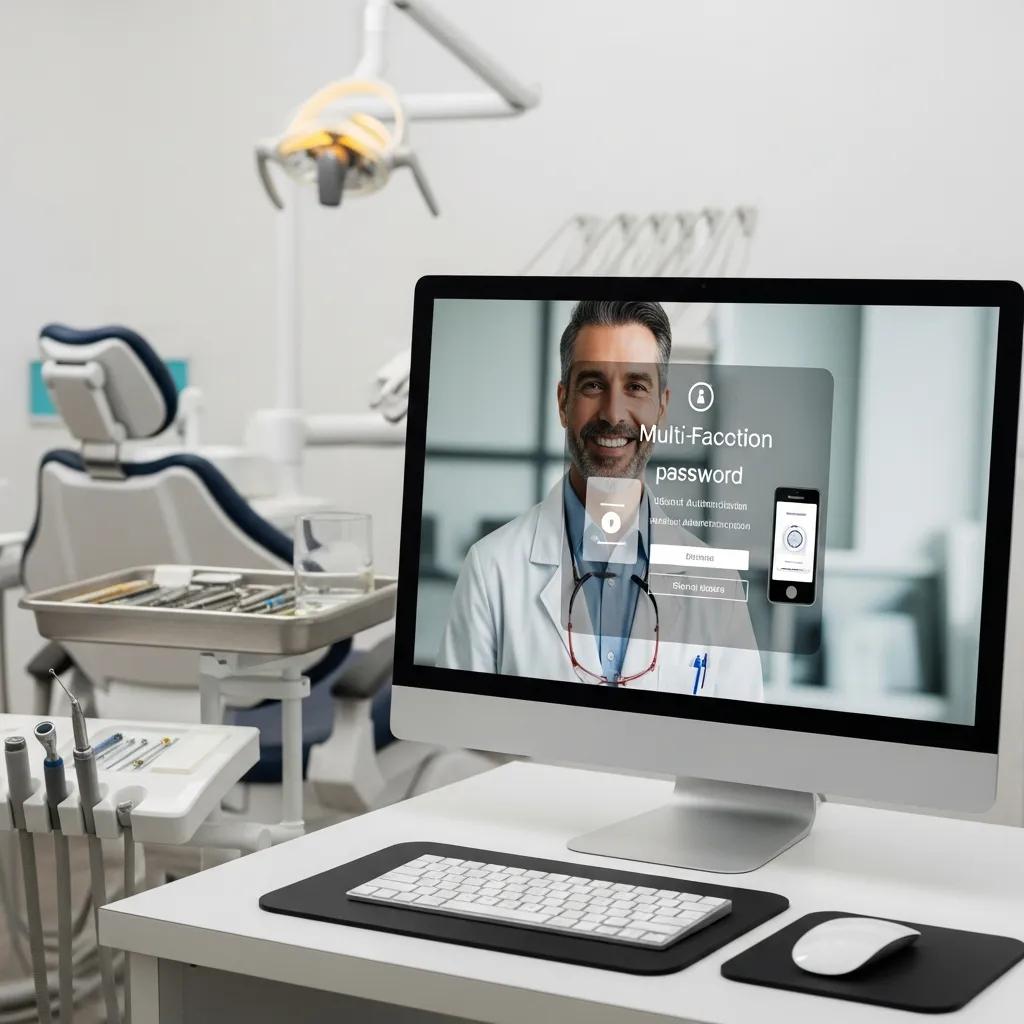
Technical safeguards are the technologies and settings that protect ePHI: encryption, access controls, audit logs, transmission security and integrity checks. Encrypt data both in transit and at rest (servers, backups and portable devices), use role-based access so only authorized staff can open charts, and keep audit logs to spot unusual activity. Integrity controls such as checksums help detect tampering. Regular vulnerability scans and periodic penetration tests validate defenses, and multi-factor authentication (MFA) meaningfully reduces account compromise risk. Map these controls to your practice management system, imaging archive and email so your most sensitive assets are protected.
Studies show authentication gaps — especially missing multifactor authentication — are a common factor in healthcare breaches.
Healthcare Data Breaches & Authentication Vulnerabilities
Healthcare’s rapid digital adoption has exposed authentication weaknesses: devices and systems are often deployed quickly with default configurations, and attackers frequently target credentials. Research during the COVID‑19 era highlighted credential-based attacks and the protective effect of adaptive multifactor authentication for connected health devices.
The table below summarizes core technical controls, what they protect against and which Security Rule objectives they support.
Intro: Use this quick comparison to prioritize technical safeguards for a dental practice and link each control to Security Rule goals.
| Technical Measure | How It Protects ePHI | Security Rule Objective |
|---|---|---|
| Encryption (at rest & in transit) | Makes stored or transmitted data unreadable if intercepted or stolen | Confidentiality |
| Access controls & MFA | Limits account access to authorized users and strengthens authentication | Access control & integrity |
| Audit logs & monitoring | Records access and changes so you can detect incidents and perform forensics | Auditability & accountability |
This comparison helps clinics decide which technical measures to deploy first and how they support HIPAA objectives.
Start by enforcing encryption and MFA for remote access, then add monitoring and testing to validate those controls.
Many dental teams find specialist cybersecurity or managed IT partners useful: they can configure MFA, apply encryption across systems and backups, maintain centralized logging and run scheduled scans and penetration tests so you meet Security Rule expectations without diverting clinical staff from patient care.
Dental Practice HIPAA Compliance: Key Steps to Secure ePHI
Administrative safeguards are the policies, processes and roles that organize risk management and compliance. Key elements include a documented risk assessment, written policies and procedures, workforce training, and a designated privacy or security officer. A thorough, recorded risk assessment creates a baseline and priorities; clear policy ownership assigns accountability. Role-based training for front desk, clinical and billing staff reduces human error, while ongoing monitoring and patch management keep systems current. Incident response procedures and data retention policies finish the administrative layer by ensuring the practice can detect, report and recover from incidents.
Below is an implementation-focused comparison of administrative tasks and practical options for dental clinics.
Intro: This EAV table shows common administrative safeguards, suggested tools or policies, and whether tasks are typically handled in-house or via managed services.
| Safeguard Area | Implementation (policy/tool) | Typical Approach |
|---|---|---|
| Risk assessment | Documented scope, asset inventory and risk matrix | In-house or managed service |
| Workforce training | Role-based learning, phishing simulations and training records | In-house with vendor content or managed service |
| Patch & change management | Scheduled updates and automated patch tools | Managed service preferred for smaller clinics |
This table clarifies which administrative tasks clinics can handle themselves and which are efficient to outsource for reliable execution.
Documenting a risk assessment and naming a privacy/security officer demonstrates governance; managed IT partners can then operationalize monitoring and patching for practices without dedicated IT staff.
What Are the Key Steps in Conducting a HIPAA Risk Assessment for Dentists?
A HIPAA risk assessment maps where ePHI is created, received, stored or transmitted, then evaluates threats and vulnerabilities to prioritize remediation. Start by scoping systems (practice management software, imaging, cloud storage and backups), inventorying assets and data flows, and listing likely threats such as unauthorized access, ransomware or lost devices. Rate likelihood and impact to prioritize controls, document findings, and produce a remediation plan with owners and deadlines. Templates and checklists speed the work and support audit readiness by showing documented decisions and fixes. Reassess at least annually and after major changes to keep your security posture aligned with new risks.
Case studies of small dental clinics show how formal risk assessments reveal practical fixes that reduce compliance gaps.
HIPAA Security Risk Assessments for Dental Clinics
Security risk assessments are a regulatory requirement and an ongoing investment. Case studies of small dental practices — one using cloud services and another on‑premises — illustrate common vulnerabilities and recommended mitigations to meet the Security Rule.
A documented risk assessment directly informs staff training and technical priorities covered next.
How Should Dental Staff Be Trained for HIPAA Compliance?
Effective HIPAA training is role-based, practical and measurable. New hires need onboarding that covers privacy basics, proper handling of PHI, workstation hygiene and incident reporting; annual refreshers reinforce expectations and cover new threats such as phishing. Simulated phishing exercises and competency checks produce measurable proof of awareness, and training records should be retained for audits. Include scenario practice for patient requests and breach reporting so staff know the right steps under pressure. Review training results regularly and update content to address observed gaps.
Consistent, recorded training reduces human error and supports the administrative controls HIPAA expects.
What Physical Safeguards Are Essential for Dental Clinic HIPAA Compliance?
Physical safeguards limit who can see, touch or remove PHI in the clinic. Controls include visitor procedures, workstation placement, media handling and secure disposal. Practical measures: use privacy screens, enable automatic screen-locking, require visitor sign-in and lock paper records and portable media. Keep device inventories and chain-of-custody logs for equipment sent for repair or disposal, and limit removal of PHI from clinic premises. These steps complement your technical and administrative controls by securing the physical environment where data is accessed and processed. Clear day-to-day procedures and staff training significantly lower exposure risk.
Here are straightforward physical safeguards recommended for dental clinics.
- Controlled entry and visitor logging: Require visitor sign-in and escorting where appropriate.
- Workstation privacy and auto-lock: Configure devices to auto-lock and use privacy filters as needed.
- Secure storage and disposal: Lock paper records and securely wipe or destroy retired devices and media.
These operational controls are easy to implement and form the foundation of a defensible physical security posture that supports electronic safeguards.
How to Secure Dental Facilities and Workstations to Protect Patient Data?
Start by controlling access to administrative areas and placing workstations to avoid casual viewing. Use badge or keyed entry for restricted zones and signage to separate public and private areas. Configure every workstation with screen-lock timeouts, password-protected wake and role-based logins. Encrypt laptops and require secure overnight storage for portable devices. Where possible, maintain access logs and review them periodically for anomalies. Simple policies and routine checks keep these protections effective and aligned with staff workflows.
Coordinate physical controls with device and media procedures so devices are handled securely throughout their lifecycle.
What Are Best Practices for Device and Media Controls in Dental Offices?
Device and media controls cover procurement, inventory, maintenance, secure transfer and disposal of hardware and removable media that may hold ePHI. Keep an up-to-date inventory, require encryption on portable media, and use mobile device management (MDM) for devices that access ePHI so you can enforce policies remotely. When devices are retired or sent for service, follow documented sanitization and chain-of-custody procedures and confirm vendors return or securely destroy PHI-containing media. For cloud backups and external storage, verify encryption and access restrictions and ensure retention policies meet legal and operational needs. Good lifecycle management reduces the chance that sensitive data remains on devices after they leave the practice.
Documenting these device controls and periodically verifying them helps show reasonable safeguards during audits or incidents.
How Do Business Associate Agreements Support Dental HIPAA Compliance?
Business Associate Agreements (BAAs) are contracts that require vendors who create, receive, maintain or transmit PHI on your behalf to implement safeguards and report breaches. BAAs set responsibilities for protection, breach notification timelines and procedures, and return or secure destruction of PHI when a contract ends. Typical vendors needing BAAs include practice management providers, cloud backup services, billing processors and imaging vendors. Due diligence should cover a vendor’s security posture, contract language and ongoing oversight. Missing or inadequate BAAs leave compliance gaps and increase operational risk.
The table below helps you identify vendor categories that typically require BAAs and the clauses to insist on.
Intro: Use this quick vendor reference to determine which third parties need BAAs and which contract terms protect ePHI.
| Vendor Type | BAA Required? | Key Contract Clauses |
|---|---|---|
| Cloud backup & storage | Yes | Encryption, breach notification, data return/destruction |
| Billing and claims processors | Yes | Use restrictions, audit rights, breach reporting |
| Office supplies/vendor without PHI access | No (usually) | Confidentiality clauses as applicable |
What Is a BAA and Why Is It Critical for Dental Practices?
A Business Associate Agreement is a legal contract that requires third-party vendors handling PHI to follow HIPAA safeguards and notify the covered entity of security incidents. A robust BAA obligates the vendor to implement appropriate technical and administrative controls, limit uses of PHI, report breaches promptly, and assist with audits or investigations. Failing to execute BAAs with relevant vendors can cause regulatory exposure and complicate breach response. When negotiating BAAs, require clear breach-notification timelines, encryption and access-control obligations, and provisions for secure return or destruction of PHI at contract end. Strong BAAs create enforceable security expectations and reduce operational uncertainty.
This contractual control ties directly into vendor management and ongoing oversight practices.
How to Manage Third-Party Vendors to Protect ePHI?

Manage vendors with security-first selection criteria: review their security controls, certifications, incident history and willingness to sign a BAA. Score vendors with a simple risk matrix that factors data access level, PHI volume and operational criticality, then set review cadences based on risk (e.g., annual checks for high-risk vendors, biennial for lower-risk). Include contract clauses for audits, breach notification and data handling, and keep written records of due diligence and communications for audit readiness. Maintain a vendor inventory with BAAs and schedule contract renewals and security reassessments as part of governance routines. Proactive oversight prevents surprises and ensures contractual commitments remain effective over time.
Documented vendor management completes administrative controls and reduces third-party risk to ePHI confidentiality and availability.
What Are the Required Steps in a Dental Data Breach Response Plan?
A breach response plan sets out the immediate actions to identify, contain, assess, notify, remediate and document incidents involving PHI, aligned with HIPAA’s Breach Notification Rule. Fast containment limits harm and preserves forensic evidence; a documented risk assessment determines whether notification thresholds are met. Notifications should reach affected individuals and regulators per timeline and content rules. Remediation focuses on closing gaps and preventing recurrence. Keep a detailed incident log and run a post-incident review — this demonstrates you had reasonable safeguards and shows corrective actions. A tested response plan shortens recovery time and reduces regulatory and reputational impact.
Use the checklist below for quick, decisive action during an incident.
- Identify & Contain: Confirm the event, isolate affected systems and stop ongoing exfiltration.
- Assess Risk: Identify which PHI was involved, the likelihood of compromise and who’s affected.
- Notify: Follow breach-notification timelines and content requirements for individuals and regulators.
- Remediate & Recover: Remove the threat, restore systems from trusted backups and implement fixes to prevent recurrence.
- Document & Review: Preserve forensic evidence, record actions taken and update policies based on root-cause findings.
When availability is threatened, reliable backups and tested recovery procedures shorten downtime and support accurate assessment. Hybrid cloud backups with encrypted, versioned copies and immutable snapshots help ensure you can restore patient records and imaging quickly. Regular restore tests prove your recovery objectives (RTO/RPO) are achievable and provide evidence of business-continuity planning during regulatory reviews. Faster recovery reduces care disruption and limits the scope of notifications.
Research shows periodic backups and strong disaster-recovery practices, including hybrid cloud approaches, improve data availability and integrity in healthcare settings.
Data Backup & Disaster Recovery for Healthcare Data
Regular backups and tested disaster-recovery methods increase data availability and integrity. Hybrid cloud approaches and emerging tools can further strengthen resilience and operational continuity.
How to Comply with HIPAA Breach Notification Rules in Dental Practices?
Start by assessing whether an impermissible use or disclosure rises to the level of a breach: consider the nature of the data, who accessed it and the likelihood of harm. If a breach is probable, notify affected individuals without unreasonable delay and, when required, notify OCR and other regulators. Include a clear description of the incident, the PHI types involved and steps patients can take to protect themselves. Remember state laws may add notification obligations. Maintain an incident log with timelines and use prewritten templates to speed accurate communications during high-pressure response situations.
A clear assessment framework and prebuilt notification templates speed compliance and improve outreach accuracy.
What Are Best Practices for Incident Response and Documentation?
Response best practices include preserving forensic evidence, keeping chain-of-custody records for affected devices and logging all investigative and remediation actions with timestamps. Conduct a root-cause analysis to identify control failures and assign remediation tasks with deadlines; verify and close those actions. Use post-incident reviews to update policies, training and technical controls so gaps are closed. Retain incident documentation per regulatory guidance and make it available for audits. Detailed records demonstrate you took reasonable steps and help justify remedial decisions. Treat incidents as opportunities to strengthen your compliance program.
Thorough documentation supports transparency with regulators and provides the trail needed for follow-up actions.
How Does DentalTek Support HIPAA Compliance Through Cybersecurity and Cloud Backup?
DentalTek offers managed IT, cybersecurity and backup services built specifically for dental clinics, mapped to HIPAA safeguards so clinics can outsource technical execution with confidence. Our cybersecurity stack includes MFA, endpoint detection and response (EDR), continuous monitoring, vulnerability scanning and penetration testing to protect ePHI and support the Security Rule. Our managed services handle patching, remote‑access hardening and 24/7 monitoring so dental staff stay focused on patient care while technical teams protect systems. For recovery and availability, DentalTek provides hybrid cloud backup with local and offsite encrypted copies, immutable snapshots and tested restore procedures to meet recovery timelines and support breach response.
This mapping shows how DentalTek’s services align with HIPAA requirements and helps clinics decide which operational tasks to delegate.
| DentalTek Service | HIPAA Requirement Addressed | Practical Benefit |
|---|---|---|
| Cybersecurity (MFA, EDR, monitoring) | Technical safeguards (access control, audit) | Reduces unauthorized access and speeds detection |
| Managed Services & Network Support | Administrative & technical operations | Ensures patching, monitoring and policy enforcement |
| Hybrid Cloud Backup | Breach response & availability | Enables encrypted, versioned restores to minimize downtime |
What Cybersecurity Solutions Does DentalTek Provide for ePHI Protection?
DentalTek’s cybersecurity offering combines multi‑factor authentication, endpoint detection and response, continuous logging and monitoring, and scheduled vulnerability scanning and penetration testing. MFA reduces credential-based breaches, EDR detects anomalous endpoint behavior, and continuous logs create an auditable trail of access to ePHI. Regular scanning finds weaknesses before attackers do. These services map directly to Security Rule controls and can be delivered as a managed package for clinics without in-house IT.
Paired with documented policies and testing, these technical controls create a layered defense aligned with HIPAA expectations and modern security practice.
How Does Secure Cloud Backup Ensure Data Availability and HIPAA Compliance?
Secure cloud backup protects availability by keeping encrypted, versioned copies of practice data locally and offsite, which enables rapid recovery after ransomware or system failure and supports breach response needs. Immutable snapshots stop attackers from altering backups, and regular restore testing proves your recovery objectives (RTO/RPO) are achievable. Encrypt data in transit and at rest so backups do not become an exposure vector, and document retention and restore procedures for audit evidence. A hybrid approach balances fast local restores with offsite resilience to meet the Security Rule’s availability goals.
Regular backup testing tied to your incident response plan ensures you can recover patient records and demonstrate continuity controls during investigations.
This guide lays out a prioritized roadmap — checklists, tables and stepwise procedures — to help dental practices achieve and document HIPAA compliance. Use the risk-assessment templates, policy examples and vendor-management advice here to prioritize work, and consider managed cybersecurity and hybrid backup services to operationalize controls and keep patient data protected.
Frequently Asked Questions
What are the consequences of non-compliance with HIPAA for dental practices?
Non-compliance can lead to substantial consequences: civil penalties from HHS, potential criminal exposure for willful violations, and serious reputational harm. Civil fines vary depending on negligence and can be significant; criminal charges are possible in extreme cases. Beyond fines and legal risk, breaches erode patient trust and can hurt business. Staying proactive with documented safeguards and training is the best way to reduce these risks.
How often should dental practices conduct HIPAA risk assessments?
Conduct a formal HIPAA risk assessment at least annually and after any significant changes — new systems, major software updates, location changes, or a data breach. Regular assessments help you spot vulnerabilities early and keep mitigation plans up to date. After an incident, run an assessment to evaluate controls and prioritize fixes.
What role does employee training play in HIPAA compliance?
Employee training is critical. Staff are often the first line of defense, so role-based onboarding and annual refreshers reduce human error and help staff respond correctly to incidents. Simulated phishing tests and competency checks provide measurable proof of awareness. Keep training records for audits and use results to refine topics and delivery methods.
What should be included in a dental practice’s incident response plan?
A solid incident response plan lists immediate actions (identify and contain), roles and responsibilities, communication protocols for patients and regulators, documentation requirements and remediation steps. Include clear checklists, pre-approved notification templates and a schedule for post-incident reviews. Test the plan regularly so the team can execute calmly under pressure.
How can dental practices ensure their vendors comply with HIPAA?
Require Business Associate Agreements for vendors that handle PHI, and include clauses for encryption, breach notification and data return/destruction. Perform security due diligence before contracting and schedule periodic reassessments based on risk. Maintain written records of BAAs and vendor reviews to demonstrate oversight.
What are the best practices for securing physical access to dental facilities?
Best practices include controlling entry points (keycards or visitor logs), positioning workstations to avoid casual viewing, using privacy filters and enforcing auto-lock timeouts, and securely disposing of media and retired devices. Also keep an inventory of devices and train staff on day-to-day handling of PHI to maintain consistent physical security.
Conclusion
Protecting patient data is both a legal requirement and a core part of running a trusted dental practice. By combining administrative, technical and physical safeguards, conducting regular risk assessments and training staff, clinics can reduce risk and demonstrate reasonable care. If you prefer to outsource technical tasks, managed cybersecurity and hybrid backup services can make compliance practical and repeatable. Use this guide’s checklists and templates to prioritize actions and keep patient care uninterrupted and secure.

