
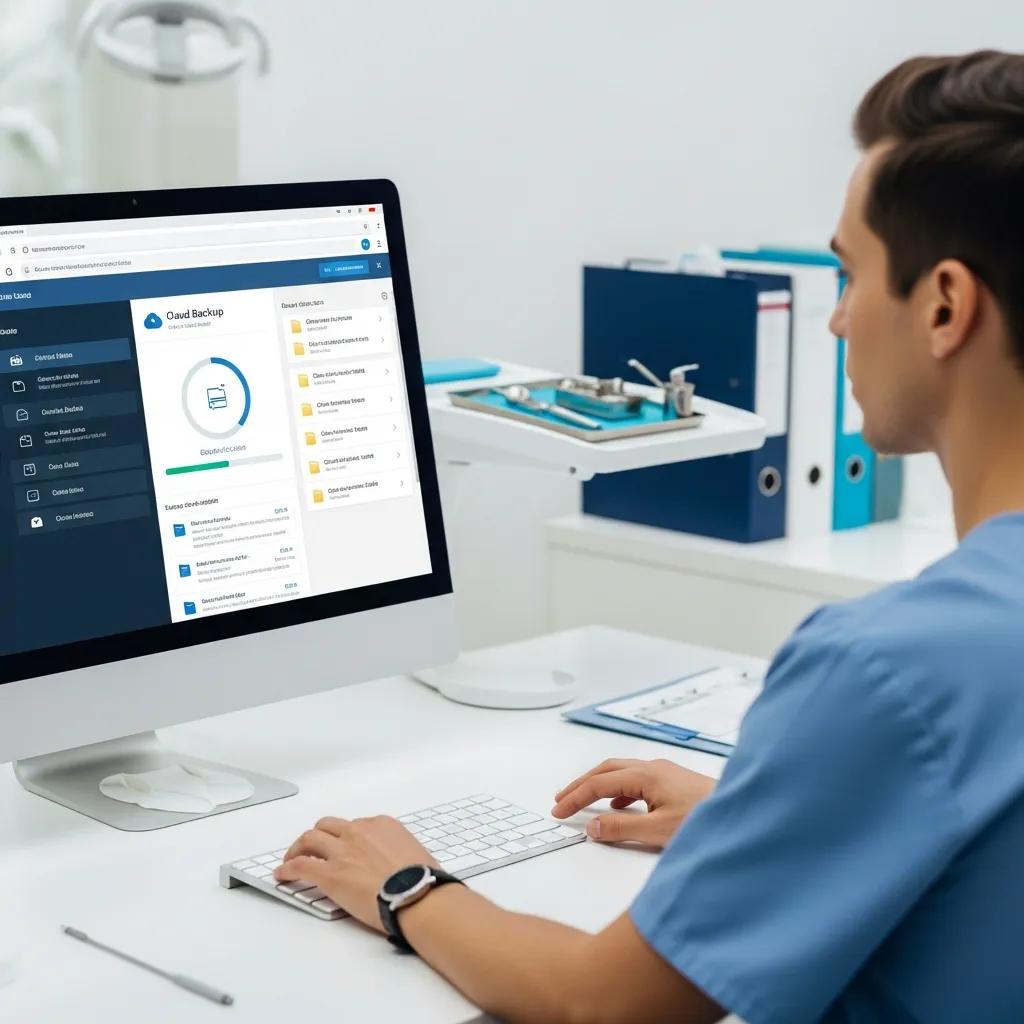
Protect Your Dental Practice Data with Secure Cloud Backups
Your clinic holds highly sensitive patient records, x‑rays, billing details and appointment histories. Those files need reliable, secure backups to stay compliant and keep operations running. This guide explains what a secure cloud backup is, why dental practices are especially exposed to data loss and ransomware, and which technical controls—encryption, immutability, automated schedules and tested restores—actually protect your daily work and patient privacy. DentalTek builds cloud backup solutions specifically for dental clinics and can help you assess risk and implement a practical backup lifecycle. Request a free demonstration or contact DentalTek to discuss your clinic’s needs. The guide walks through risk vectors, core business-continuity concepts (RTO/RPO), feature-to-technical mappings, HIPAA-aligned safeguards, ransomware recovery playbooks, integrations with common dental systems, and the benefits of working with a dental-specialist IT partner. Knowing these areas helps owners and managers choose a defensible backup strategy that reduces downtime, protects patient trust, and meets regulatory expectations.
Why dental practices need secure cloud backup solutions
Secure cloud backup is a managed service that copies critical clinic data offsite with controls that make recovery possible after hardware failure, human error or a cyberattack. By combining encryption, redundancy and verified restores, cloud backup shortens downtime and preserves patient care workflows—making it a core part of a practice’s operational resilience. Dental offices face distinct threats: ransomware aimed at practice management systems, accidental deletion of charts, and local hardware failures that interrupt scheduling, billing and clinical access. The sections that follow explain these risk types and how cloud backup supports business continuity through defined recovery objectives and repeatable procedures.
Dental clinics generally store several high-value data types that need fast recovery:
- Practice management databases: appointment books, patient histories and billing records that keep the office running.
- Clinical images and imaging files: x‑rays, CBCT scans and intraoral photos — often irreplaceable.
- Administrative and financial documents: insurance claims, payroll and tax records needed for billing and compliance.
Because these data types behave differently, a robust strategy combines database-aware backups with file-level protection. Identifying what you store helps pinpoint the specific risks clinics face.
What are the risks of data loss in dental clinics?

Dental clinics encounter repeatable risk vectors that can cause partial or total data loss and interrupt operations. Ransomware can encrypt files and—if backups aren’t immutable—corrupt local copies. Accidental deletions or software bugs can remove records before anyone notices. Hardware failures such as failed servers or corrupted drives block access to EHRs and schedules, and physical events (fire, flood) can destroy on‑site backups entirely. Recognizing these risks makes it clear why offsite, immutable and automated backups with fast restore options are central to resilient dental IT.
These risk categories feed directly into recovery planning: setting realistic RPO (how much data you can afford to lose) and RTO (how long you can be down). We cover that next and show how backups reduce interruptions to patient care.
How does cloud backup ensure business continuity for dental offices?
Cloud backup helps maintain business continuity by providing offsite redundancy, versioning and tested recovery procedures that meet agreed recovery objectives. RPO defines acceptable data loss—often measured in hours for busy clinics—while RTO defines how quickly the practice must be back online. Backup systems with frequent snapshots and validated restores lower both RPO and RTO. For example, a database-aware solution that takes hourly snapshots can limit data loss to under an hour, and regular recovery tests prove a restore can be completed within planned windows. Setting these metrics lets clinics schedule restores, set patient expectations, and keep care moving during incidents.
With RTO/RPO goals and validated restores in place, clinics can evaluate specific backup features—encryption, scheduling and immutability—that together enable secure, compliant recovery.
What features make DentalTek’s cloud backup ideal for dental practices?
DentalTek’s cloud backup is built for dental workflows: automated, encrypted and test-verified backups designed to support compliance and fast recovery. Key features include scheduled, agent-based database protection for practice management systems; end‑to‑end encryption; versioning and retention policies; immutable object lock for ransomware resilience; and scheduled restore testing to prove recoverability. These controls reduce the administrative load on clinic staff and create a repeatable lifecycle—audit, takeover, upgrade and ongoing maintenance—so protection is continuous and demonstrable. After reviewing these features, you’re invited to request a free demonstration or contact DentalTek for a consultation.
The table below links each primary feature to its technical attribute and the tangible benefit for clinic operations.
| Feature | Technical Attribute | Benefit to Dental Practice |
|---|---|---|
| End-to-end encryption | AES‑256 for data at rest and TLS for data in transit | Protects patient information and supports HIPAA security expectations |
| Immutable backups (object lock) | Write‑once, read‑many retention enforced by immutability flags | Prevents tampering by ransomware and preserves clean recovery points |
| Automated scheduling & monitoring | Agent-based clients and cloud scheduler with alerting | Reduces missed backups, lowers admin workload and improves reliability |
This feature-to-benefit mapping shows how technical controls translate into lower risk and better uptime for dental teams—next we explain how automation and encryption protect patient records in daily operations.
How do automated and encrypted backups protect patient records?
Automated scheduling runs backups without relying on staff, reducing human error and the chance of missed snapshots. Encryption in transit prevents interception during transfer to cloud storage; encryption at rest protects stored copies from unauthorized access. Key management plus role‑based access ensures only authorized users can decrypt sensitive files. Together, automation and encryption keep EHRs, images and billing files protected and accessible only to the right people, supporting privacy and regulatory needs. This foundation also enables periodic restore testing and audits, verifying that encrypted backups can be decrypted and restored within planned timelines.
What disaster recovery capabilities does DentalTek provide?
DentalTek’s disaster recovery offering focuses on defined RTO/RPO targets, tested restores and support processes that guide clinics from detection to verified go‑live. Typical capabilities include frequent snapshots for minimal RPO, failover to cloud‑hosted instances to reduce RTO, scheduled restore verification to prove integrity, and incident response coordination to manage communications and technical steps. Our structured lifecycle—audit, takeover, upgrade, continuous maintenance—defines roles, timelines and escalation paths so clinics know what to expect. Regular restore tests and documented runbooks make recovery repeatable and give clinics confidence they can return to normal operations with validated data integrity.
These recovery features reduce downtime and operational risk, and they lead into how HIPAA requirements are addressed through technical and administrative safeguards.
How does DentalTek ensure HIPAA‑compliant data backup for dental clinics?
DentalTek aligns backup controls to HIPAA’s technical and administrative safeguards by implementing encryption, access controls, audit logging, BAAs and incident response support. Mapping safeguards to concrete measures shows how each HIPAA requirement is met—from protecting ePHI during transfer to maintaining integrity and availability via tested restores. The table below maps common HIPAA safeguards to the technical or administrative measures DentalTek uses and the evidence clinics can present during audits.
| HIPAA Safeguard | Technical/Administrative Measure | Evidence/Value |
|---|---|---|
| Encryption | AES‑256 at rest; TLS in transit; managed key controls | Shows encryption of ePHI and reduces risk of unauthorized disclosure |
| Access controls | MFA, role‑based access and least‑privilege assignments | Ensures only authorized personnel can access backups and keys |
| Audit logging & reporting | Tamper‑evident logs and scheduled compliance reports | Provides audit evidence and supports incident investigations |
This mapping demonstrates that HIPAA compliance comes from layered technical controls plus administrative processes, which we detail further in the next section on technical safeguards.
What technical safeguards support HIPAA compliance in cloud backup?
Key technical safeguards include strong encryption, granular authentication and authorization, secure key management, integrity checks (checksums or hashes) and comprehensive logging that records access and restore events. Encryption protects ePHI in transit and at rest; multifactor authentication and role‑based access enforce least privilege; integrity checks detect unauthorized changes; and detailed logs provide evidence for audits or breach investigations. Together these controls form a security stack that helps practices meet HIPAA’s confidentiality, integrity and availability requirements and prepares them for external compliance reviews.
Understanding these safeguards clarifies how DentalTek supports compliance reporting and privacy workflows for clinical customers.
How does DentalTek handle compliance reporting and data privacy?
DentalTek produces regular audit reports, access logs and restore activity summaries that clinics can use for HIPAA audits or internal reviews. Administrative support includes Business Associate Agreements (BAAs), documented incident response workflows and assistance with data subject access requests when applicable. Reporting tools deliver tamper‑evident logs and scheduled summaries showing backup success rates, retention adherence and restore verification outcomes—making it easier for clinics to demonstrate controls. These reporting functions, combined with technical safeguards, provide a defensible compliance posture and lead into ransomware protections enabled by immutable backups.
How can dental practices protect against ransomware with cloud backup?
Defense against ransomware combines layered prevention with recovery measures: immutable, offsite backups and validated restore processes. Immutable backups (object lock) prevent attackers from altering or deleting backup files. Frequent snapshots and offsite copies ensure clean recovery points are available. Rapid detection, isolation and tested restore workflows reduce operational impact and let clinics recover without paying a ransom. Below is a concise recovery playbook clinics can follow when an incident occurs.
- Detect and contain: Identify infected systems and disconnect affected endpoints and networks to stop lateral movement.
- Assess and forensic scope: Work with IT to determine affected data and select clean backup points for restoration.
- Restore and validate: Restore from immutable backups into isolated environments, verify integrity and application functionality, then bring systems back to production.
Following this three‑step sequence helps clinics restore clinical operations using validated data and minimizes disruption to patient care. Next we explain immutability in more detail and its practical role during recovery.
Ransomware Threats: Cybersecurity and Data Exfiltration in the Digital Age
Ransomware remains one of the most pervasive cyber threats. Attackers often use sophisticated encryption and extortion techniques to deny system access and demand payment, sometimes combining data theft with threats to publish information (double or triple extortion). These attacks aim to maximize disruption and pressure organizations into paying ransom, which is why immutable backups and a tested recovery plan are essential defenses.
What are immutable backups and how do they prevent ransomware damage?
Immutable backups are write‑once storage snapshots or objects that cannot be modified or deleted for a set retention period, enforced by object‑lock or similar mechanisms. Because they’re immutable, ransomware and malicious actors cannot alter or remove those backup copies, preserving clean recovery points the practice can rely on. In practice, immutability creates a protected history of snapshots that can be quickly found and restored—critical in time‑sensitive dental workflows where schedules and patient records must be recovered fast. Immutable storage combined with tested restore procedures reduces attacker leverage and gives clinics operational assurance.
This technical protection works only when paired with an organized recovery workflow, which we outline next to help clinics plan roles and timelines.
What steps are involved in post‑ransomware data recovery?
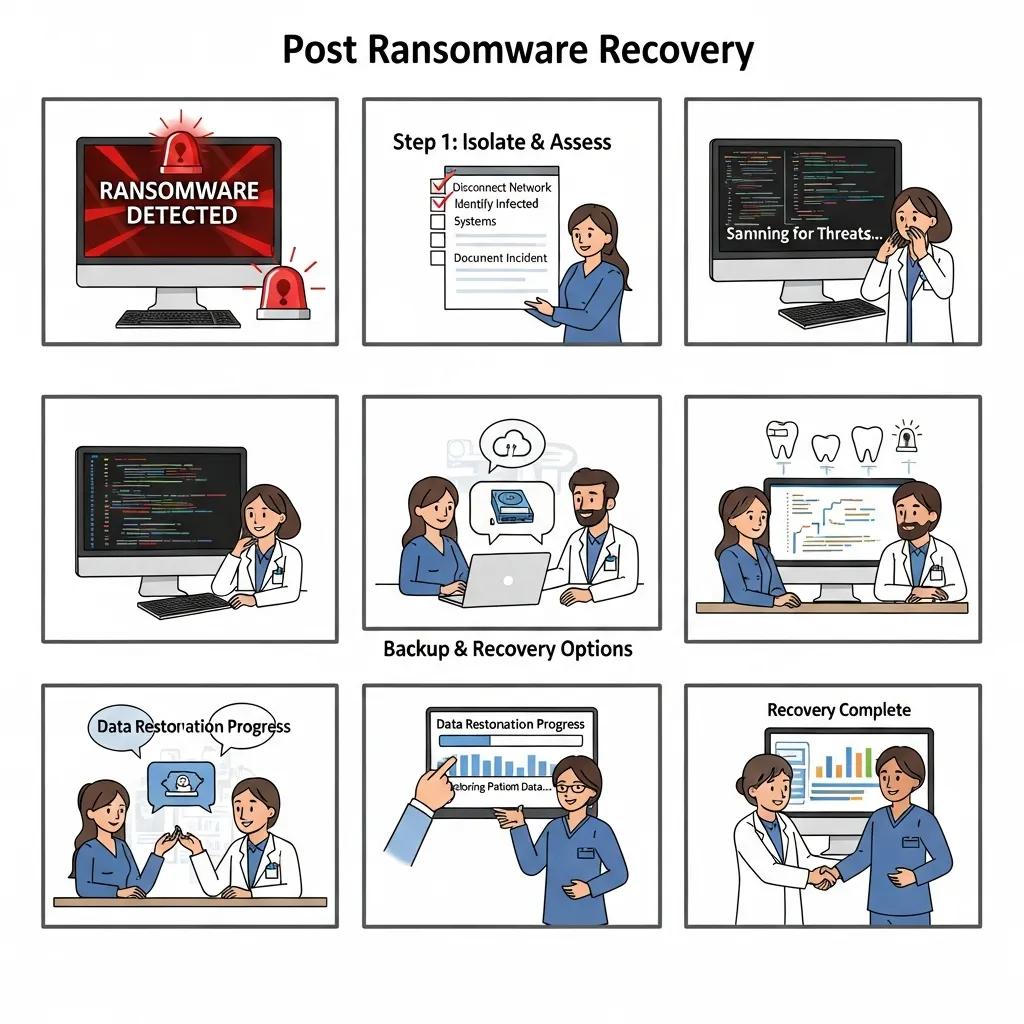
An effective post‑ransomware recovery follows a clear sequence: detect, isolate, perform forensic evaluation, restore, verify and return to service with documented validation. First, isolate affected networks to stop spread. Next, run forensics to identify scope and select clean backup points. Then restore from immutable backups into isolated test environments. Verify data integrity, application consistency and operational readiness. Finally, transition systems back to production with monitoring in place. Timelines depend on incident severity, but small clinics with pre‑planned RTO/RPO goals can often complete assessment within 24 hours and staged restorations within 48–72 hours.
This structured checklist follows best practices and leads into how backups integrate with specific dental practice software.
How does cloud backup integrate with popular dental practice software?
Cloud backup integrates with dental practice software using methods such as agent‑based database backups, file‑level snapshots and cloud connectors to protect both clinical and administrative data. Integration benefits include backup schedules aligned with database activity, application‑aware snapshots that preserve transactional integrity, and simpler restore procedures that map to everyday workflows. The table below lists common practice management systems, typical integration methods and expected RPO/RTO guidance to help clinics set realistic expectations.
| Software | Backup Integration Method | Typical RPO/RTO or Notes |
|---|---|---|
| Dentrix | Agent‑based database backups with application‑aware snapshots | RPO: hourly snapshots possible; RTO: hours to restore when validated |
| EagleSoft | Scheduled file and database protection with integrity checks | RPO: hourly to daily; RTO: depends on DB size and restore testing |
| OpenDental | Agent or API‑based backups with versioning and retention controls | RPO: configurable; RTO: within planned SLA when tested |
This compatibility mapping helps clinics prepare pre‑backup settings and sets realistic restore timelines, which we expand on next when discussing operational simplification.
Which dental practice management software is compatible with DentalTek’s backup?
DentalTek supports common dental platforms through agent‑based, application‑aware backups and file‑level snapshots for document and imaging repositories. Examples include Dentrix, EagleSoft and OpenDental, where agents or connectors create consistent snapshots and preserve database integrity during backups. Clinics should perform pre‑backup configuration—pausing active transactions during snapshots or enabling recommended quiescing—to ensure clean backups and simpler restores. These integration steps reduce the risk of partial restores and prepare clinics for verified recovery.
Proper software integration cuts administrative overhead and creates consistent backup behavior across practice systems, which we describe next.
How does integration simplify data protection and access?
Tight integration between backup tools and practice software automates consistent snapshots, reduces manual export tasks and enables faster, application‑aware restores that preserve transactional integrity. Integrated backups simplify staff procedures, centralize logs for compliance reporting and shorten recovery times because restores map to known application states. For example, an agent‑based database backup can restore the database and related files in a coordinated operation so staff can quickly verify schedules and records and resume care. These efficiencies lower operational risk and let clinic teams focus on patients, not backups.
With integration benefits clear, clinics can evaluate provider differences and see why a dental‑specialist IT partner matters.
What are the advantages of choosing DentalTek for dental IT support and cloud backup?
DentalTek focuses exclusively on dental clinics and uses a structured lifecycle—audit, takeover, upgrade and continuous maintenance—backed by a dedicated team and vendor partnerships to deliver tailored backup and recovery services. Our specialization means we understand dental workflows, common practice management systems and regulatory obligations, which reduces implementation friction and improves recovery outcomes. Partnerships with Microsoft, Veeam, Dell and Dentalcorp let us validate technology stacks and access enterprise‑grade tools for greater reliability. If you’re ready to evaluate your protection and recovery readiness, request a free demonstration or contact DentalTek for a consultation.
- Dental specialization: Services tuned to dental workflows and practice management systems.
- Structured lifecycle: Audit, takeover, upgrade and continuous maintenance to keep protection current.
- Strategic partnerships: Vendor relationships that improve reliability and access proven technologies.
These differentiators show how DentalTek’s model reduces risk and improves uptime for clinics. The next subsection explains how partnerships translate into practical service reliability.
How do DentalTek’s strategic partnerships enhance service reliability?
Working with vendors like Microsoft, Veeam, Dell and Dentalcorp allows DentalTek to build backup solutions on proven platforms, tap vendor support channels and validate integrations for dental workloads. These partnerships deliver tested backup stacks, enterprise‑grade storage and replication options, and clearer escalation paths during complex incidents. Partner ecosystems also speed access to feature updates and certified interoperability, helping clinics keep protection current without heavy in‑house effort. This partner‑driven reliability complements our dental expertise and strengthens the overall service model.
Partnerships supply technology depth while our team applies dental‑specific operational knowledge to protect your practice.
Why trust DentalTek’s dedicated IT experts for your dental practice?
DentalTek’s IT experts specialize in dental challenges and apply repeatable processes for audits, migrations, upgrades and ongoing maintenance that respect clinic hours and workflows. Specialization shortens the learning curve common with general IT providers and ensures backup policies, retention rules and restore tests suit clinical needs. Ongoing maintenance includes scheduled restore tests and reporting to demonstrate recoverability and compliance readiness, and our playbooks clarify roles and response times during incidents. To validate your clinic’s backup posture and see these capabilities in action, request a free demonstration or contact DentalTek for services.
This practical close reinforces the benefits of a dental‑specialist provider and the next steps clinics can take to verify their backup readiness.
Conclusion
Secure cloud backups are essential for protecting patient data and keeping your practice running. Using encryption, automation and tested recovery procedures reduces the chance of data loss and helps you meet regulatory obligations. Working with a dental‑specialist provider like DentalTek makes security easier to manage and recovery faster when incidents occur. To see how these solutions can protect your clinic, request a free demonstration or contact us today.

