
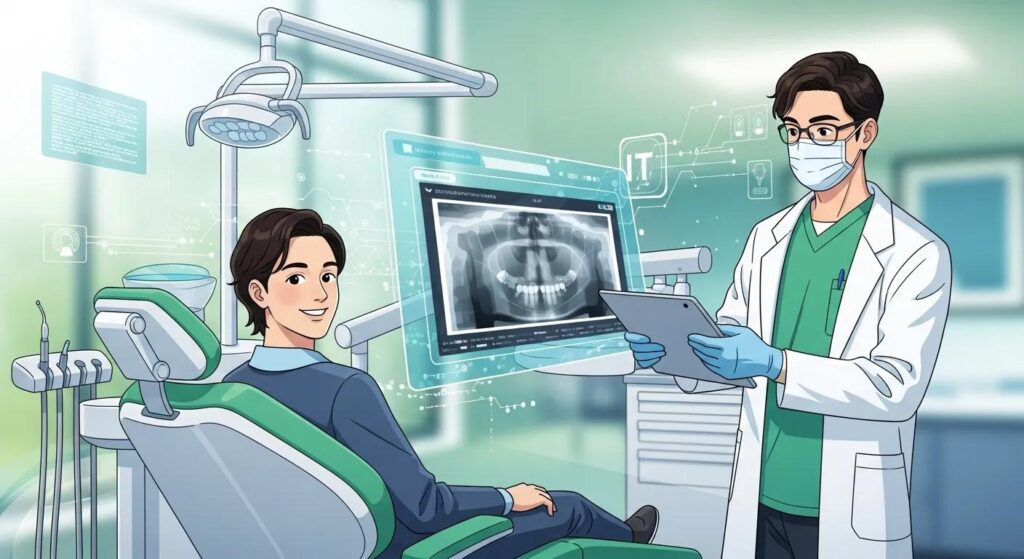
How Dental IT Elevates Patient Care
Dental IT support covers the managed services, network design, cybersecurity, and cloud systems that keep clinical software and patient records available, accurate, and secure. By proactively monitoring systems, linking electronic health records with imaging and scheduling, and layering security controls, dental IT reduces downtime and prevents data loss—so teams can focus on care. This article walks through the core IT solutions that matter for dental clinics, explains how they improve patient experience and engagement, outlines why cybersecurity is essential under Canadian frameworks like PIPEDA, and shows how emerging tools such as AI and telehealth are changing diagnostics and access. You’ll find practical implementation steps, a side-by-side comparison of core services, prioritized security controls, and concrete examples of technology-enabled patient workflows. Where relevant, we note DentalTek services clinics commonly consider when evaluating managed IT or security audits.
What Are the Core Dental IT Solutions That Improve Patient Care?
Core dental IT solutions are the essential services and systems—managed IT, resilient networks, cloud backup, and integrated practice management/EHR—that let clinics deliver timely, safe, and efficient care. These pieces work together to keep clinical applications up, speed digital image transfers, preserve accurate patient charts, and automate routine admin tasks so clinicians spend more time with patients. Dependable IT means shorter waits, faster diagnoses, fewer interrupted procedures, and reliable access to treatment histories—all of which improve patient experience and support better clinical decisions. The sections that follow break these elements into operational components and show how proactive IT reduces disruptions and protects workflows.
DentalTek’s dental-focused managed services, network support, and cloud backup solutions are practical examples of how a partner can deploy these systems—providing remote monitoring, onsite support, and scheduled maintenance that fit each clinic’s technology stack. This short bridge highlights common service options clinics evaluate after defining their core needs, before we dive deeper into managed services and networking.
Different core solutions map to specific operational responsibilities and patient-care benefits. The table below gives a quick comparison.
| Solution | Scope | Patient-Care Benefit |
|---|---|---|
| Managed Services | Remote monitoring, helpdesk, patch management, updates | Fewer interruptions and faster issue resolution during appointments |
| Network Infrastructure | Segmentation, Wi‑Fi, Quality of Service for imaging | Faster image transfers, stable telehealth sessions, reduced wait times |
| Cloud Backup & Storage | Offsite snapshots, encrypted storage, retention policies | Rapid recovery after outages and preserved treatment histories |
| Practice Management & EHR Integration | Scheduling, charting, imaging linkage | More personalized care, faster check‑ins, fewer administrative errors |
This comparison shows how each solution supports patient-facing outcomes and sets up a closer look at managed services and network design.
How Do Managed IT Services Ensure Reliable Dental Clinic Operations?
Managed IT services give dental clinics continuous oversight—remote monitoring, automated patching, helpdesk support, and routine maintenance—to stop issues before they affect patient care. Proactive monitoring catches failing disks, service outages, or software conflicts overnight so technicians can fix them before morning appointments. A typical managed-services morning includes automated health checks of servers and imaging devices, verification that backups completed successfully, and quick helpdesk triage when staff report problems—minimizing cancellations and delays. Clinics using managed services also benefit from controlled change management: planned updates and maintenance windows reduce unexpected downtime and preserve clinical continuity. Once managed services are in place, network design becomes the next critical consideration.
What Role Does Network Infrastructure Play in Seamless Patient Experience?
Network infrastructure—secure segmentation, reliable staff and guest Wi‑Fi, and QoS policies for imaging traffic—keeps digital tools performing consistently during patient visits. Segmentation keeps clinical devices (imaging consoles, EHR servers) separate from public Wi‑Fi to protect data and maintain performance under load, while QoS prioritizes large imaging files so X‑rays and 3D scans transfer without delay. Common failure points include outdated switches, single points of aggregation, and misconfigured wireless access; mitigation steps include redundant links, managed switches, and routine firmware updates. A resilient network shortens appointment wait times, speeds diagnosis by removing image-transfer bottlenecks, and supports telehealth when patients need remote consultations. Reliable networking naturally supports the digital patient tools that boost engagement.
How Does Dental IT Support Elevate Patient Experience and Engagement?
Dental IT elevates patient experience by enabling integrated records, smoother appointment systems, and secure communication channels that make interactions faster, more personal, and less administrative. When EHRs, imaging, and scheduling are integrated and available, clinicians have complete treatment histories and alerts at chairside—helping with tailored treatment and clearer consent conversations. Online booking, automated reminders, and pre‑visit digital intake reduce front‑desk load and shorten check‑in times, while secure portals let patients view records, receive instructions, and message providers securely. Below we examine how EHR features and appointment systems contribute to these gains and offer practical examples clinics can implement to improve engagement.
How Do Electronic Health Records Personalize Dental Care?
Electronic health records personalize care by consolidating charting, medical history, allergies, treatment plans, and imaging into one searchable patient file—so clinicians make faster, better-informed decisions. EHRs surface clinical alerts (allergy warnings or medication conflicts) during charting and treatment planning, directly reducing adverse events and guiding sedation or medication choices. Integration with imaging attaches radiographs and 3D scans to patient records for side‑by‑side review, improving diagnostic accuracy and documentation. Robust EHR setups also support clinical decision‑support tools and templates that standardize best practices while preserving individualized notes. With EHR benefits clear, appointment and communication systems further streamline the patient journey.
What Are the Benefits of Streamlined Appointment Management and Patient Communication?
Streamlined appointment management—online booking, automated reminders, pre‑visit digital forms, and telehealth scheduling—reduces admin time and lowers missed-appointment rates. Online booking lets patients self‑schedule, while SMS and email reminders cut no‑shows and free staff for higher‑value tasks. Digital intake forms sent ahead of visits shorten front‑desk processing and ensure accurate data flows directly into the EHR, improving clinician readiness. Telehealth scheduling and virtual post‑op check‑ins extend access for follow‑up care and minor consultations, reducing in‑office load. These operational improvements make care more convenient and let staff focus on clinical interactions—which is why protecting this data is essential.
Why Cybersecurity Is Essential for Protecting Dental Patient Data
Cybersecurity in dental practices combines technical and procedural measures—encryption, multi‑factor authentication (MFA), endpoint protection, staff training, and backups—to prevent breaches, meet regulatory requirements (like PIPEDA), and maintain clinical continuity. A breach can expose patient privacy, block access to records, and trigger expensive recovery efforts that interrupt care. Prioritized security controls shrink attack surfaces, preserve patient trust, and keep clinics operational. The checklist and table that follow summarize essential measures and the outcomes clinics should expect when they adopt a comprehensive security baseline.
These key cybersecurity measures layer protection to reduce risk and protect a clinic’s ability to care for patients.
Key technical controls every clinic should implement:
- Multi‑Factor Authentication (MFA): Adds an extra verification step to prevent unauthorized access.
- Endpoint Detection & Response (EDR): Detects and isolates malicious activity on workstations.
- Encryption at Rest and in Transit: Keeps patient data protected on devices and during transfer.
- Regular Patch Management: Closes vulnerabilities before attackers can exploit them.
These controls form a prioritized baseline; the table below maps measures to direct patient and business benefits.
| Security Control | Implementation Detail | Outcome / Benefit |
|---|---|---|
| Multi‑Factor Authentication | Enforce MFA for staff access to EHR and admin portals | Fewer credential‑based breaches; protected patient confidentiality |
| Encryption | AES‑256 for backups and TLS for data in transit | Data unreadable if intercepted or stolen; supports compliance |
| Endpoint Protection (EDR) | Continuous monitoring and automated isolation | Faster threat containment; fewer outages during attacks |
| Backup & DR | Regular offsite encrypted snapshots with tested restores | Rapid recovery from ransomware or loss; minimal appointment disruption |
This table links concrete security steps to outcomes that protect patients and clinic operations.
What Comprehensive Cybersecurity Measures Safeguard Dental Patient Information?
Comprehensive cybersecurity mixes technical defenses with people‑centric policies: implement firewalls and network segmentation, deploy endpoint protection, require MFA, encrypt data, keep frequent backups, and maintain an incident response plan. Segmentation and firewalls limit lateral movement if a device is compromised; EDR tools spot suspicious behavior and let you isolate affected machines quickly. Staff training reduces human‑error risks by teaching phishing recognition and safe record handling, complementing technical controls. Start with a risk assessment, patch critical systems first, and run tabletop incident response drills to build readiness. These steps naturally highlight the need for dependable backups and recovery planning.
How Do Data Backup and Disaster Recovery Ensure Business Continuity?
Backups and disaster recovery (DR) provide resilience by preserving patient records and enabling fast restoration of clinical systems after outages, ransomware, or hardware failure. A strong backup strategy uses local snapshots for quick restores plus encrypted cloud backups for offsite resilience, and defines Recovery Time Objectives (RTO) and Recovery Point Objectives (RPO) so recovery expectations are clear. Regular restore tests verify backups are usable and that staff know recovery procedures—avoiding surprises during incidents. Clinics should use a recovery checklist—identify critical systems, validate backups, and practice restores—to keep care delivery continuous. With DR in place, clinics are better prepared to adopt new technologies that rely on resilient IT foundations.
DentalTek provides cybersecurity audits, takeover services, and managed security support tailored to dental settings. Clinics can consider these services after mapping risk and required controls—practical options for implementing audits and remediation while staying focused on clinical priorities.
How Are Emerging Technologies Transforming Dental Patient Care Through IT?
Emerging technologies—AI for imaging, telehealth platforms for remote consults, and cloud‑hosted imaging and records—are changing dental care by speeding diagnoses, widening access, and reducing on‑site hardware needs. AI can flag anomalies on radiographs and suggest treatment considerations; telehealth enables triage and post‑op follow‑ups without in‑person visits; and cloud imaging centralizes storage for easier specialist collaboration. Successful adoption requires sufficient compute, secure datasets, and robust networks so tools are reliable, private, and clinically useful. The examples and table below outline practical use cases and implementation complexity for clinics weighing these options.
Notable use cases where IT improves clinical outcomes:
- AI‑assisted image analysis to prioritize pathology review.
- Teleconsults for pre‑assessment and postoperative checks.
- Cloud‑hosted imaging for multi‑site collaboration and storage consolidation.
The table below helps clinics weigh benefits against implementation needs.
| Technology | Use Case | Patient / Clinic Benefit |
|---|---|---|
| AI Diagnostics | Automated radiograph analysis and decision support | Faster detection, second‑opinion support, reduced review time |
| Telehealth Platforms | Remote consultations and follow‑ups | Increased access, less travel for patients, continuity of care |
| Cloud Imaging | Centralized storage and sharing of X‑rays/3D scans | Easier specialist collaboration, reduced onsite hardware needs |
That table illustrates how each technology maps to practical patient and clinic advantages and leads into specifics about AI and telehealth requirements.
What Impact Does Artificial Intelligence Have on Diagnostics and Treatment Planning?
AI speeds diagnostics by accelerating image analysis, highlighting findings, and supporting predictive treatment planning from aggregated datasets. AI workflows reduce clinician review time for routine items and surface subtler patterns that inform treatment sequencing or monitoring. Successful AI adoption needs high‑quality, annotated images, secure compute resources, and validation processes to ensure outputs meet clinical standards. Clinics should treat AI as an augmenting tool—enhancing clinician judgment rather than replacing it—and integrate validated AI into existing EHR and imaging workflows so audit trails and traceability remain intact. These considerations lead naturally into how telehealth and cloud solutions expand access.
How Do Telehealth and Cloud-Based Solutions Enhance Dental Services?
Telehealth and cloud solutions extend access by enabling remote assessments, timely follow‑ups, and shared access to records and imaging across care teams—without requiring patients to travel. Minimum IT needs include stable broadband, secure video platforms, integrated scheduling, and protected access to EHR records during visits so encounters can be documented properly. Cloud imaging and records reduce onsite storage needs, simplify backups, and let specialists collaborate asynchronously. Comparing in‑clinic and telehealth workflows shows routine checks and triage can often be handled remotely, reserving office time for hands‑on procedures. Partnering with a dental‑focused IT provider can speed safe implementation of these workflows.
Why Partner with DentalTek for Specialized Dental IT Support?
DentalTek brings a dental‑first approach to managed IT, cybersecurity, cloud backup, and network support—matching technical capabilities to clinic workflows, imaging systems, and practice management integrations. Our service model focuses on seamless technology integration, proactive security, and a balanced mix of remote and onsite support for audits, takeovers, upgrades, and ongoing maintenance. For clinics comparing partners, DentalTek is a targeted option that understands the clinical software ecosystem and the operational impact of outages on patient care. The sections below summarize our expertise and how tailored solutions translate into better patient care and clinic efficiency.
What Unique Expertise Does DentalTek Offer for Dental Clinics?
DentalTek specializes in dental IT with hands‑on knowledge of practice workflows, imaging systems, and common practice management integrations—so we can remediate faster and recommend preventive measures that matter to clinics. Our services include managed support aligned to dental software, network designs tuned for imaging performance, and cloud backup strategies that address clinical and regulatory needs. Because we focus on dental environments, our recommendations prioritize clinical uptime and streamlined integrations rather than generic IT metrics. That focus helps clinics reduce appointment disruptions and secure patient data without distracting clinicians from care.
How Can Customized IT Solutions Improve Patient Care and Clinic Efficiency?
Customized IT solutions—like integrated EHR and imaging workflows, automated appointment reminders tied to practice management, and role‑based access controls—remove manual steps, cut administrative errors, and free staff to concentrate on patients. For example, a workflow that automatically attaches new radiographs to the correct patient record and notifies the clinician shortens chairside decision time and improves treatment planning. Automating pre‑visit forms and reminders reduces intake time and clarifies visits, which patients experience as smoother, more professional care. Working with a dental‑focused IT partner helps design these automations so they match clinical workflows and regulatory requirements while protecting data and system reliability.
When clinics are ready to evaluate specialized dental IT support, DentalTek’s managed services, cybersecurity audits, cloud backup, and network support are concrete paths to better uptime, protected patient data, and streamlined operations—useful next steps after assessing IT maturity and clinical priorities.
Frequently Asked Questions
What are the key considerations when choosing a dental IT provider?
Look for proven dental experience, a matching service scope, and a track record of fast response and proactive support. Confirm the provider understands your practice management and imaging systems, offers managed services, cybersecurity, and cloud options, and can show case studies or references. Clear SLAs, predictable pricing, and a plan for onboarding and ongoing communication are also important when minimizing downtime and protecting patient care.
How can dental clinics ensure compliance with data protection regulations?
Start with a documented data governance plan: run regular risk assessments, encrypt patient data at rest and in transit, enforce multi‑factor authentication, and keep an auditable inventory of systems and access. Train staff on privacy practices, maintain clear policies, and review them periodically to align with evolving rules like PIPEDA. Regular audits and tested incident response procedures help demonstrate compliance and readiness.
What role does staff training play in enhancing cybersecurity in dental practices?
Staff training is essential—human error remains a leading breach cause. Regular sessions should cover phishing recognition, secure handling of patient records, and strong password practices. Reinforce training with simulated phishing drills and clear reporting paths for suspicious activity. A security‑minded culture reduces risk and strengthens technical controls.
How can telehealth services be integrated into existing dental IT systems?
Choose a telehealth platform that integrates with your EHR and scheduling system to keep records and appointments in sync. Train staff on the workflow, secure video tools, and documentation requirements. Ensure the platform meets privacy and security standards, and test end‑to‑end workflows—booking, intake, the virtual visit, and charting—before rolling it out to patients.
What are the potential challenges of implementing AI in dental practices?
Challenges include assembling high‑quality annotated datasets, validating AI outputs against clinical standards, ensuring integration with EHR and imaging, and addressing staff concerns about reliability. AI also requires secure compute and strong governance to protect patient data. Start small with validated tools, involve clinicians in evaluation, and measure clinical impact before broader deployment.
How can dental clinics measure the success of their IT investments?
Measure outcomes that matter to care: reduced appointment wait times, higher patient satisfaction, fewer administrative errors, and decreased frequency and duration of system downtime. Track clinical metrics like faster diagnosis or treatment times where applicable. Combine quantitative KPIs with regular feedback from staff and patients to evaluate ROI and refine your technology roadmap.
Conclusion
Specialized dental IT makes patient care smoother and safer by keeping records accessible, cutting wait times, and improving clinical efficiency. Prioritizing cybersecurity and thoughtful technology adoption protects patient data while delivering more personalized experiences. DentalTek offers targeted services that match the real needs of dental practices—helping clinics navigate modern healthcare technology with less risk and more consistency. Learn how our comprehensive IT support can streamline your clinic’s operations and protect the care you provide.

