
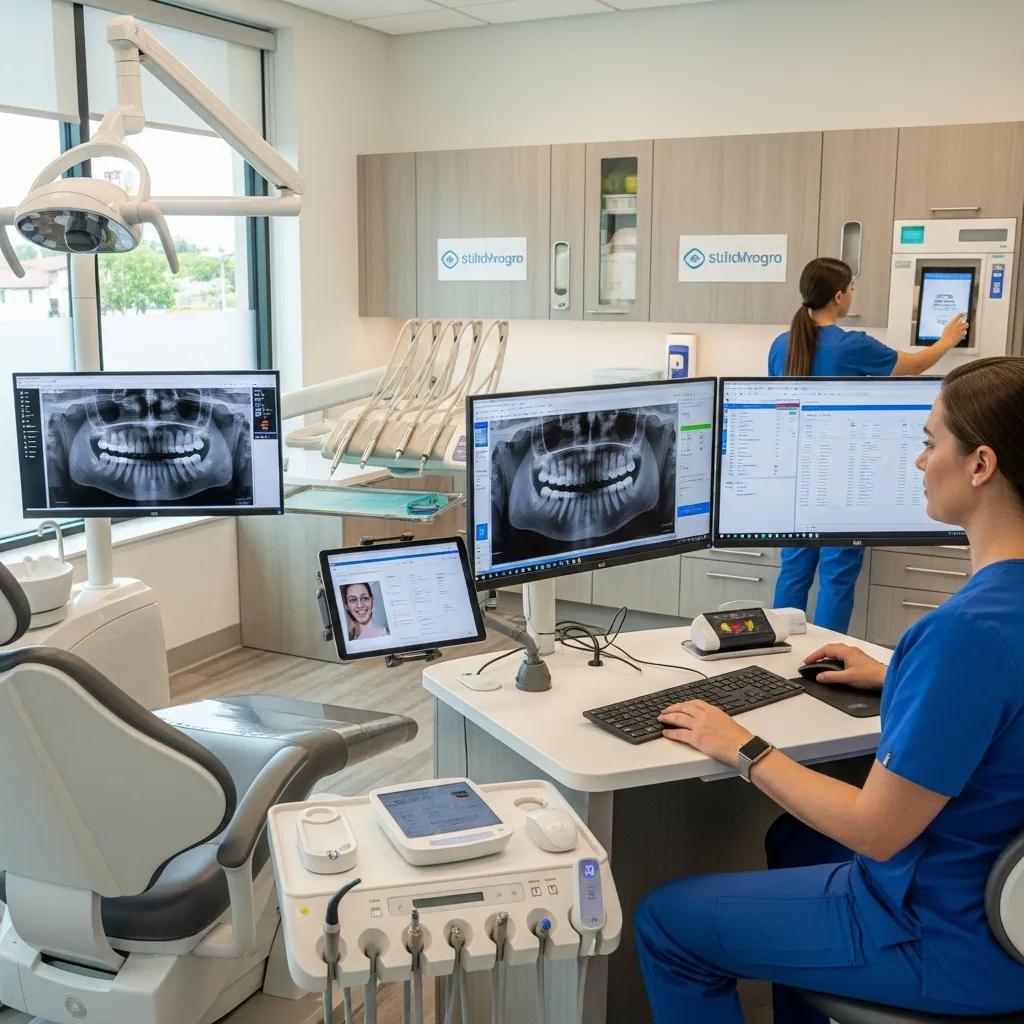
Boost Dental Practice Profitability with IT in Canada: Maximize ROI and Run More Efficiently
Rising costs, slimmer margins and higher patient expectations are reshaping how dental clinics operate. Targeted IT strategies — from managed services and cybersecurity to cloud backups and software integrations — directly tackle those pressures. This guide shows how those components work together to lower overhead, safeguard patient records and capture more revenue in Canadian dental practices. You’ll get practical, actionable details: proactive monitoring to cut downtime, compliance controls for PIPEDA/PHIPA, integration tactics that speed scheduling and billing, plus simple ROI formulas and implementation priorities. We walk through six essential levers — managed services, cybersecurity, cloud backup, practice-management integration, ROI measurement and patient-facing tools — using short lists, comparison tables and concise case examples. Technical terms like endpoint protection, network monitoring, backup snapshots and EHR interoperability are tied to everyday workflows so practice owners and managers can evaluate IT investments and prioritize what delivers measurable results.
Profitability in private dental practice requires a careful balance between sound business decisions and excellent patient care.
Rethinking Profitability in Private Dental Practice
In today’s fast-moving dental landscape, success means aligning clinical values with sustainable business practices. Dentists must protect quality care while managing the financial realities of running a practice.
The business of care: Rethinking profitability in private dental practice, NH Wood, 2024
Boost Profitability in Canadian Dental Practices with IT
Managed IT services are proactive, outsourced operations that keep systems healthy, monitor networks and automate routine maintenance so clinics spend less time troubleshooting and more time treating patients. Continuous monitoring of endpoints and servers spots problems before they interrupt appointments — protecting income and patient trust. Standardizing workstations and automating updates reduces variability and cuts the minutes staff lose to technical issues. Those improvements show up as fewer emergency vendor calls, fewer missed appointments and quicker billing cycles because systems behave predictably. Managed services also simplify coordination with imaging, practice-management and lab vendors, freeing clinicians and support staff to focus on revenue-generating tasks rather than IT fires.
Managed IT delivers clear operational advantages that support profitability:
- Proactive monitoring finds issues before they affect patient flow and revenue.
- Helpdesk support and vendor coordination reduce in-house admin time and headaches.
- Patch management and automation lower the number of emergency repairs and their costs.
Together these elements stabilize daily operations. The next section explains the core features that enable those benefits.
What Are the Key Features of Managed IT Services for Dental Practices?
Typical managed services for dental clinics include 24/7 monitoring, scheduled patching, automated backups, helpdesk support and vendor coordination to keep imaging and practice-management systems running smoothly. Monitoring pulls telemetry from endpoints and network devices so technicians can act on anomalies instead of reacting after a failure. Regular patching reduces exposure windows and the chance of service-impacting incidents, while automated backups protect clinical records and imaging files. A responsive helpdesk resolves routine user issues quickly, limiting non-billable staff time spent on IT and helping maintain patient throughput during busy periods.
These features reduce the total cost of ownership for IT and increase predictable uptime. In the next subsection we’ll outline how proactive support translates into concrete cost savings.
How Does Proactive IT Support Reduce Dental Clinic Operational Costs?
Proactive IT reduces costs by preventing incidents that would require expensive, last-minute fixes and by cutting staff time spent troubleshooting. With continuous monitoring and regular maintenance, clinics experience fewer after-hours technician visits and less appointment rescheduling caused by system outages. Standardized configurations and remote troubleshooting shorten mean time to repair, helping keep chairs filled and billing on schedule. Centralized management also removes redundant tools and simplifies vendor billing, making IT costs easier to budget.
Fewer incidents and faster recovery add up to measurable savings over time. Practices ready to act can evaluate dental-focused managed service providers who understand imaging workflows, practice-management software and Canada’s regulatory landscape. A targeted demo or assessment is a practical next step to validate uptime expectations and operational benefits.
What Cybersecurity Measures Protect Dental Practices and Patient Data?
Cybersecurity for dental clinics combines technical controls, clear policies and staff training to prevent data breaches, ransomware and unauthorized access — while supporting compliance with Canadian privacy laws. A layered defense is essential: endpoint detection and response (EDR), multi-factor authentication (MFA), encryption for data at rest and in transit, network segmentation for imaging and practice-management systems, and immutable backups. Administrative controls include routine access reviews, breach-reporting procedures and regular phishing awareness training. Together these measures lower the chances of costly incidents and reduce operational disruption if one occurs.
Practical cybersecurity controls for dental clinics include:
- Encryption to protect patient records and imaging in storage and transit.
- Multi-factor authentication (MFA) to add a reliable second layer of identity verification.
- Regular, tested backups to ensure recoverability and limit ransomware impact.
These controls form the foundation for regulatory compliance and incident readiness. The next subsection explains how PIPEDA and PHIPA map to everyday security practices.
How Does Compliance with PIPEDA and PHIPA Ensure Data Security?
PIPEDA and PHIPA require documented policies, technical safeguards and breach-reporting processes that create accountability and reduce legal risk for Canadian dental clinics. PIPEDA sets federal privacy principles for personal information in the private sector, while PHIPA (Ontario) places specific rules around personal health information and consent. Practical compliance steps include encryption, role-based access controls, secure retention policies and an incident-response plan that meets notification timelines. Privacy impact assessments, vendor due diligence and audit trails also help demonstrate compliance during reviews or inquiries.
Following these practices strengthens security posture and patient confidence. The next section covers specific strategies to prevent and recover from ransomware.
What Are Effective Strategies for Ransomware Protection in Dental Clinics?
Ransomware protection should cover prevention, detection, response and recovery. Keep systems patched, deploy EDR and email filtering, enforce least-privilege access and maintain immutable offsite backups to guarantee recovery. Network segmentation isolates critical systems — imaging servers and EHR databases — to limit lateral movement if a workstation is compromised. Regular tabletop exercises and a documented incident-response playbook ensure staff know containment steps, communication protocols and restoration procedures. Testing restores from backups validates recovery time objectives and avoids surprises during a live incident.
Layered defenses reduce both the chance of a successful attack and the operational impact if one happens. Clinics can engage a focused security assessment to map controls against PIPEDA/PHIPA and ransomware readiness and receive prioritized remediation steps aligned with daily operations.
How Can Cloud Backup Solutions Enhance Business Continuity for Dental Clinics?

Cloud backup gives clinics offsite redundancy, faster recovery and retention policies that support regulatory needs — removing the single-point-of-failure risk tied to local-only storage. Using geo-aware cloud storage with versioning and immutable snapshots helps ensure clinical records and imaging stay available after hardware failures, accidental deletions or ransomware. Cloud recovery workflows often deliver better recovery time objectives (RTOs) and recovery point objectives (RPOs) than manual local restores, which reduces appointment loss and revenue leakage. Canadian data residency options address privacy expectations and provincial rules.
Advanced cloud tools — including AI-enabled platforms — can further improve resilience and data management for dental practices.
AI Cloud Solutions & Data Backup for Dental Clinics
Continuous backup is a cornerstone of protecting patient information. Cloud platforms that pair robust storage with AI-driven management — for example, offerings from major providers — can strengthen backup reliability and recovery speed for dental clinics.
A Comprehensive Guide to Implement Artificial Intelligence Cloud Solutions in a Dental Clinic: A Review, SV Bedia, 2025
Core cloud backup benefits include:
- Rapid recovery: get systems back quickly to avoid appointment disruption and billing delays.
- Offsite redundancy: prevent a single site failure from destroying all copies of patient data.
- Compliance-friendly retention: use controlled retention and immutable snapshots for audits and investigations.
These features reduce business risk and protect revenue. The next subsection compares cloud backup to local storage approaches.
What Are the Benefits of Cloud Backup Compared to Local Data Storage?
Cloud backups typically beat local-only strategies on reliability, scalability and ease of management. Local backups can be faster for very large restores but remain vulnerable to on-site incidents and hardware failures. Cloud services automate offsite replication and offer built-in redundancy across regions, lowering the chance that a single physical event destroys all copies of patient data. Scalability also makes it easier and more predictable to retain imaging archives than continually buying and managing local storage. Managed cloud backup services often include automated testing and reporting so recoverability is validated without consuming staff time.
Those strengths make cloud or hybrid approaches the practical baseline for continuity planning. The next subsection explains how faster restores reduce downtime and revenue impact.
Before reviewing recovery metrics, consider this comparison table outlining cloud backup versus local storage across key attributes.
| Backup Approach | Recovery Characteristic | Typical Impact on Clinic Operations |
|---|---|---|
| Cloud Backup | Faster RTO with offsite replication | Minimizes appointment cancellations and lost revenue |
| Local Disk/NAS | Faster local restores but single-site risk | Vulnerable to theft, fire, or ransomware in-place |
| Hybrid (Cloud + Local) | Best balance of speed and resilience | Combines quick restores with offsite protection |
This comparison explains why hybrid or cloud-first strategies often become the recommended baseline for dental continuity planning.
How Does Rapid Data Recovery Minimize Downtime in Dental Practices?
Fast recovery keeps appointments on the books, protects patient satisfaction and prevents billing backlogs that hurt cash flow. A tested recovery playbook turns an unknown outage into an expected number of hours to restore — not days. That clarity shows how service restoration timelines map directly to revenue preserved. Regular recovery testing exposes gaps before an incident and builds confidence in SLAs from backup providers. When imaging, scheduling and billing systems come back online quickly, clinics avoid the extra administrative workload that otherwise pulls staff away from patients.
Measuring the revenue impact of faster recovery helps prioritize backup SLAs and testing. The following section describes how software integration complements continuity and backup efforts.
How Does Dental Practice Management Software Integration Improve Profitability?
Connecting scheduling, billing, imaging and EHR systems reduces duplicate data entry, cuts errors and speeds front-desk workflows — all of which increase patient throughput and improve revenue capture. When systems share appointments, treatment plans and billing codes, administrators spend less time reconciling records and more time supporting clinical flow. Integration also streamlines imaging: DICOM files attach directly to a chart so clinicians see X-rays without file exports. Those efficiencies translate to measurable time savings per appointment and shorter accounts-receivable cycles.
Integration delivers measurable advantages such as:
- Less admin time per appointment, creating more productive chair time.
- Fewer billing errors, leading to faster claim adjudication and improved cash flow.
- Direct imaging integration, removing duplicate storage and retrieval delays.
The next subsection highlights the systems where integration yields the largest operational gains.
Which Software Systems Streamline Scheduling, Billing, and Digital Imaging?
Common dental practice systems include scheduling calendars with automated reminders, billing engines that handle claims and insurance workflows, and digital imaging suites that generate DICOM files for charting. Integration typically covers appointment syncing, patient demographic merges, claim exports and image linking so clinicians see X-rays inside the chart. While vendors vary across Canadian clinics, integration patterns are consistent: a central practice-management database with plug-ins or APIs for imaging and billing. Harmonizing these pieces reduces manual reconciliation and supports accurate, timely billing.
Effective integrations shorten administrative cycles and reduce missed revenue opportunities. The table below summarizes common system types and their integration benefits.
| System Type | Integration Attribute | Typical Benefit |
|---|---|---|
| Scheduling Module | Automated reminders and calendar sync | Reduces no-shows and improves chair utilization |
| Billing/Claims Engine | Claims automation and validation | Speeds reimbursements and reduces A/R days |
| Digital Imaging Suite | DICOM linking to patient chart | Eliminates manual file handling and improves diagnostics |
This comparison shows how focused integrations deliver operational gains and lower admin costs.
How Does Seamless Software Integration Enhance Staff Efficiency and Patient Experience?
When systems share a single source of truth for appointments, treatment plans and billing codes, repetitive reconciliation disappears and staff can concentrate on patient care. Front-desk teams spend less time on phone calls and paperwork, shortening wait times and speeding check-out. Patients see benefits too: timely reminders, accurate portal information and immediate image access increase satisfaction and retention. Integration also enables analytics to identify bottlenecks so managers can redeploy resources to high-impact areas like treatment acceptance and chair utilization.
These productivity gains compound into higher throughput and stronger patient loyalty. The next section explains how to quantify ROI from IT investments.
What Is the ROI of Investing in Dental Technology and IT Solutions?
ROI for dental IT projects combines cost reductions, revenue gains from higher throughput and the avoided costs of downtime or breaches.
A clear ROI formula is:
Revenue gains come from more appointments, higher production per chair and better treatment acceptance. Cost savings come from fewer emergency IT invoices, lower admin hours and fewer billing write-offs. Time-to-payback varies by scope — managed services and cloud backup often show faster payback because they immediately cut emergency spend and downtime.
To compare investments, the table below outlines expected cost categories, typical ROI timelines and primary benefits for common IT solutions.
| IT Investment | Expected Annual Cost Range | Primary Benefit & Typical ROI Timeframe |
|---|---|---|
| Managed IT Services | Operationally budgeted monthly fees | Reduced downtime and faster issue resolution; payback often within 6–18 months |
| Cybersecurity Stack | Project + ongoing monitoring | Risk reduction and compliance; ROI via avoided breach costs, often realized within 12–24 months |
| Cloud Backup | Subscription-based storage & restores | Rapid recovery and reduced data-loss risk; payback often within 6–12 months |
| Software Integration | Implementation & licensing | Increased throughput and billing accuracy; payback varies, often 12–24 months |
Use this comparison to match financial impact with your clinic’s priorities and planning horizon.
How Do IT Investments Lead to Cost Savings and Revenue Growth?
IT makes work faster and more reliable: it reduces non-billable admin time, cuts appointments lost to tech failures and improves billing accuracy — each adding to net revenue. For example, trimming ten minutes from admin tasks across a busy week frees space for more bookings or lowers overtime. Better uptime keeps daily production steady and revenue forecasts reliable. Tracking KPIs such as mean time to repair, no-show rates, average production per chair and days in A/R makes the revenue impact of technical projects measurable and supports ongoing optimization.
In practice, modest gains in uptime and integration often produce enough annualized revenue to cover managed services and cloud backup costs within a year.
What Case Studies Demonstrate Measurable Efficiency Gains in Dental Clinics?
Short, anonymized examples show typical outcomes: one clinic cut administrative reconciliation time by 30% after integrating scheduling and billing; another reduced downtime-related lost appointments by two-thirds after adopting proactive monitoring and cloud backup. Those improvements translated into higher monthly production, fewer emergency IT invoices and steadier cash flow. Presenting results as percentage changes in KPIs — downtime hours, admin hours per day, no-show rate and claim denial rates — helps other clinics estimate expected gains.
These metrics help set realistic targets and measure the success of IT investments. The next section explores patient-facing innovations that support growth.
How Can IT Innovations Improve Patient Experience and Practice Growth?
Patient-facing tech — online scheduling, secure portals and virtual consults — reduces friction, improves access and increases retention by making care easier and more transparent. Online booking extends scheduling beyond office hours and, when paired with reminders, lowers no-shows. Portals give patients secure access to records, treatment plans and bills, cutting administrative call volume. Telehealth and virtual consults add triage capacity, allow pre-visit histories and often raise treatment acceptance by building rapport before an in-person visit. Together, these tools improve satisfaction and create new channels for patient acquisition.
Key patient-facing innovations include:
- Online scheduling: 24/7 booking that turns interest into appointments.
- Patient portals: Secure record access and messaging that boost engagement.
- Virtual consultations: Faster triage and higher treatment acceptance before in-office visits.
These tools improve experience and operational efficiency. The next subsection looks at scheduling and portals in more detail.
What Role Do Online Scheduling and Patient Portals Play in Engagement?
Online scheduling and portals reduce phone volume, lower no-shows with automated reminders and let patients complete forms and pre-authorizations before arrival, shortening check-in. Automated confirmations and two-way messaging make rescheduling simple, preserving chair utilization. Portals that publish treatment plans and educational content help patients understand their care and often increase acceptance. From an operational view, these tools move routine tasks into automated workflows, freeing front-desk staff for higher-value work.
When implemented with attention to usability and privacy, these tools increase retention and make front‑desk operations more efficient. The next subsection covers telehealth’s impact on satisfaction.
How Do Virtual Consultations and Digital Communication Enhance Patient Satisfaction?
Virtual consultations provide quick triage, pre-op education and follow-ups that save patients travel time and reduce in-office congestion — improving satisfaction and perceived value. Asynchronous messaging lets clinicians answer simple questions without scheduling a visit, increasing responsiveness and lowering admin load. Virtual pre-assessments collect histories and photos ahead of time so clinicians arrive prepared and chair time is shorter. These options expand access for patients with barriers to in-person visits and help maintain continuity between appointments.
Together with integrated scheduling and portals, virtual consults form a cohesive digital front door that enhances experience and supports growth. Clinics ready to implement can evaluate providers who bundle online scheduling, portal integration and telehealth with secure backups, compliance controls and managed support for a unified, patient-centric experience.
Frequently Asked Questions
What are the main challenges dental practices face when implementing IT solutions?
Common challenges include staff resistance to change, the complexity of new systems and the need for ongoing training. Budget limits can also constrain what practices can adopt. Navigating regulations like PIPEDA and PHIPA adds another layer — practices must balance legal requirements with technology choices. Clear planning, effective communication and dedicated training help smooth the transition and increase adoption.
How can dental clinics measure the success of their IT investments?
Measure success with KPIs: downtime hours, patient throughput, billing accuracy, average production per chair and days in A/R. Track admin hours spent on IT tasks and use patient satisfaction surveys to assess experience changes. Regularly reviewing these metrics makes ROI tangible and guides future investment decisions.
What role does staff training play in the successful adoption of IT solutions?
Training is essential. Well-designed onboarding and ongoing training ensure staff are confident using new tools, which reduces resistance and boosts productivity. Trained teams use systems more effectively, improving patient care and operational efficiency. Ongoing refresher sessions and access to helpdesk support keep skills current and systems working well.
How do patient-facing technologies impact practice growth?
Patient-facing tools — online booking, portals and virtual consults — make care more convenient and transparent, which increases appointment conversions and lowers no-shows. These features attract new patients, improve retention and free staff to focus on higher-value interactions, all of which support revenue growth.
What are the potential risks of not investing in IT solutions for dental practices?
Without modern IT, practices can face inefficiencies, higher downtime, data breaches and compliance gaps. These problems lead to lost revenue, unhappy patients and potential legal penalties under laws like PIPEDA and PHIPA. Investing in IT reduces these risks and supports sustainable growth.
How can dental practices ensure compliance with privacy regulations when using IT solutions?
Ensure compliance by implementing encryption, access controls and regular audits, and by documenting data-handling policies and breach procedures. Train staff on privacy best practices and work with IT providers familiar with Canadian regulations. Regular vendor due diligence and privacy impact assessments also help maintain a strong compliance posture.
Conclusion
Putting the right IT systems in place helps dental clinics run more efficiently and improves the bottom line. Managed services, layered cybersecurity, reliable cloud backups and seamless software integration reduce downtime, protect patient data and capture more revenue. These changes also enhance patient experience and keep you aligned with regulatory requirements. If you want to see how tailored IT solutions can transform your practice, reach out for a targeted assessment and demo.

