
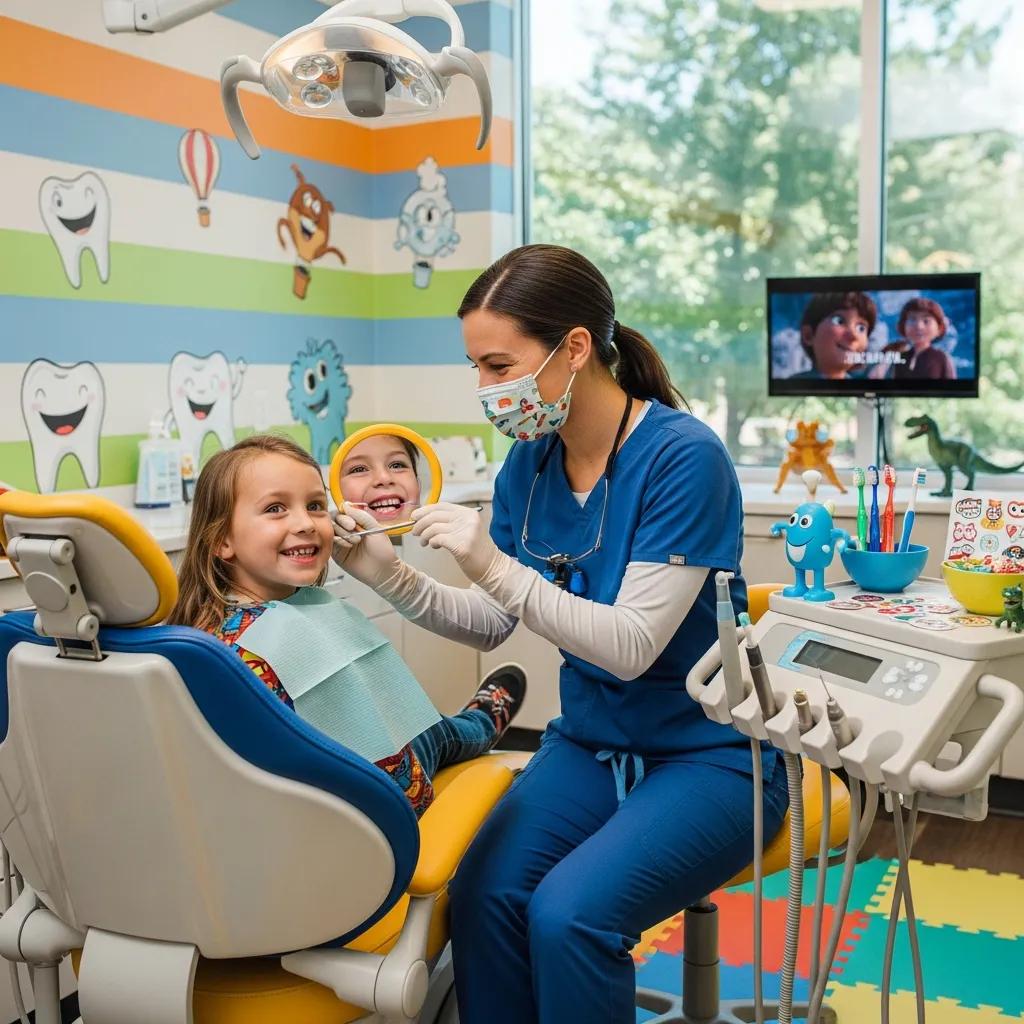
Kid-friendly, Secure IT for Pediatric Dental Clinics — Protecting Young Patients and Streamlining Care
Pediatric dental clinics must juggle two priorities: keeping sensitive child health information safe and delivering a warm, easy-to-use digital experience for kids and their families. This guide explains why pediatric dentistry needs tailored IT policies and systems, spells out practical data-protection and cybersecurity controls that meet Canadian requirements, and recommends cloud and communication tools that make daily workflows smoother. You’ll get a prioritized checklist for immediate security steps, a side-by-side look at encryption and backup options, and design principles for child-friendly portals and reminders. We cover relevant Canadian regulatory context, technical measures such as AES-256 encryption and immutable backups, and operational practices like role-based access and quarterly phishing drills. Finally, we outline the managed IT and support services clinics should consider to keep imaging, practice-management integrations, and patient communications both reliable and compliant.
Why Do Pediatric Dental Clinics Need Specialized IT Solutions?
Pediatric clinics manage uniquely sensitive records while serving two different user groups: children and their guardians. That mix creates special privacy and usability needs. Records often include developmental notes, behavioral observations and imaging that require fine-grained permissions, long-term retention, and clear audit trails. Clinics also use dental imaging systems, waiting-room tablets and child-focused check-in kiosks — each one adds endpoints that must be integrated and secured. Addressing these factors lowers the chance of accidental disclosure and helps the clinic run more smoothly with workflows built for families.
Primary pain points pediatric clinics face:
- Highly sensitive data plus complex guardian consent and audit requirements.
- Multiple endpoint types (imaging workstations, tablets, kiosks) that expand the attack surface.
- Communication needs that must be secure but also parent-friendly and easy to use.
These operational constraints point to concrete risk scenarios clinics should identify and mitigate next.
What Unique Challenges Do Pediatric Dental Practices Face in IT Security?
Pediatric practices contend with complicated consent and access scenarios: parents, guardians and sometimes schools or external care providers may need legitimate access, while children’s privacy must stay protected. Public-facing devices in waiting areas — entertainment tablets or check-in kiosks — create endpoints that can leak data unless properly segmented and hardened. Imaging systems and practice-management software often come from different vendors, creating integration gaps that can expose metadata or produce inconsistent access controls. Running a focused exposure checklist helps clinics quantify risk and set priorities for fixes.
- Consent and Access Review: Confirm who can access each record and whether consent is recorded.
- Endpoint Inventory: Catalog tablets, imaging stations and networked devices and verify patch levels.
- Integration Mapping: Trace data flows between imaging, EMR and billing systems to find weak links.
A short assessment like this clarifies where technical controls and policy changes will have the biggest impact, and prepares the clinic for stronger data-management practices.
How Does Kid-Friendly Technology Improve Patient Experience in Pediatric Dentistry?
Kid-focused technology reduces anxiety, speeds check-in and engages children with age-appropriate educational content that helps visits go more smoothly. Simple UX choices — large icons, audio prompts and parental verification flows — shorten front-desk interactions and cut intake errors while keeping private fields out of public view. Securely segmented entertainment systems keep children occupied without exposing data, and tablet check-in with parental authentication shortens intake time and lowers administrative load. Tracking KPIs such as average check-in time, no-show rates and parent satisfaction demonstrates real operational value.
UX and operational KPIs to measure:
- Reduction in average check-in time.
- Decrease in no-show rates after reminders are added.
- Parent satisfaction scores for portal usability.
Designing for both children and guardians means combining secure technical controls with lightweight, age-appropriate interfaces that reduce friction and maintain compliance.
How Can Pediatric Dental Clinics Ensure Secure Patient Data Management?
Secure data management for pediatric dentistry relies on layered controls: encryption at rest and in transit, reliable backup and recovery, strict access controls and documented compliance practices that reflect Canadian law. Begin by classifying data (imaging, EHR notes, billing) and applying suitable encryption to each class. Use role-based access and audit logging so guardian access is traceable and can be revoked when needed. Build backup strategies to withstand ransomware — immutable or versioned offsite copies — and run regular restore tests to confirm realistic recovery objectives.
- Encrypt data at rest and in transit: Apply modern ciphers for storage and TLS for network transfers.
- Maintain immutable or versioned offsite backups: Keep backups safe from tampering and encryption by ransomware.
- Enforce least-privilege access with audit logs: Limit and record parental and staff access.
- Document compliance and breach response procedures: Align processes with PIPEDA and applicable provincial rules.
- Test restores and review RTO/RPO: Verify recovery meets defined time objectives.
These steps create a defensible data-management program and naturally raise questions about specific encryption and backup choices — the table below summarizes common approaches.
Different encryption and backup strategies suit clinics of different sizes and risk tolerances.
| Strategy | Characteristic | Recommended Use-Case |
|---|---|---|
| AES-256 at rest + TLS 1.2+ in transit | Proven symmetric encryption with standard key management | Clinical records and imaging archives |
| Client-side encryption with key control | Clinic retains encryption keys for added control | Highly sensitive behavioral notes or research data |
| Immutable/Versioned Offsite Backups | Write-once or versioned storage prevents tampering | Ransomware protection for EHR and imaging |
| Regular restore testing | Documented runbooks and scheduled tests | Ensures RTO/RPO commitments are realistic |
Combining strong encryption, immutable backups and routine restore tests yields a resilient posture against modern threats and operational failures. Contact DentalTek for a demo/support.
What Are HIPAA and PIPEDA Compliance Requirements for Children’s Dental Records?
PIPEDA sets expectations for how many Canadian clinics handle personal information — accountability, appropriate safeguards, limiting use and timely breach notification. HIPAA may apply when U.S. patients or cross-border workflows are involved, focusing on protections for protected health information and breach rules. Clinics should keep up-to-date privacy policies, perform privacy impact assessments for new systems, and maintain breach documentation and notification plans that meet legal timelines. Practical steps include appointing an information custodian, recording guardian consent, and scheduling annual compliance audits.
Five-step compliance checklist:
- Maintain documented privacy and security policies.
- Record and manage parental consent and access logs.
- Conduct privacy impact assessments for new systems.
- Implement breach detection and notification procedures.
- Perform periodic third-party vendor security reviews.
Following these measures helps clinics demonstrate due diligence and stay ready for audits or incident response; evaluate vendors and cloud options carefully to ensure they support these controls.
Which Encryption and Backup Strategies Protect Pediatric Patient Data Effectively?
Use industry-standard encryption (AES-256 for data at rest; TLS 1.2+ / HTTPS for transit) along with solid key-management practices, and pair that with immutable or versioned offsite backups to reduce ransomware impact. Set Recovery Time Objectives (RTO) and Recovery Point Objectives (RPO) to match clinical priorities — for example, today’s schedule needs faster recovery than archived records. Regular restore testing and clear runbooks let staff execute recovery during an incident. For smaller clinics, hybrid setups with local backups plus replication to immutable cloud storage balance cost and resilience.
| Backup Approach | Characteristic | Benefit / Recommended Use |
|---|---|---|
| Local + Cloud Replication | Fast local restores with offsite immutable copies | Balanced RTO/RPO for imaging and EHR |
| Immutable Cloud Backup | Write-once, tamper-resistant storage | Strong ransomware protection |
| Versioned Backups with Retention Policy | Multiple restore points over time | Recover from accidental corruption or user error |
| Regular Restore Testing | Scheduled drills and verification | Validates RTO/RPO and staff readiness |
Testing restores and documenting RTO/RPO turns backup investments into reliable recovery capability and closes the gap between policy and practice.
What Are the Essential Cybersecurity Measures for Pediatric Dental Offices?
Essential cybersecurity blends technical controls (endpoint protection, firewalls, multi-factor authentication), process controls (patch management, least-privilege access) and human measures (ongoing training, phishing simulations). Start with a baseline: strong perimeter defenses, segmented networks for public devices, and centrally managed endpoint protection with telemetry. Enforce MFA for admin and remote accounts, keep systems patched, and maintain inventories and configurations for imaging devices and kiosks. People are the last line of defense — role-based training markedly reduces social-engineering risk and improves detection.
Top actions to implement within 90 days:
- Deploy endpoint detection and response (EDR) on clinic workstations.
- Segment networks to separate guest Wi‑Fi from clinical systems.
- Require MFA for all administrative and remote-access accounts.
- Establish a formal patching schedule for OS and vendor devices.
- Begin quarterly phishing simulations and role-based security training.
| Security Control | Recommended Action | Priority |
|---|---|---|
| Multi-Factor Authentication (MFA) | Enforce for admins and remote access | Immediate |
| Endpoint Protection (EDR) | Centralized monitoring and rapid response | Immediate |
| Network Segmentation | Isolate imaging and kiosks from guest networks | Immediate |
| Immutable Backups | Offsite, versioned storage | High |
| Staff Training | Quarterly simulations and role-based lessons | Ongoing |
Prioritizing controls this way helps clinics focus limited resources on steps that deliver the fastest risk reduction and inform incident playbooks and containment procedures.
How Can Pediatric Clinics Prevent Ransomware and Phishing Attacks?
Stopping ransomware and phishing requires layered defenses: email authentication and filtering, ongoing user training, network segmentation, reliable backups and fast isolation tools. Implement DKIM/SPF/DMARC for your domains when possible, use advanced email filtering to scan attachments and links, and block risky file types at the gateway. Keep clinical networks segmented so a compromised public device can’t reach EHR servers, and maintain immutable backups so you can recover without paying ransom. If compromise is suspected, isolate affected hosts immediately, notify vendors, and restore from verified clean backups to reduce downtime.
- Harden email: Deploy DKIM/SPF/DMARC and filtering.
- Segment networks: Separate guest and entertainment traffic.
- Maintain immutable backups: Ensure offline recovery points.
- Train staff: Run regular phishing drills and clear reporting workflows.
- Contain and recover: Isolate systems, assess damage and restore from backups.
These preventive and reactive steps lower both the chance of a successful attack and the time to operational recovery when incidents happen.
Why Is Staff Training Critical for Cybersecurity in Children’s Dentistry?
Human error is the leading cause of successful phishing and social-engineering attacks, so targeted staff training is essential. Role-specific training ensures receptionists, clinicians and administrators know the risks tied to their tasks. We recommend short monthly micro-lessons, quarterly phishing simulations with tailored feedback, and an annual policy review with tabletop incident-response exercises. Track metrics like phishing click rates, time-to-report and training completion to show continuous improvement. For pediatric clinics, focus topics on verifying guardian identity, managing portal requests and safely operating waiting-room devices.
Sample training topics:
- Spotting phishing and suspicious attachments.
- Verifying guardian consent and access procedures.
- Secure use and maintenance of mobile and entertainment devices in waiting areas.
Regular training closes the human gap that technology alone can’t fix and strengthens the clinic’s security posture overall.
How Do Cloud Solutions Benefit Family and Pediatric Dental Practices?
Cloud solutions, especially hybrid models, give pediatric and family practices better accessibility, scalability and continuity while letting clinics migrate in stages without disrupting workflows. Hybrid cloud lets sensitive data stay on local, compliant storage while cloud-hosted apps handle scheduling, remote access and backups without retraining staff. Cloud archives scale affordably for large imaging files, lower capital spending on on‑prem hardware, and support multi-site practices with shared scheduling and consolidated records. Many security benefits come from managed patching, automated backups and provider controls — but clinics should confirm data residency and compliance options.
Key cloud benefits for dental practices include on-demand imaging storage, secure remote access for telehealth and simplified scaling for multi-site operations. The table below compares on-premises, hybrid and fully cloud approaches.
| Deployment Model | Accessibility | Cost/Scalability | Compliance / Notes |
|---|---|---|---|
| On-Premises | Fast local access | Higher capital cost, limited scaling | Full local control but higher maintenance |
| Hybrid Cloud | Local performance plus cloud redundancy | Balanced costs with scalable storage | Good for phased migration and meeting data-residency needs |
| Fully Cloud | Access from anywhere | Opex-based and highly scalable | Requires careful vendor compliance review |
Which model fits best depends on clinic size, imaging volume and regulatory constraints; hybrid cloud often balances performance and compliance for pediatric practices. Contact DentalTek for a demo/support.
What Are the Advantages of Hybrid Cloud Integration for Pediatric Dental Clinics?
Hybrid cloud lets clinics migrate in phases to avoid workflow disruption, use local caching for latency-sensitive imaging and configure data residency to meet provincial and national privacy rules. Clinics can keep core practice-management systems on site while replicating backups and archives to secure cloud storage, enabling disaster recovery without forcing staff onto new software immediately. Phased rollouts reduce service-interruption risk and allow validation of vendor interfaces with imaging and EMR systems before full adoption — making hybrid a practical fit for clinics that value continuity and compliance.
Phased rollouts with local caching and replication add resilience and show how hybrid architectures can meet both performance and regulatory requirements, which leads into how cloud computing improves remote access and scalability.
How Does Cloud Computing Enhance Accessibility and Scalability in Dental IT?
Cloud computing improves accessibility by enabling secure remote access for clinicians and staff, supporting telehealth and centralizing scheduling and patient records across sites. Scalability is especially helpful for imaging: cloud object storage handles growing volumes cost-effectively, while compute resources can scale for telehealth peaks or analytics. Disaster recovery benefits from geographically redundant storage and automated replication, reducing downtime after hardware failures. When combined with MFA and endpoint controls, cloud access can be both convenient and compliant.
Cloud-enabled examples:
- Shared appointment visibility and centralized scheduling across locations.
- Scalable storage for radiographs and archived imaging.
- Remote teletriage for pre- and post-op pediatric consultations.
These capabilities remove hardware constraints, improve continuity of care and support practice growth across multiple locations.
How Can Pediatric Dental Clinics Enhance Patient Communication and Engagement Securely?
Secure, family-friendly communication tools preserve privacy while making interactions simple for children and parents. Portals should offer guardian controls and audit logs, child-friendly UI elements and secure multimedia education to reduce pre-visit anxiety. Automated reminders by text, email or voice cut no-shows, and telehealth enables remote triage and post-op checks that reduce unnecessary office visits. Tight integration with practice-management software keeps messages in sync with live schedules and reduces manual admin work.
The following features form the foundation of secure, kid-friendly patient communication systems.
- Parental and guardian access with audit trails: Record who viewed records and when.
- Simplified child UI and age-based content: Keep interfaces clear and calming for children.
- Secure multimedia education: Deliver pre-visit guidance without exposing PHI.
- Automated reminders (text/email/voice): Improve attendance and allow confirmations.
- Telehealth integration: Support remote follow-ups and quick triage.
These features improve attendance, lower administrative burden and support better clinical outcomes; the next section covers portal design specifics.
What Kid-Friendly Features Should Secure Patient Portals Include?
Kid-friendly portals should provide guardian access controls with clear consent workflows and audit logs, age-appropriate UI that minimizes typing, and secure multimedia libraries for short animations or instructions. Portals must let guardians manage appointments, complete paperless consent forms with two-step verification, and receive automated reminders — while keeping child-specific clinical notes appropriately separated. Usability testing with parents and staff ensures the portal meets both security and operational needs.
Feature checklist for portals:
- Guardian authentication and role-based permissions.
- Simplified forms and large, icon-driven navigation.
- Encrypted media delivery for educational content.
These portal features reduce friction and boost family engagement while keeping access controls and auditing aligned with privacy obligations.
How Do Automated Reminders and Telehealth Improve Pediatric Patient Care?
Automated reminders and telehealth cut no-shows, streamline follow-ups and deliver pre-visit education that calms children before appointments. Reminders integrated with your scheduling system allow two-way confirmations or rescheduling and reflect real-time availability. Telehealth supports quick remote triage for urgent but non-emergent issues, reduces unnecessary in-person visits and enables safe post-op checks that lower complication risks. Clinics that measure no-show reductions and staff time saved can demonstrate a clear ROI from these tools.
Implementation notes:
- Integrate reminders with scheduling to prevent double-booking.
- Choose secure telehealth platforms that support parental presence and consent.
- Track reminder response rates to optimize timing and channel mix.
Combined with secure portals and clear consent handling, reminders and telehealth make care more accessible and convenient for families.
What IT Support and Maintenance Services Are Vital for Pediatric Dental Technology?
Vital IT support includes 24/7 monitoring, proactive patch management, vendor coordination for imaging hardware and SLAs that define response and resolution times tied to clinic priorities. Continuous monitoring catches anomalies early; scheduled patching narrows exploit windows. Specialized support for practice-management integrations and imaging equipment keeps downtime to a minimum during busy hours. SLAs should tier incidents so scheduling-impacting problems get faster responses than routine updates.
Core managed IT services clinics need:
- 24/7 system monitoring and alerting.
- Patch management and vulnerability remediation.
- Imaging and peripheral hardware liaison and testing.
- Backup management with routine restore testing.
- Clear SLAs for response and resolution times.
How Does Managed IT Support Ensure Reliable Pediatric Dental Clinic Operations?
Managed IT keeps clinics reliable through proactive monitoring that flags failed backups or performance degradation before they affect appointments, scheduled patching that closes known vulnerabilities, and fast incident response that prioritizes scheduling and clinical systems. A common support cadence includes nightly backups, weekly patch windows, monthly reports and on-call escalation for critical incidents. SLAs should specify initial response targets (for example, initial acknowledgement within agreed hours) and resolution windows for priority incidents to minimize operational impact.
Example SLA elements:
- Initial critical incident response within agreed hours.
- Regular backup verification and monthly restore tests.
- Coordination with imaging vendors for hardware faults.
These processes protect scheduling continuity and ensure clinicians can access records and imaging when needed; Contact DentalTek for a demo/support.
What Specialized Support Is Needed for Pediatric Dental Equipment and Software?
Specialized support covers monthly checks and calibration for imaging hardware, scheduled updates and compatibility testing for practice-management integrations, and quarterly reviews of paperless forms and consent workflows. Vendor liaison work — tracking firmware updates, coordinating on-site repairs and validating integrations after software changes — prevents unexpected downtime. A task-frequency map helps clinics budget support and reduce emergency service calls.
| Equipment/Software | Recommended Support Task | Frequency |
|---|---|---|
| Imaging hardware | Calibration, firmware updates and vendor coordination | Monthly |
| Practice management software | Integration testing and patch validation | Quarterly or upon updates |
| Paperless forms & consent flows | Workflow review and UX testing | Quarterly |
| Waiting-room devices | Security updates and segmentation checks | Monthly |
Documenting tasks and responsibilities clarifies expectations between clinics, vendors and managed IT providers and reduces the risk of interruptions from unsupported or misconfigured equipment.
Contact DentalTek for a demo/support.
Frequently Asked Questions
What are the key benefits of using cloud solutions in pediatric dental clinics?
Cloud solutions give pediatric clinics better accessibility, scalability and continuity. They enable secure remote access for clinicians and staff — useful for telehealth and centralized patient records — and cloud storage can scale affordably for growing imaging needs. Automated backups and managed security from cloud providers reduce operational burden, but hybrid models let clinics retain local control for sensitive data while gaining cloud-hosted functionality without disrupting workflows.
How can pediatric dental clinics effectively manage patient consent for data access?
Manage consent with clear, documented workflows that record who can access which data. Keep detailed parental consent records and review access logs regularly. Secure patient portals that let guardians manage permissions simplify the process. Train staff on consent rules and the special considerations for pediatric patients to lower the risk of unauthorized access.
What role does user experience (UX) play in pediatric dental IT solutions?
UX is vital: an intuitive, child-friendly interface reduces anxiety and speeds interactions for families. Large icons, audio prompts and simplified navigation make tech accessible to children and their guardians. Better UX improves patient satisfaction and reduces errors during check-in and data entry, which also saves staff time.
How can pediatric dental clinics ensure compliance with data protection regulations?
Ensure compliance by maintaining clear privacy policies, appointing an information custodian, and running regular audits and privacy impact assessments for new systems. Train staff on relevant rules, record guardian consent and implement technical controls like encryption and access logging. Regularly review vendor practices to confirm they meet PIPEDA and any applicable provincial or cross-border requirements.
What are the best practices for training staff on cybersecurity in pediatric dental clinics?
Run role-specific, frequent training: short monthly micro-lessons, quarterly phishing simulations and an annual policy review with tabletop incident exercises. Track metrics — phishing click rates, time-to-report and completion rates — to measure progress. Focus on pediatric-specific scenarios such as verifying guardian identity and safe handling of waiting-room devices.
What features should be included in a secure patient portal for pediatric dental clinics?
A secure portal should include parental access controls, audit trails and a simplified child-focused UI. It should let guardians manage appointments, complete consent forms securely and receive automated reminders. Provide educational content in kid-friendly formats while ensuring PHI stays protected. Regular usability tests with parents and staff help refine the portal to meet security and operational needs.
Conclusion
Specialized IT for pediatric dental clinics both protects sensitive patient data and improves the family experience through thoughtful, user-focused technology. Prioritizing security, clear consent processes and compliance helps clinics earn parents’ trust while streamlining operations. Adopting these tailored strategies keeps clinics resilient against cyber threats and unexpected disruptions. Discover how our expert services can support your clinic’s IT needs today.

