
Essential HIPAA-Compliant Network Hardware for Dental Offices
Network hardware is the backbone of a modern dental practice. Routers, firewalls, switches, wireless access points, structured cabling and server or cloud backup systems let your team access EHRs, move images quickly, make clear VoIP calls and keep patient data secure. Together these components support everyday workflows and the technical controls auditors look for under HIPAA. This guide walks through each hardware class, offers sizing and configuration advice for small and multi‑operator clinics, and links practical choices to compliance and monitoring best practices. You’ll get clear priorities for purchasing business‑grade equipment, tips on cabling and Wi‑Fi planning that affect imaging and telephony, and actionable steps for integrating local servers with cloud backup and disaster recovery. Each section includes checklists and comparison tables to help practice managers and IT planners make confident decisions.
What Are the Essential Network Hardware Components for Dental Office Setup?
The core network hardware in a dental clinic routes, switches, secures, powers and connects clinical and administrative systems so imaging, EHR access and VoIP work reliably. These devices separate traffic, deliver PoE where needed and enforce security controls so patient care runs smoothly while audit trails remain intact. For most practices, choosing business‑grade equipment with logging, VPN support and PoE simplifies troubleshooting and compliance. Below is a short list of the components we recommend for a resilient clinic network.
- Router / Firewall appliances
: Edge routing, VPN termination, and perimeter security. - Managed switches (PoE)
: Device aggregation, power for phones and APs, and VLAN support. - Wireless Access Points
: Staff and guest connectivity with centralized management. - Structured Cabling & Patch Panels
: Reliable Ethernet runs and documented topology. - Servers / Cloud Backup
: Local performance and offsite protection for imaging and records.
The table below matches each hardware class to key features and the practical value they deliver in a dental setting.
| Hardware Class | Key Features | Why it Matters for Dental Offices |
|---|---|---|
| Router / Firewall | VPN, DPI, logging, HA options | Secures remote access, logs for audits, enforces segmentation |
| Managed Switches | PoE ports, VLANs, QoS, stacking | Powers VoIP/WAPs, isolates traffic, prioritizes imaging/voice |
| Wireless APs | Channel control, fast roaming, WPA3 | Enables mobile charting, patient Wi‑Fi separation, reliable roaming |
| Structured Cabling | Cat6 runs, patch panels, labeling | Stable bandwidth for imaging, simplified troubleshooting |
| Servers / Backup | Local storage, snapshot/replication | Low‑latency image access, offsite backups for DR and compliance |
This quick reference clarifies how each hardware class supports clinic operations and helps you plan device‑specific configurations and procurement. If you want a tailored hardware audit, we recommend a professional assessment to align equipment with clinic size and patient flow.
Which Business-Grade Routers and Firewalls Secure Dental Networks?
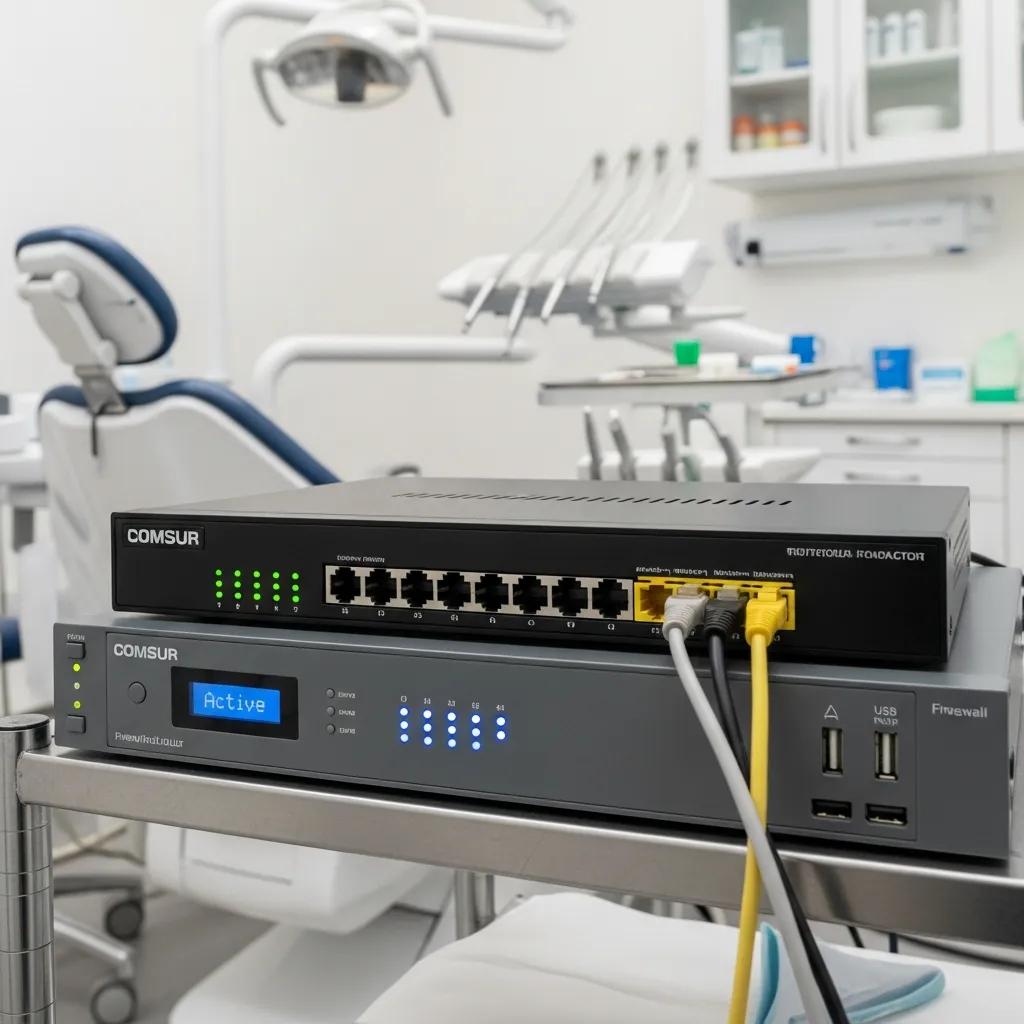
Business‑grade routers and firewalls enforce the clinic perimeter, inspect traffic and provide secure remote access for staff and vendors — all of which lower the risk of PHI exposure. These appliances offer deep packet inspection, VPN termination, intrusion prevention and detailed logging to detect threats and retain auditable records, capabilities that matter for HIPAA monitoring and incident investigation. Look for devices that support secure VPNs with multi‑factor options, encrypted site‑to‑site tunnels for multi‑location practices and log retention for compliance. High‑availability features and redundant internet links keep cloud EHRs and imaging available, while firewall rules help segment clinical systems from guest networks.
- Security Features to require
: DPI, IPS, VPN, detailed logging. - Availability considerations
: Dual‑WAN, failover, and appliance clustering. - Operational needs
: Centralized management console and controlled firmware updates.
Choosing business‑grade gear avoids the limits of consumer hardware — missing logs, weak access controls and limited management — and sets the stage for internal switching and VLAN plans that protect clinical systems.
How Do Network Switches Connect Devices in Dental Clinics?
Switches aggregate endpoints into a structured topology and deliver power and bandwidth to VoIP phones, APs and imaging workstations. Managed switches add VLANs, QoS and monitoring to keep performance predictable and secure. At a technical level, switches forward Ethernet frames (layer 2) and can route at layer 3, provide PoE for powered devices, and support port‑based VLANs to isolate PHI‑bearing systems from guest traffic. Choose PoE‑capable managed switches with enough ports for today plus growth, and match uplink speeds to your backbone to avoid image transfer bottlenecks. Use stacking or modular uplinks when multiple IDF closets serve operatories to simplify management and keep QoS consistent.
- Port planning example
: Allow 1.5–2× current device count for future expansion. - PoE planning
: Verify power budget for phones, APs, and cameras before deployment. - VLAN strategy
: Separate staff/EHR, imaging, VoIP, and guest traffic with ACLs.
Managed PoE switches and well‑planned uplinks reduce congestion for large imaging files and protect voice quality, while preparing the network for centralized monitoring and health checks that feed your security program.
How Does Structured Cabling Support Reliable Dental IT Infrastructure?
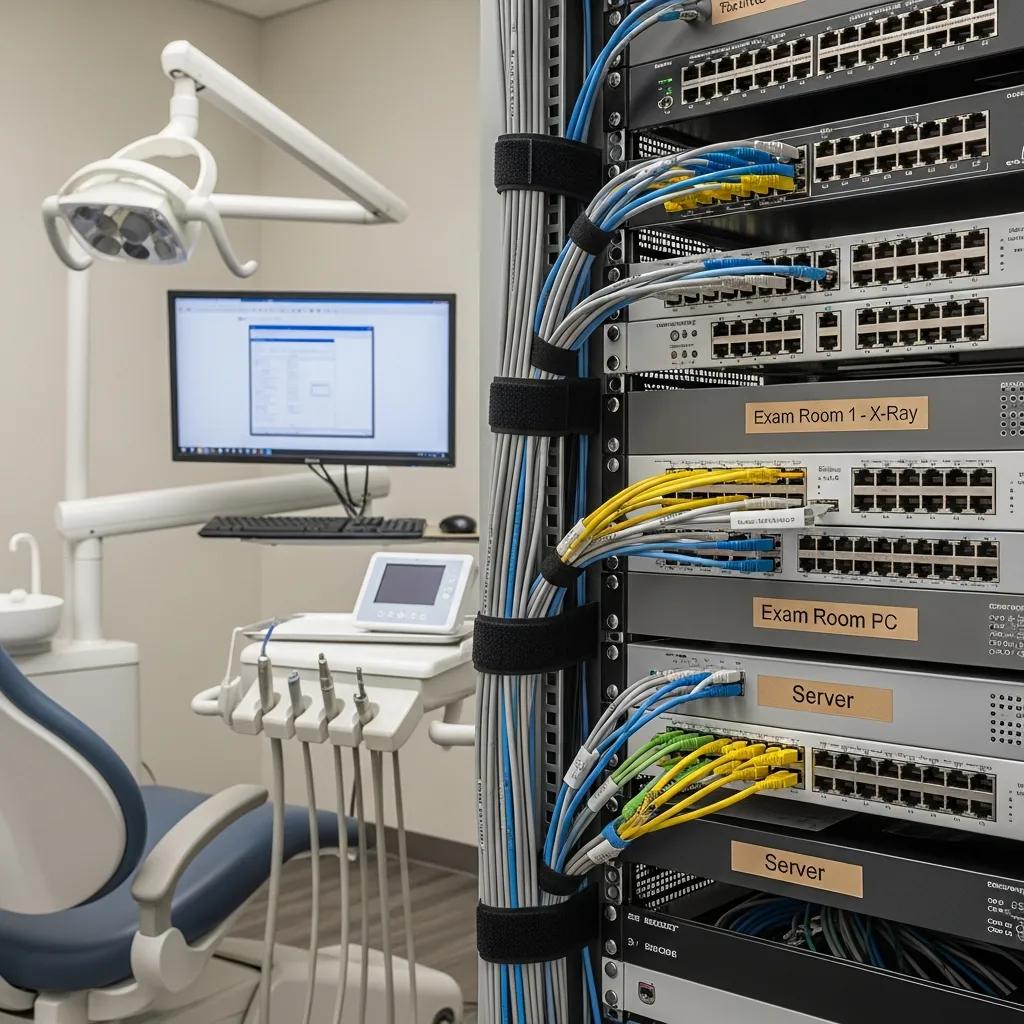
Structured cabling — standardized copper runs, patch panels and clear labeling — forms the physical foundation for predictable bandwidth, easier troubleshooting and smoother upgrades for imaging, EHR and telephony. Correct terminations, preserved pair integrity and good cable management reduce packet loss and latency, directly improving image transfer speed and VoIP clarity. Documented cable paths and labeled terminations also help demonstrate physical control during HIPAA audits. Investing a bit more in quality cable and disciplined installation can avoid disruptive rework when you add CBCT imaging or expand operatories.
The importance of cabling performance is especially clear for advanced imaging like 3D radiography.
Dental Imaging Cables & 3D Radiography
Cables connect sensors and workstations; in 3D radiography the link between sensor, computer and network affects scan time and image reliability. Proper wiring and shielding reduce errors and speed transfers.
Wireless networking for the dental office: current wireless standards and security protocols, M Mupparapu, 2006
Below is a simple comparison of Cat5e, Cat6 and Cat6a to help you choose a fit‑for‑purpose cabling strategy for imaging and networking needs.
| Cable Type | Typical Throughput | Recommended Max Run | Recommended Use-Case |
|---|---|---|---|
| Cat5e | Up to 1 Gbps | 100 meters | Basic EHR and VoIP in small clinics |
| Cat6 | Up to 1 Gbps (better headroom) | 100 meters | Standard choice for imaging and PoE needs |
| Cat6a | Up to 10 Gbps | 100 meters | Future‑proofing for heavy imaging, multi‑site backbones |
Cat6 is a balanced baseline in many dental settings: it gives headroom for imaging bursts and solid PoE support without Cat6a’s higher cost and tighter bend radius. Pair Cat6 with labeled, locked IDF closets to support both performance and physical security for protected data.
What Are Best Practices for HIPAA-Compliant Cabling in Dental Offices?
HIPAA‑aligned cabling focuses on physical security, documentation and controlled access to network termination points so systems handling PHI can’t be tampered with. Best practices include installing patch panels and closets in lockable rooms with access control and logs, labeling every run and port for traceability, and keeping up‑to‑date cable maps and change logs as part of your security documentation. Add surge protection, correct grounding and environmental monitoring to protect data integrity, and maintain tidy cable management to reduce accidental disconnects and simplify forensic analysis if anything goes wrong.
- Compliance checklist
:Lockable IDF/patch panel room with access control.
Detailed cabling map and change log stored securely.
Surge protection, grounding, and environmental monitoring.
Following these practices creates an auditable trail for HIPAA reviews, lowers operational risk and ties directly into server backup and logging policies that protect the clinic’s data estate.
Why Is Cat6 Ethernet Cabling Recommended for Dental Practice Networks?
Cat6 strikes a practical balance: reasonable cost, straightforward installation and enough bandwidth for high‑resolution imaging, VoIP and cloud sync. Its tighter pair twists reduce crosstalk and provide headroom for bursty imaging transfers compared with Cat5e. Cat6 reliably supports gigabit speeds across typical clinic runs and handles PoE well. The modest premium over Cat5e often prevents costly rewiring when imaging needs grow, and Cat6 works with current switches and PoE standards.
- Throughput advantage
: Better crosstalk control and margin for large file transfers. - Cost tradeoff
: Moderate premium vs long‑term reduction in rewiring needs. - When to choose Cat6a
: Multi‑site backbones or planning for 10 Gbps adoption.
Choosing Cat6 today reduces the chance of disruptive cabling upgrades when you add advanced imaging hardware or increase site concurrency — a sensible standard for forward‑looking dental IT design.
What Role Do Wireless Access Points Play in Dental Office Network Performance?
Wireless Access Points (WAPs) extend connectivity for tablets, mobile charting, guest devices and IoT endpoints. Their placement, capacity and security settings directly affect user experience, imaging uploads from mobile devices and separation of guest traffic from clinical systems. Business‑class APs give centralized management, fast roaming between operatories and modern encryption options so staff can move between treatment areas without dropped sessions while guest networks stay isolated. Well‑planned Wi‑Fi lowers latency for chairside imaging and order entry and, when paired with VLANs and WPA3 or 802.1X, helps preserve confidentiality and integrity for regulated data.
- When to choose Wi-Fi 6 APs
:High device density and concurrent imaging uploads.
Improved airtime efficiency and better MU‑MIMO support.
Future‑proofing for mobile clinical applications.
Proper WAP deployment starts with a site survey and channel planning to avoid interference in clinical zones — the next section covers secure, scalable Wi‑Fi implementations.
How to Implement Secure and Scalable Wi-Fi for Dental Clinics?
A secure, scalable Wi‑Fi begins with a professional site survey to measure coverage and interference, followed by AP placement that provides overlapping coverage without channel contention. Use separate SSIDs mapped to VLANs for staff, imaging devices and guests. Controllers or cloud‑managed systems simplify policy enforcement, firmware updates and monitoring, while WPA3 or 802.1X for staff networks adds identity‑based access control. Plan capacity for device density — estimate concurrent staff and patient devices and pick APs whose client capacity matches that need.
- Implementation checklist
:Conduct a professional site survey.
Map SSIDs to VLANs and enforce firewall rules per VLAN.
Configure roaming and QoS for critical clinical applications.
Scalable Wi‑Fi planning increases uptime, preserves VoIP call quality and ties neatly into VLAN and switch design so policies are enforced across the network.
Why Separate Guest and Staff Wi-Fi Networks in Dental Practices?
Keeping guest and staff Wi‑Fi on separate SSIDs and VLANs prevents unauthorized devices from reaching clinical systems, reduces the attack surface for PHI and lets admins apply bandwidth limits or captive portals for guest access. Segmentation is implemented by mapping each SSID to its own VLAN and using firewall rules to block lateral access from guest VLANs to internal resources. Captive portals and bandwidth shaping protect user experience while stopping resource abuse. Segmented networks also generate distinct logs per VLAN, simplifying audits and incident response.
Research reinforces the need for strong wireless security and the right protocols to protect patient data while keeping the clinic efficient.
Wireless Network Security for Dental Offices
Practical guidance for implementing wireless security in a contemporary dental practice, including recommended protocols and configuration tips to protect patient data and support clinic workflows.
Wireless networking for the dental office: current wireless standards and security protocols, M Mupparapu, 2006
- Segmentation benefits
:Reduces risk of unauthorized data access.
Enables QoS prioritization for clinical traffic.
Simplifies auditing and forensic investigation.
Logical separation of Wi‑Fi traffic is a fundamental control that complements perimeter firewalls and endpoint protections to build layered security in dental offices.
How Are Servers and Cloud Solutions Integrated into Dental Data Management?
Servers and cloud services work together in dental data management: on‑prem servers deliver low‑latency access for imaging and local EHRs, while cloud backup and replication provide offsite durability and easier disaster recovery. Typical patterns use local NAS or servers for active image access, asynchronous replication to cloud backup for retention and offsite copies, and snapshot‑based backups for rapid restores. Role‑based access, encryption at rest and in transit, and clear backup retention policies are essential to meet HIPAA requirements. Define backup frequency and recovery objectives (RTO/RPO) so the architecture matches the clinic’s tolerance for downtime and data loss.
| Deployment Option | Characteristic | Recommended Use-Case |
|---|---|---|
| On-prem servers | Low latency, full control | Imaging‑heavy clinics needing instant access |
| Cloud backup | Offsite durability, scalable retention | Long‑term retention and DR planning |
| Hybrid (local + cloud) | Fast local access + offsite protection | Most dental practices seeking balance |
Hybrid designs let clinics keep imaging workflows fast while ensuring backups meet regulatory and operational needs. Both local and cloud components require monitoring, patching and periodic restore testing to stay secure and recoverable. DentalTek can help design and deploy hybrid backup approaches that match your performance and compliance goals.
What Are the Benefits of On-Premise Servers Versus Cloud Backup for Dental Practices?
On‑prem servers give immediate access to large imaging files with minimal latency and let practices control storage architecture and maintenance schedules — useful for high‑volume imaging. Cloud backup adds geographic redundancy, scalable retention and reduced upfront capital spend, improving disaster recovery posture. Trade‑offs include local hardware costs and maintenance versus recurring cloud fees and dependence on internet connectivity for restores. Many practices use hybrid models: local servers for active worksets and cloud for backups and archives.
- Pros of on-prem
: Low‑latency access, direct control. - Pros of cloud
: Offsite redundancy, scalability. - Recommended
: Use local servers for active imaging and cloud for backups and DR.
The right balance depends on imaging volume, budget and acceptable downtime; a professional assessment helps set RTO/RPO and a backup cadence that fits your practice.
How Do Cloud Services Enhance Scalability and Data Accessibility in Dental IT?
Cloud services let you scale storage and compute quickly, simplify multi‑site access and automate backup schedules and retention policies so administrative overhead drops and recovery improves. Many cloud providers integrate with EHR and imaging vendors for secure offsite copies and offer role‑based controls, encryption and audit logging to support compliance. For multi‑location practices, cloud sync reduces complex replication setups and centralizes backup management so policies stay consistent across sites.
- Cloud benefits
:Rapid scalability for growing data volumes.
Centralized management for multi‑site practices.
Improved DR and faster restoration workflows.
Pair cloud adoption with strong encryption, careful IAM policies and periodic restore tests to ensure recoverability and HIPAA alignment; DentalTek can consult on hybrid designs and backup validation.
How Does Network Security Hardware Ensure HIPAA Compliance in Dental Offices?
Network security hardware supports HIPAA by implementing technical safeguards such as access controls, audit controls, integrity protections and transmission security through devices and configurations that limit unauthorized access and provide forensic evidence after incidents. Firewalls and secure gateways enforce segmentation and block unwanted inbound traffic; IDS/IPS systems detect suspicious activity; and VPN appliances secure remote access. Centralized logging or SIEM‑style collection preserves audit trails needed for breach investigations and compliance reporting. Layering these controls reduces exposure and demonstrates reasonable safeguards during reviews.
- Core device mapping to HIPAA controls
:Firewalls → enforce segmentation and perimeter control.
IDS/IPS → detect and alert on suspicious traffic.
VPN appliances → secure remote access and encryption in transit.
These hardware controls work with endpoint protection and timely patching to form a comprehensive security posture — operational tasks that managed services can sustain.
What Cybersecurity Devices Protect Patient Data in Dental Networks?
Essential cybersecurity devices include next‑generation firewalls for perimeter defense, intrusion detection/prevention systems for real‑time threat identification, VPN appliances for encrypted remote access, and centralized logging/monitoring platforms for audit readiness and incident response. Each device mitigates specific risks: firewalls block unauthorized connections and apply policies; IDS/IPS detect exploit attempts and lateral movement; VPNs secure external access; and logging platforms preserve event data for forensic review. Prioritize solutions that integrate with centralized management and provide detailed logs with timestamps and source/destination data.
- Implementation order
:Deploy perimeter firewall and VPN.
Add managed switches with VLANs and QoS.
Implement IDS/IPS and centralized logging.
- Operational need
: Regular patching and firmware updates to maintain protections.
Combined, these devices create defense‑in‑depth and supply the technical safeguards auditors expect, helping you meet HIPAA requirements while lowering operational risk.
How Does DentalTek’s Managed IT Services Support Ongoing Network Security?
DentalTek offers managed IT services designed for dental practices using an audit‑driven lifecycle — Audit, Takeover, Upgrade, Maintain — that turns security recommendations into ongoing operations. Our services include continuous monitoring, patch management, incident response coordination and periodic compliance reviews that produce documentation useful for HIPAA audits. By pairing remediation with structured maintenance, we help practices keep their networks hardened and auditable while adapting controls as threats evolve. We also provide consultations and demos for clinics evaluating managed security.
DentalTek emphasizes practical remediation followed by continual oversight so networks remain secure and reliable. Contact us to see how the lifecycle applies to your environment.
How Can Dental Practices Optimize Network Hardware for Digital Imaging and VoIP Integration?
To optimize for imaging and VoIP, match bandwidth, latency and QoS settings to the needs of imaging workflows and voice codecs, and confirm switches and uplinks provide enough throughput and PoE capacity. Imaging generates large files that benefit from high‑throughput uplinks and low‑latency local storage, while VoIP needs consistent packet delivery and prioritized queuing to avoid jitter and dropped calls. Use VLANs to isolate imaging, voice and general data, apply DSCP markings for voice prioritization, and make sure uplinks are at least one tier higher than access speeds to prevent congestion during peak transfers. Edge caching or a local NAS with scheduled off‑peak cloud sync minimizes contention with voice traffic.
- Hardware checklist
:Managed switches with sufficient PoE and uplink capacity.
QoS policies and DSCP configuration for voice.
Local caching or fast NAS for imaging with scheduled replication.
The table below maps these requirements to common hardware choices to guide procurement and configuration.
| Entity | Attribute | Recommended configuration |
|---|---|---|
| Digital imaging | Throughput needs | 1–10 Gbps uplinks; local NAS with snapshotting |
| VoIP phones | Priority & power | PoE switches, VLAN for voice, DSCP EF marking |
| Wireless devices | Roaming & density | Wi‑Fi 6 APs, centralized controller, capacity planning |
Use this mapping to align imaging and voice needs with the right switches, APs and storage so clinical performance and communications stay reliable.
What Network Requirements Support High-Performance Digital Imaging Systems?
High‑performance imaging needs sustained throughput for large files, low latency for viewing and reliable storage with snapshots or caching to prevent workflow stalls. Image sizes vary by modality — 2D radiographs are smaller while 3D/CBCT datasets are much larger — which affects uplink and storage choices. Plan for simultaneous transfers during busy hours. Recommended tiers include gigabit access switches with 10 Gbps aggregation uplinks, NAS or SAN with SSD caching for active datasets, and switch QoS to prevent imaging from starving VoIP or EHR traffic.
- Throughput planning
: Estimate concurrent imaging sessions and size uplinks accordingly. - Storage pattern
: Use local caching for active worksets with offsite backup for archives. - Switching
: Ensure uplinks exceed access speeds to avoid bottlenecks.
Right‑sized storage and network hardware reduce clinician wait times and support efficient scheduling and patient throughput.
How to Configure Network Hardware for Reliable VoIP Communication in Dental Clinics?
For reliable VoIP, create a dedicated voice VLAN, ensure PoE provisioning for handsets, apply QoS with DSCP or 802.1p markings and build redundancy and monitoring for call quality. Allocate enough PoE power on switches to handle peak handset usage and power events, and plan call admission and SIP trunk capacity for expected concurrent calls. Monitor jitter, latency and packet loss with network tools and add failover routes or a secondary internet link to maintain call continuity during outages.
- VoIP configuration checklist
:Create voice VLAN and map SSID/VLAN for wireless handsets.
Apply DSCP EF for voice and AF for signaling.
Ensure PoE budget and configure redundant SIP pathways.
These steps help ensure clear, dependable voice communications that integrate with clinical workflows and reduce missed or dropped calls.
When you’re ready to take operational next steps, DentalTek offers focused consultations for dental IT. Serving clinics across Canada from Scarborough, ON, we provide Managed Services, Network Support, Cyber Security, Cloud Backup, IT Audits, System Upgrades and ongoing Maintenance. Our Audit → Takeover → Upgrade → Maintain process helps practices identify risks, fix hardware and configuration gaps, and keep compliance and performance under continuous oversight.
Next Steps / Contact
If you’d like expert help selecting and configuring network hardware for imaging, VoIP and HIPAA‑aligned operations, contact DentalTek for a focused audit and demo of hybrid backup and managed security workflows. We specialize in dental IT — offering Managed Services, Network Support, Cyber Security, Cloud Backup, IT Audits, System Upgrades and Maintenance — delivered through an Audit → Takeover → Upgrade → Maintain lifecycle to keep networks secure and performant. Practices in Scarborough, ON and across Canada can request a consultation to review infrastructure, get practical upgrade recommendations, and see how hybrid server/cloud designs and managed monitoring reduce risk and improve uptime.
Frequently Asked Questions
What factors should be considered when selecting network hardware for a dental office?
Consider practice size, device count and the specific applications you run — imaging, EHR and VoIP each have different needs. Prefer business‑grade equipment that supports Power over Ethernet for phones and APs, and choose devices that can handle expected throughput. Look for features that support HIPAA compliance too: reliable logging, secure remote access and centralized management make audits and incident response far easier.
How can dental offices ensure their network is scalable for future growth?
Choose hardware that’s easy to expand: managed switches with extra port density and PoE headroom, routers that support higher bandwidth and structured cabling that simplifies future moves. Cloud storage and backup also scale without large upfront capital. Plan for growth now so upgrades later are simple and non‑disruptive.
What are the implications of using consumer-grade versus business-grade network hardware in dental practices?
Consumer gear can be tempting on price, but it often lacks enterprise logging, granular access controls and robust performance under load. Business‑grade hardware handles higher traffic, offers stronger security features and simplifies compliance with standards like HIPAA — important for protecting patient data and keeping clinical systems reliable.
How often should network hardware be updated or replaced in a dental office?
Evaluate hardware every 3–5 years, though growth, new technologies or changing compliance needs might require earlier upgrades. Regular assessments help spot aging gear that could hurt performance or security so you can plan replacements before they impact care.
What role does network monitoring play in maintaining HIPAA compliance?
Monitoring is central to HIPAA compliance: it detects unauthorized access or breaches, captures logs for audits and supports timely response. With monitoring tools you can track traffic, log access attempts and generate reports that demonstrate adherence to security requirements — and you’ll be able to act faster when incidents occur.
How can dental practices effectively train staff on network security protocols?
Run regular, practical training sessions that cover password hygiene, phishing awareness and safe handling of patient data. Interactive formats — simulations, quizzes and short refresher modules — boost retention. Keep staff updated on new threats and procedures so security becomes part of everyday routines.
Conclusion
The right network hardware improves clinic efficiency and helps meet HIPAA obligations to protect patient data. By choosing business‑grade equipment, planning cabling and Wi‑Fi carefully, and combining local storage with offsite backups, practices can achieve reliable imaging, clear VoIP calls and strong security. Taking proactive steps in hardware selection and configuration pays off in fewer interruptions and better patient care. For tailored solutions and expert guidance, connect with DentalTek.

