
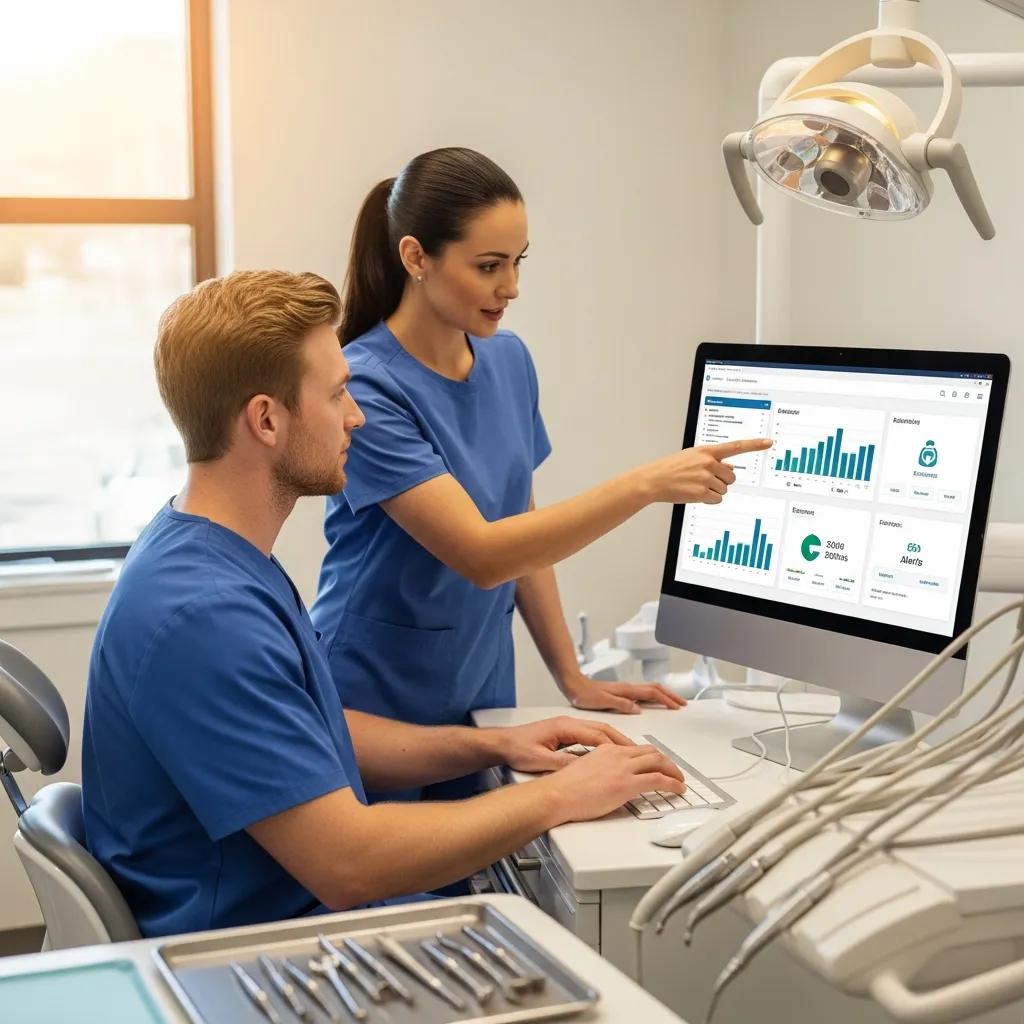
Dental Practice IT Risk Management: Practical Guide to Cybersecurity, HIPAA Compliance, and Data Protection
Good IT risk management for dental practices spots threats to patient records and daily clinical operations, applies technical and administrative safeguards to reduce likelihood and impact, and keeps care running when incidents happen. This guide walks dental teams through inventorying assets, assessing vulnerabilities, and putting protections in place that fit dental workflows and protected health information (PHI). You’ll get practical steps for HIPAA‑aligned risk assessments, defenses against ransomware and phishing, and backup and recovery plans designed to preserve patient records and minimize downtime. We map core controls—firewalls, endpoint protection, multi‑factor authentication (MFA), encryption, and immutable backups—to HIPAA safeguards and everyday clinic tasks. Each section includes checklists, comparison tables, and clear training and managed‑service recommendations so practice owners and administrators can prioritize spending and request a tailored demonstration of specialist solutions.
What Is IT Risk Management for Dental Practices and Why Is It Essential?
IT risk management in a dental practice means identifying the systems and data flows that handle PHI, analyzing threats and vulnerabilities, estimating potential impact on patient care and compliance, and putting controls in place to bring risk to acceptable levels. This work protects practice management and imaging software, scheduling and billing workflows, and the patient records that clinics rely on. When IT risks are left unaddressed, clinics can face lost or corrupted records, disrupted appointments and billing, HIPAA breach notifications and fines, and reputational damage that erodes patient trust. A proactive, documented risk program improves operational resilience, helps meet legal obligations, and provides a clear roadmap for the mitigation steps outlined below.
Layering technical and administrative safeguards reduces the chance that credential theft, ransomware, or human error will stop patient services. That layered view is easiest to follow by mapping controls to common threats and running regular assessments to prioritize fixes. The next sections explain how those controls operate in practice and why dental clinics are attractive targets for attackers.
How Does IT Risk Management Protect Dental Clinics from Cyber Threats?
IT risk management protects clinics through a blend of technical, administrative, and physical controls that lower both the odds of an incident and its potential impact. Technical measures—EDR, MFA, encrypted backups—interrupt common attack chains. Administrative actions—policies, regular staff training, and vendor oversight—reduce human error. Physical steps like locking devices and restricting server room access stop local unauthorized access to systems holding PHI. Together these layers provide redundancy: if phishing succeeds, MFA and network segmentation can block lateral movement, and immutable backups restore data without paying ransom. This layered approach helps clinics focus on the controls that most reduce operational and compliance risk.
Those protections lead naturally into why dental clinics are targeted and the typical vulnerabilities attackers exploit.
Why Are Dental Practices Prime Targets for Cyberattacks?
Dental practices are attractive targets because they store concentrated PHI—names, dates of birth, insurance details, treatment histories and medical images—that holds high value on illicit markets and supports extortion. Clinics often run specialized imaging and practice management systems that may be on legacy versions with limited vendor support, creating exploitable gaps. Common weak points include unpatched workstations, remote access without MFA, unsecured backups, and inconsistent phishing awareness among staff. Industry data through 2023 shows rising incidents in healthcare sectors where small‑to‑medium practices lack centralized IT controls, underlining the need for dental‑specific risk programs that address both technical exposures and human factors.
Understanding these weaknesses points straight to the next practical step: structuring a dental IT risk assessment to inventory assets and drive prioritized remediation.
For clinics that want hands‑on help, DentalTek specializes in IT risk management for dental practices—combining audits, managed services, and cloud backup to link technical safeguards with compliance needs. Our assessments align to HIPAA technical and administrative requirements, produce a clear remediation roadmap, and include options to request a free demonstration or consultation to see how the solutions fit your clinic’s environment.
How to Conduct a Dental IT Risk Assessment: Steps and Best Practices

A dental IT risk assessment follows a clear sequence: scope systems, inventory assets holding PHI, identify threats and vulnerabilities, rate likelihood and impact, and produce a prioritized remediation plan with timelines and owners. Doing this methodically supports audit readiness and guides investments that reduce measurable risk. Best practice assessments mix automated scans (to find unpatched systems and misconfigurations) with manual interviews and workflow observations (to uncover shadow systems and dental‑specific practices). Deliverables typically include a risk register, remediation roadmap, evidence of controls, and monitoring recommendations. Maintaining a regular cadence and running event‑driven reassessments keeps the program current as systems and staff change.
The numbered steps below summarize a practical assessment workflow clinics can run internally or request from a specialist provider.
- Define scope: systems and workflows that handle PHI, imaging, billing, and scheduling.
- Inventory assets and classify data sensitivity, including backups and cloud stores.
- Identify threats and run vulnerability scans and configuration reviews.
- Evaluate likelihood and impact to create a risk register with prioritized findings.
- Create remediation tasks, assign owners, and set deadlines for fixes and verification.
- Deploy controls, validate through testing, and document evidence for audits.
- Schedule regular reassessments and trigger reviews after major changes or incidents.
This stepwise approach builds a defensible audit trail, clarifies budget priorities, and prepares clinics for HIPAA audits and incident response. The table below compares common findings with practical controls to help prioritize work.
| Asset | Vulnerability | Recommended Control |
|---|---|---|
| Practice management server | Outdated OS or missing patches | Patch management, system hardening, scheduled vulnerability scans |
| Clinical workstations (imaging) | Unsegmented network access | Network segmentation, firewall rules, access control lists |
| Email system & staff inboxes | Phishing susceptibility | Advanced email filtering, SPF/DKIM/DMARC, simulated phishing training |
| Backups | Unencrypted or lack of immutability | Encrypted, immutable cloud backups with tested restores |
| Remote access tools | Single-factor authentication | Enforce MFA, VPN with strong cipher suites and session controls |
That comparison shows how a few prioritized controls can produce the largest security gains—especially when paired with verification and documentation. The remediation work then moves into aligning controls with HIPAA requirements.
If you prefer an expert‑led assessment, DentalTek performs comprehensive IT risk assessments tailored to dental practices and delivers a risk register, remediation roadmap, and evidence packages ready for HIPAA review. Our assessments include inventory, vulnerability analysis, prioritized recommendations, and the option to continue with managed monitoring and services; request a free demonstration or consultation to review sample deliverables and timelines.
What Are the Key Components of a Dental IT Risk Assessment?
Core components include an asset inventory and data‑flow map, threat and vulnerability identification, likelihood and impact analysis, risk prioritization, and a remediation plan with verification steps. The asset inventory should list practice management servers, imaging devices, workstations, mobile devices, third‑party integrations, and backup repositories, and map where PHI is stored, transmitted, or processed. Vulnerability analysis blends automated scans with manual configuration reviews and vendor update checks to reveal exploitable gaps. Impact analysis ties technical findings to clinical and compliance consequences—everything from appointment disruption to mandatory breach notification—so fixes are prioritized by risk reduction and business continuity value. These outputs feed a tracked remediation program that includes testing and documentation for audits.
Next, consider how often to run assessments so the program remains effective.
How Often Should Dental Practices Perform Risk Assessments for HIPAA Compliance?
HIPAA guidance expects regular risk assessments and reassessments after significant changes. As a baseline, many practices run a comprehensive assessment annually and perform lighter checks after system upgrades or vendor onboarding. Trigger events for ad‑hoc reassessments include new practice management or imaging systems, cloud migrations, major network changes, staffing shifts, or any security incident. Quarterly or semi‑annual scans focused on patching, backup verification, and phishing susceptibility complement the annual review. Documenting cadence and triggers demonstrates an active risk program to auditors and helps practices avoid compliance surprises.
Setting a practical cadence supports HIPAA compliance and informs training, vendor management, and procurement decisions covered next.
How Can Dental Practices Ensure HIPAA Compliance Through IT Risk Management?
Meeting HIPAA through IT risk management means mapping administrative, physical, and technical safeguards to clinic operations and keeping documentation that shows those measures address identified risks. Administrative safeguards include written policies, workforce training, access authorization processes, and risk‑assessment records. Physical safeguards cover device security, workstation placement, and facility access controls. Technical safeguards include access controls (MFA, unique IDs), encryption for PHI at rest and in transit, audit logging, and integrity controls. Together, these safeguards must be documented, tested, and updated to reflect changes, demonstrating reasonable efforts to protect ePHI. Practical mapping turns regulatory requirements into concrete IT tasks and monitoring routines.
Use the checklist below to operationalize HIPAA safeguard categories in your clinic.
- Administrative Safeguards: Policy and Procedure Documentation: Keep written security policies and update them after significant changes. Workforce Training: Run role‑based training on PHI handling and phishing recognition regularly. Risk Assessment Records: Retain dated risk assessments and remediation evidence.
- Physical Safeguards: Device Controls: Secure servers, use lockable workstations, and enforce portable device policies. Facility Access Controls: Limit physical access to areas storing PHI. Media Disposal: Sanitize or destroy storage media before disposal.
- Technical Safeguards: Access Controls: Use unique IDs, strong passwords, and MFA for remote access. Encryption: Encrypt PHI at rest and in transit and manage keys responsibly. Audit Controls: Enable logs for access and configuration changes and retain them per policy.
What Are the HIPAA Security Rule Requirements for Dental Offices?
The HIPAA Security Rule requires dental offices to implement reasonable and appropriate administrative, physical, and technical safeguards to protect electronic PHI (ePHI), taking into account the practice’s size and complexity. Administrative tasks include security management, workforce training, and contingency planning. Physical controls address workstation and device security and facility access. Technical requirements cover access controls, audit logging, integrity measures, and transmission security. Compliance should be scalable: smaller offices apply practical, documented controls proportionate to their risks while keeping policies and testing in place. Evidence of proper implementation includes updated policies, training logs, risk assessment reports, and technical control documentation such as encryption and MFA configurations.
These expectations also explain why vendor agreements must support HIPAA obligations.
How Do Business Associate Agreements Support Dental IT Compliance?
Business Associate Agreements (BAAs) are contracts that require vendors handling PHI to safeguard it and to notify the covered entity if a breach occurs. A well‑written BAA covers permitted uses, required security measures, breach notification timelines, data return or destruction after service termination, and audit rights. Clinics should keep a registry of BAAs and periodically review vendor security posture as part of ongoing vendor management. Including technical expectations—encryption, access controls, incident response cooperation—ensures third‑party services like cloud backups or managed IT integrate into the practice’s overall compliance and audit evidence.
Good BAAs and vendor oversight complete the compliance picture and point to the technical solutions that enforce these safeguards.
What Cybersecurity Solutions Protect Dental Practices from Ransomware and Phishing?
A layered cybersecurity stack reduces ransomware and phishing risk by combining perimeter defenses, endpoint protection, email security, strong authentication, and resilient backups. Firewalls and network segmentation limit lateral movement and isolate imaging and server systems. Endpoint protection and EDR detect and block malicious behavior on workstations. Email security—filtering, SPF/DKIM/DMARC, and sandboxing—lowers phishing volume, and MFA prevents account takeover after credential loss. Immutable, encrypted backups plus recovery testing make it possible to restore systems without paying a ransom. Human‑focused controls—simulated phishing and simple reporting workflows—round out the stack to reduce successful attacks and shorten recovery time.
| Solution | What It Defends | Expected Outcome / KPI |
|---|---|---|
| Firewall & Segmentation | Network perimeter and lateral movement | Fewer cross‑system infections; measurable reduction in blast radius |
| Endpoint Protection / EDR | Malware, ransomware behavior on endpoints | Faster detection and containment; reduced mean time to detect |
| Multi-Factor Authentication (MFA) | Credential theft and account compromise | Significant reduction in login‑based breaches |
| Advanced Email Security | Phishing and malicious attachments | Lower phishing click rate and fewer malware deliveries |
| Immutable Cloud Backup | Data corruption and ransomware encryption | Reliable restores meeting RTO/RPO; ransomware recovery without ransom |
The table clarifies which controls deliver measurable protection and how to track effectiveness. The sections below cover deployment details and staff‑facing phishing defenses.
How Do Firewalls, Antivirus, and Multi-Factor Authentication Secure Dental Clinics?
Firewalls protect the clinic perimeter by controlling inbound and outbound traffic and enforcing segmentation so attackers can’t easily move from admin systems to imaging servers. Traditional antivirus catches known threats; modern EDR adds behavioral detection and faster response to new attack patterns. MFA stops attackers from using stolen credentials by requiring an additional verification factor, markedly reducing account takeovers. Implementing these controls with clear policies—segmented VLANs for imaging, EDR on all endpoints, and enforced MFA for remote and admin logins—translates technical capability into measurable reductions in compromise likelihood and incident scope.
Technology alone isn’t enough; the next section explains phishing prevention practices that address the most common initial attack vectors.
What Are Effective Phishing Prevention Strategies for Dental Staff?
Effective phishing prevention pairs role‑based awareness training, simulated phishing campaigns, strong email filtering, and an easy reporting process. Training should match job duties—front‑desk teams need guidance on invoice and insurance scams, while clinicians should focus on risks from attachments and removable media—and should be delivered quarterly with simulations to track phish click rates. Technical controls like SPF/DKIM/DMARC, attachment sandboxing, and URL rewriting reduce malicious mail reaching users. A visible, simple incident‑reporting workflow enables rapid containment. Trackable metrics—phish click rate, report‑to‑phish ratio, and time‑to‑contain—give clinics concrete KPIs for their awareness program.
These people‑focused measures complement technical controls and feed into recovery planning backed by reliable backups and tested restores.
Backups and encryption are the backbone of business continuity. The table below helps clinics choose between local, hybrid, and cloud backup architectures based on retention, encryption, and recovery time objective (RTO).
| Backup Option | Retention / Encryption / RTO | Recommended Use-case |
|---|---|---|
| Local NAS with snapshots | Short retention; optional encryption; fast RTO | Quick file restores and low‑latency recovery for small clinics |
| Hybrid (local + cloud) | Local fast RTO + cloud encrypted immutable copies | Balance between fast restores and ransomware resilience |
| Cloud-only immutable backups | Extended retention, strong encryption, longer RTO | Best for defense‑in‑depth and long retention compliance needs |
How Does Data Protection and Cloud Backup Ensure Business Continuity in Dental Practices?
Data protection and cloud backup keep clinics running by preserving accessible, uncompromised copies of PHI and operational data that can be restored after incidents, minimizing patient‑care disruption and compliance fallout. Effective strategies combine encrypted storage, immutable snapshots to prevent backup tampering, and documented recovery procedures with scheduled restore testing to validate recovery time objective (RTO) and recovery point objective (RPO). A hybrid model—local backups for rapid restores plus encrypted, immutable cloud copies for disaster resilience—often balances speed with security. Regular restore tests and documented results prove backups work and support HIPAA contingency planning and breach response readiness.
Backup design and testing also rely on strong encryption of PHI at rest and in transit, which the next section outlines.
Why Is PHI Encryption Critical for Dental Data Security?
Encryption matters because it makes intercepted or stolen PHI unreadable without the proper keys, lowering the risk of disclosure and regulatory penalties after a breach. Encrypt data at rest on servers, workstations, and cloud storage and use TLS for data in transit between devices and vendors. Good key management—limited access, regular rotation, and custody records—keeps encrypted data recoverable for authorized users while blocking attackers. Applying encryption across endpoints, backups, and transmissions reduces breach severity and supports HIPAA technical safeguard expectations for ePHI protection.
What Are Best Practices for Secure Cloud Storage and Disaster Recovery?
Best practices include least‑privilege access with role‑based permissions, customer‑managed keys when possible, immutable snapshots to prevent tampering, and retention policies that meet legal and clinical needs. Disaster recovery plans should define RTO and RPO targets, name recovery owners, and include scheduled restore drills that validate assumptions and timing. Regularly review cloud provider security features and ensure BAAs explicitly cover backup handling and breach notification. Keep test results and runbooks up to date so staff can execute restores quickly and auditors can verify continuity readiness.
These protection and continuity measures depend on trained staff and proactive managed services to maintain and monitor systems, as discussed next.
If your clinic needs managed backup, monitoring, and recovery validation, DentalTek offers cloud backup and disaster recovery planning as part of our managed services portfolio. Our solutions emphasize encryption, immutable snapshots, and documented restore testing—request a free demonstration to evaluate fit and recovery SLAs.
How Can Staff Training and Managed IT Services Enhance Dental Practice IT Risk Management?
Staff training and managed IT services keep security consistent by pairing human‑centered awareness programs with continuous technical monitoring, patch management, and helpdesk support that reduce incident rates and mean time to recovery. Training covers phishing recognition, PHI handling, password hygiene, and device protocols. Managed services deliver 24/7 monitoring, endpoint management, regular patching, and coordinated incident response. Together they lighten the administrative load on practice staff, ensure policies are applied consistently, and create a documented chain of responsibility for compliance and recovery. The combination builds resilience: well‑trained people stop many attacks at the inbox, and managed services detect and contain those that get through.
What Cybersecurity Awareness Training Should Dental Teams Receive?

Teams should get role‑specific cybersecurity training that covers phishing recognition, secure PHI handling, device and password hygiene, and incident reporting. Deliver core modules at least quarterly and add reinforcement for high‑risk roles. Front‑desk staff need focused content on social engineering and payment/insurance scams; clinical staff should get guidance on imaging and removable media; administrators should learn vendor management and access controls. Use simulated phishing with tracked metrics—phish click rate, report rate, and remediation time—to measure progress. Training should be short, scenario‑based, and paired with an easy reporting process that encourages vigilant behavior and builds a security‑first culture.
How Do Managed IT Services Provide Proactive Monitoring and Support for Dental Clinics?
Managed IT services provide proactive monitoring by collecting telemetry from endpoints, servers, and network devices to spot anomalies, apply patches, enforce configuration baselines, and escalate incidents per agreed SLAs. Typical offerings include 24/7 alerting, scheduled maintenance for patching, remote and onsite support for urgent issues, and reporting that documents security posture and compliance evidence. For dental clinics, managed services also handle backup verification, BAA‑aligned vendor interactions, and routine audits—reducing administrative burden on clinical staff. By tracking metrics like uptime, patch compliance, and mean time to respond, managed services make IT predictable and auditable, supporting continuous HIPAA compliance.
DentalTek’s managed services and training are built for dental environments: 24/7 monitoring, patch management, staff training modules, and cloud backup validation designed to lower operational risk and support HIPAA documentation. Practices that want to offload IT risk can request a free demonstration or consultation to review service components, monitoring metrics, and expected deliverables.
Practical next steps: start with an asset inventory and focused risk assessment, implement MFA and immutable backups, run role‑based phishing simulations, and evaluate managed services that provide monitoring plus documented compliance evidence. Those combined measures reduce risk, preserve patient trust, and keep care running.
Frequently Asked Questions
What are the common cybersecurity threats faced by dental practices?
Dental practices commonly face ransomware, phishing, and credential theft. Ransomware can encrypt patient data and demand payment for recovery. Phishing tricks staff into revealing credentials or running malware. Unpatched systems and weak security controls also increase breach risk. Understanding these threats helps clinics prioritize defenses that protect patient information and support HIPAA compliance.
How can dental practices train staff to recognize phishing attempts?
Train staff with regular, role‑specific programs that include simulated phishing exercises modeled on real‑world scenarios. Teach clear reporting steps and reinforce lessons with short refreshers. Measure progress with simulation metrics and provide targeted coaching for repeat offenders. Ongoing practice and a simple reporting process make staff an effective first line of defense.
What role do Business Associate Agreements (BAAs) play in dental IT compliance?
BAAs formalize the responsibilities of vendors that handle PHI, requiring them to safeguard data and report breaches. They should specify permitted uses, security measures, breach notification timelines, and data return or destruction terms. Maintaining BAAs and periodically reviewing vendor security posture ensures third‑party services fit into your clinic’s overall compliance program.
What are the best practices for securing patient data in cloud storage?
Use strong encryption for data at rest and in transit, apply role‑based access controls, and review security configurations regularly. Confirm your cloud provider supports HIPAA and signs a BAA. Run periodic audits and test backup restores to confirm data integrity and availability—these steps keep patient data secure and support compliance.
How can dental practices ensure their IT risk management strategies are effective?
Regular risk assessments that identify vulnerabilities and prioritize remediation are essential. Adopt a layered approach combining technical, administrative, and physical safeguards. Monitor systems continuously, train staff, and update policies in response to new threats. Track measurable KPIs—patch compliance, phish click rate, backup test results—to show improvements and guide investments.
What should dental practices do after a data breach occurs?
Activate your incident response plan immediately: contain the breach, assess scope, and notify affected individuals per HIPAA timelines. Conduct a thorough investigation to identify root causes and implement corrective actions. Document everything for compliance and consider outside legal and cybersecurity help to manage communication and remediation effectively.
Conclusion
Strong IT risk management protects patient data and strengthens a clinic’s ability to deliver care when incidents occur. Prioritize regular risk assessments, enforce multi‑factor authentication, and train staff—then back those efforts with immutable backups and monitoring. Taking these steps now reduces vulnerabilities, supports HIPAA compliance, and preserves patient trust. If you’d like help, explore our managed services and request a free consultation to see how we can support your practice’s cybersecurity and continuity goals.

