
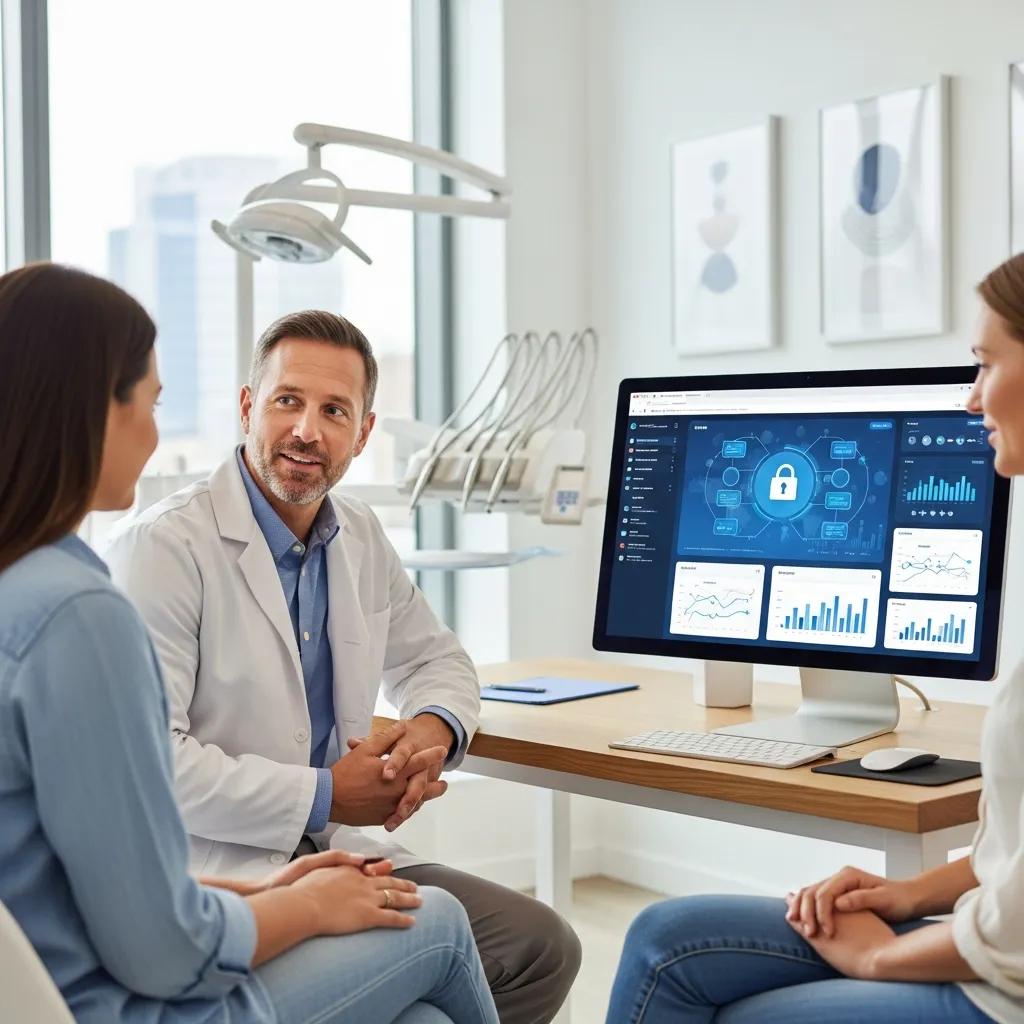
Dental Practice Cybersecurity: Protect Data & Stay Compliant
Cybersecurity for dental practices combines policies, technology, and daily routines designed to keep patient records, clinical systems, and business operations safe from digital threats. Strong security protects patient trust, cuts legal and financial risk, and keeps electronic health records (EHRs) and scheduling systems available when you need them. This guide walks through the threats clinics face, how HIPAA and PIPEDA shape security requirements, and practical steps you can take without disrupting patient care. You’ll find prioritized technical controls, backup and disaster recovery guidance, staff training best practices, and how managed IT and incident response shorten downtime and reduce regulatory exposure. The content is organized around six core areas: common threats, regulatory requirements, essential controls, backup and recovery, employee training, and managed IT with incident response. Keywords like dental practice cybersecurity, HIPAA compliance, dental ransomware protection, and dental cloud security are used throughout to keep the guidance practical and current to mid‑2024.
What are the most common cybersecurity threats dental practices face?
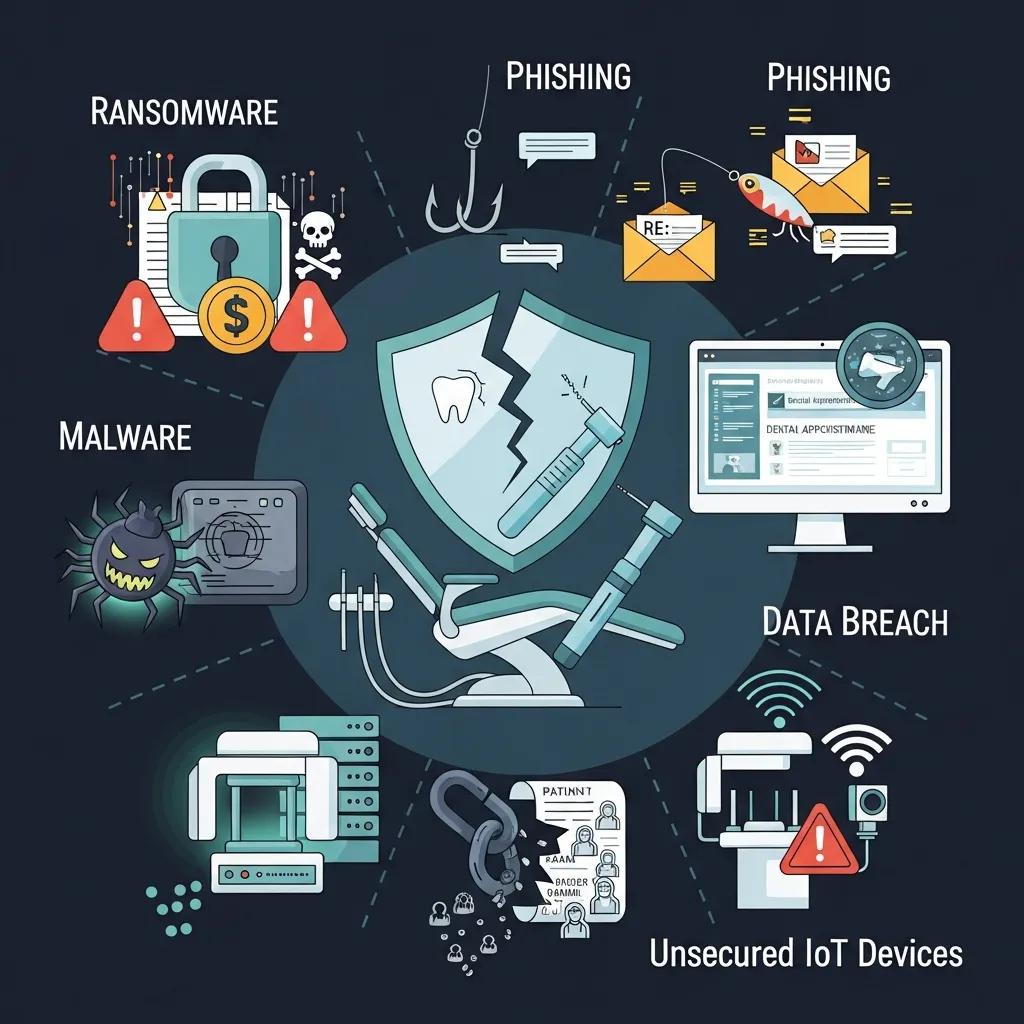
Attacks against dental clinics come in predictable forms that aim at patient data, billing, and day‑to‑day operations. The biggest risks — ransomware, phishing, malware, credential theft, and poorly configured backups — can lock or leak records, force long outages, and trigger breach reporting. Start by protecting access and making backups reliable; then layer other defenses. Below are the main threats with concise definitions and impact notes to help inform audits and planning.
Keeping up with how threats evolve — especially ransomware tactics — is a practical first step toward stronger cybersecurity in your practice.
Ransomware threats and defensive practices for digital systems
As clinics digitize more workflows, keeping systems secure becomes a priority. Ransomware remains one of the most damaging threats: attackers encrypt files, often exfiltrate data, and demand payment — frequently using cryptocurrency. Advanced groups may use double or triple extortion, threatening to publish or sell stolen data or contacting affected customers directly. Understanding these attack patterns helps shape defenses that protect both data and patient care continuity.
Ransomware Protection in Storage Systems: Advanced Technologies and Best Practices for Data Security, 2025
Use the prioritized list below to focus audits and defenses on the items that most directly affect EHRs and scheduling systems.
- Ransomware: Malicious software that encrypts files and may steal data, causing operational stoppage and possible patient data exposure.
- Phishing & Social Engineering: Deceptive emails or messages that trick staff into revealing credentials or opening malicious attachments or links.
- Malware & Drive‑by Downloads: Malicious software installed via compromised websites or attachments that harvest information or create backdoors.
- Credential Theft & Account Compromise: Stolen usernames and passwords that grant unauthorized access to EHRs and financial systems.
- Configuration Errors & Unsecured Backups: Misconfigured devices or backup systems that are vulnerable to tampering or that fail to provide reliable recovery.
These prioritized threats set the foundation for the technical and administrative safeguards we discuss next, starting with applicable regulations.
How does ransomware affect dental clinics and patient records?
Ransomware usually starts with an initial compromise — commonly phishing or an unpatched service — and then spreads to encrypt files and sometimes exfiltrate data. If EHRs are encrypted, clinics can lose access to charts, imaging, and scheduling, forcing cancellations and manual workarounds that harm care and revenue. Immediate actions after an attack include isolating affected systems, preserving forensic evidence, and restoring from verified, immutable backups to reduce downtime. Long‑term defenses focus on network segmentation, regular immutable backups, endpoint detection and response (EDR), and a tested incident response plan to coordinate containment and regulatory notifications.
Ransomware’s potential to disrupt patient care highlights why recovery planning and tested backups are essential for every clinic.
Ransomware recovery planning for healthcare systems
Healthcare relies on digital workflows; when ransomware hits, patient care can be directly affected. Recovery isn’t just technical — it must prioritize acute patient needs, communications, and critical imaging operations. Lessons from past incidents inform a phased recovery framework that balances rapid patient care restoration with secure, forensically sound procedures.
Ransomware recovery and imaging operations: lessons learned and planning considerations, PH Chen, 2021
Understanding how ransomware works reinforces the need for layered defenses and rehearsed recovery steps, which we cover in the backup and disaster recovery sections below.
What role do phishing and malware play in dental practice security?
Phishing is one of the most common entry methods for attackers targeting dental clinics. Fraudulent invoices, supplier messages, or HR notices can trick staff into handing over credentials or launching malware. Malware from attachments or malicious links may deliver ransomware, establish persistent backdoors, or capture keystrokes to enable lateral movement. Effective detection combines email filtering and attachment sandboxing with multi‑factor authentication (MFA), plus human‑focused training and verification workflows. Fast reporting and immediate account resets after suspected phishing reduce attacker dwell time and limit damage.
Lowering phishing success requires ongoing, role‑specific training paired with technical email protections — a theme that leads into the regulatory and safeguard requirements below.
How do HIPAA and PIPEDA shape dental practice cybersecurity?
HIPAA and PIPEDA create overlapping duties that affect how dental practices apply administrative, physical, and technical safeguards. HIPAA (U.S.) organizes safeguards into administrative, physical, and technical categories, while PIPEDA (Canada) emphasizes accountability, consent, and reasonable protections for personal information; provincial health laws can add further rules. Practices should perform risk assessments, apply access controls and encryption where appropriate, keep breach notification procedures ready, and do vendor due diligence to show compliance and limit legal exposure. The table below highlights core differences across HIPAA, PIPEDA, and typical provincial health rules so North American clinics can map responsibilities and timelines.
This comparison helps practices identify applicable obligations and build a compliance roadmap tied to operational safeguards and vendor contracts.
| Regulation | Scope / Covered Data | Breach Notification Timeline | Required Safeguards |
|---|---|---|---|
| HIPAA Security Rule | Protected Health Information (PHI) held by covered entities and business associates | Breach notification generally within 60 days for major breaches; immediate internal reporting | Administrative, physical, and technical safeguards (risk analysis, access controls, encryption where feasible) |
| PIPEDA | Personal information managed by private‑sector organizations in Canada (provincial acts may add variation) | Prompt notification as required; principles call for timely reporting and transparency | Accountability, consent, reasonable safeguards; vendor due diligence and data inventories |
| Provincial Health Acts (examples) | Health records governed by provincial law (requirements vary by province) | Variable; many require specific reporting for health‑information breaches | Additional health‑specific safeguards and privacy rules that may be stricter than federal standards |
Use this comparison to tailor your cybersecurity and breach response plan to the legal regime covering your patient records; documented risk assessments and vendor management are key to compliance.
What are the key HIPAA Security Rule safeguards for dentists?
HIPAA’s Security Rule asks practices to apply administrative, physical, and technical safeguards to protect electronic PHI. Administrative safeguards include documented risk assessments, workforce training, and business associate agreements to verify third‑party security. Physical safeguards cover secure storage, controlled access to servers and workstations, and policies for mobile devices and secure disposal. Technical safeguards call for unique user IDs, audit logging, access controls, and encryption of data in transit and at rest where feasible, plus routines for updates and integrity checks.
In a dental setting, practical steps include an annual risk assessment, role‑based access to EHRs, and encrypted backups — small, attainable measures that lower breach risk and support timely reporting.
How does PIPEDA affect Canadian dental clinics’ data privacy?
PIPEDA governs how private organizations in Canada handle personal information and stresses accountability, meaningful consent, and reasonable protections proportional to data sensitivity. For dental clinics that means keeping a documented inventory of patient data, getting appropriate consent for uses and disclosures, and including protections for cloud services and cross‑border transfers in vendor agreements. Provincial health laws may add retention rules or notification requirements, so clinics should verify local obligations. Vendor due diligence — checking encryption, retention, and breach response capabilities — helps meet both PIPEDA and provincial expectations.
These Canadian requirements inform vendor selection and backup strategies described in the disaster recovery section.
What essential cybersecurity measures should dental clinics implement?
Build security as a prioritized stack: perimeter and endpoint defenses, access controls and MFA, reliable backups, secure Wi‑Fi and network segmentation, and disciplined patch and vulnerability management. Each control addresses specific risks — firewalls and segmentation limit lateral movement, encryption protects confidentiality, and MFA reduces harm from stolen credentials. Implement controls in ways that minimize disruption: apply least‑privilege access, separate guest Wi‑Fi from clinical systems, and automate patching where practical.
Prioritize controls based on your risk assessment so limited resources deliver the biggest security gains first.
- Firewalls & Network Segmentation: Stops unauthorized access and limits attacker movement across networks.
- Encryption (At Rest & In Transit): Keeps patient records and backups unreadable to unauthorized parties.
- Multi‑Factor Authentication (MFA): Cuts risk from stolen credentials and unauthorized logins.
- Regular Backups with Immutable Copies: Lets you recover from ransomware without paying a ransom.
- Patch Management & Endpoint Protection: Closes known exploit windows and lowers malware success.
These prioritized actions lead into configuration recommendations for firewalls, encryption, and access controls in the next section.
How do firewalls, encryption, and access controls protect dental networks?
Firewalls and segmentation separate clinical systems, guest Wi‑Fi, and administrative networks to prevent lateral movement after an initial breach. Host and network firewalls should allow only necessary traffic to EHR servers and imaging devices, reducing exposure. Encryption protects patient data at rest and during transmission so intercepted data remains unreadable. Role‑based access and MFA limit who can view or change PHI, lower insider risk, and reduce the impact of a compromised account.
| Measure | What it Protects | Recommended Configuration |
|---|---|---|
| Firewall & Segmentation | Network zones and lateral movement | Zone‑based rules separating guest, clinical, and admin networks; default‑deny policies |
| Encryption | Data confidentiality in transit and at rest | TLS 1.2+ for transit; disk‑level or database encryption for stored PHI |
| Access Controls & MFA | Role‑based permissions and privileged accounts | Least‑privilege roles and MFA for remote and privileged access |
Put these controls into policy and audit them regularly. For example, keep practice management systems off the guest network and require MFA for any remote access to clinical systems.
Why are secure Wi‑Fi and software updates critical for dental offices?
Poorly secured or unsegmented Wi‑Fi lets attackers probe internal systems through patient or guest devices. Use modern standards like WPA3 when available and separate SSIDs for guests and clinical devices to close common paths. Software and firmware updates fix vulnerabilities attackers exploit; adopt a patch cadence — weekly for critical fixes and biweekly for routine updates — that balances stability with security. A documented patch process and rollback plan minimize disruption while keeping systems current.
Secure wireless plus disciplined patching reduces both external and internal risk, making backups and monitoring more effective.
How can dental practices ensure data protection and disaster recovery?
Data protection and disaster recovery depend on choosing the right backup approach, enforcing encryption and integrity checks, defining Recovery Time Objectives (RTOs) and Recovery Point Objectives (RPOs), and testing restores regularly. Backup choices — local, cloud, or hybrid — trade cost, restore speed, and resilience; pick what matches your recovery priorities. Immutable snapshots, versioning, and encrypted transfers are important for ransomware resilience and compliance. The table below compares backup types to help you decide.
| Backup Type | Pros | Cons / Typical Recovery Time (RTO/RPO) |
|---|---|---|
| Local (On‑site) | Fast restores for single files or full system recovery | Vulnerable to site disasters and local ransomware; RTO: minutes–hours, RPO: minutes–hours |
| Cloud (Off‑site) | Geographic redundancy and offsite resilience | Slower restores for large datasets and dependent on bandwidth; RTO: hours, RPO: hours–daily |
| Hybrid (Local + Cloud) | Fast local restores plus offsite protection | Higher cost/complexity; often the best balance — RTO: minutes–hours, RPO: minutes–hours |
Choose your backup architecture based on how much downtime and data loss you can tolerate; hybrid solutions often offer the best balance for clinical continuity and ransomware protection.
What are best practices for cloud backup and local data storage?
Follow these backup best practices: use encrypted, versioned backups with immutable snapshots to resist tampering; keep a local copy for fast restores and an offsite cloud copy for site failures; schedule daily incremental backups with weekly full backups as a baseline; automate integrity checks and document restore steps with assigned roles and timelines. Do vendor due diligence — confirm encryption, immutability, retention, and recovery SLAs before you trust a provider with patient data.
Strong, tested backup strategies — including immutable snapshots and clear recovery SLAs — are essential to protect storage and backup systems from modern ransomware threats.
Advanced ransomware protection for storage and backup systems
Attackers now target storage infrastructure to maximize disruption. Defenses such as immutable snapshots and zero‑trust configurations make backups tamper‑resistant and improve recovery confidence. When combined with automated monitoring and anomaly detection, these strategies help stop sophisticated, multi‑stage attacks that can otherwise defeat traditional protections.
Operational Resilience: Backup Strategies for Crisis Management in the Age of Ransomware, 2023
Run regular integrity checks and restore drills so your backups are reliable when you need them and so you can meet regulatory reporting timelines after an incident.
How should dental clinics build effective disaster recovery plans?
A practical disaster recovery (DR) plan prioritizes EHRs and scheduling first, then billing and administrative systems, and sets clear RTOs and RPOs. Your DR template should list roles and contact details, step‑by‑step recovery priorities, and communication scripts for patients and regulators. Include vendor SLAs, failover steps, and a schedule for tabletop and full‑restore tests to validate the plan. After any incident, run a post‑incident review to capture lessons learned and update the plan on a regular cadence.
Why is employee cybersecurity training vital for dental practice security?
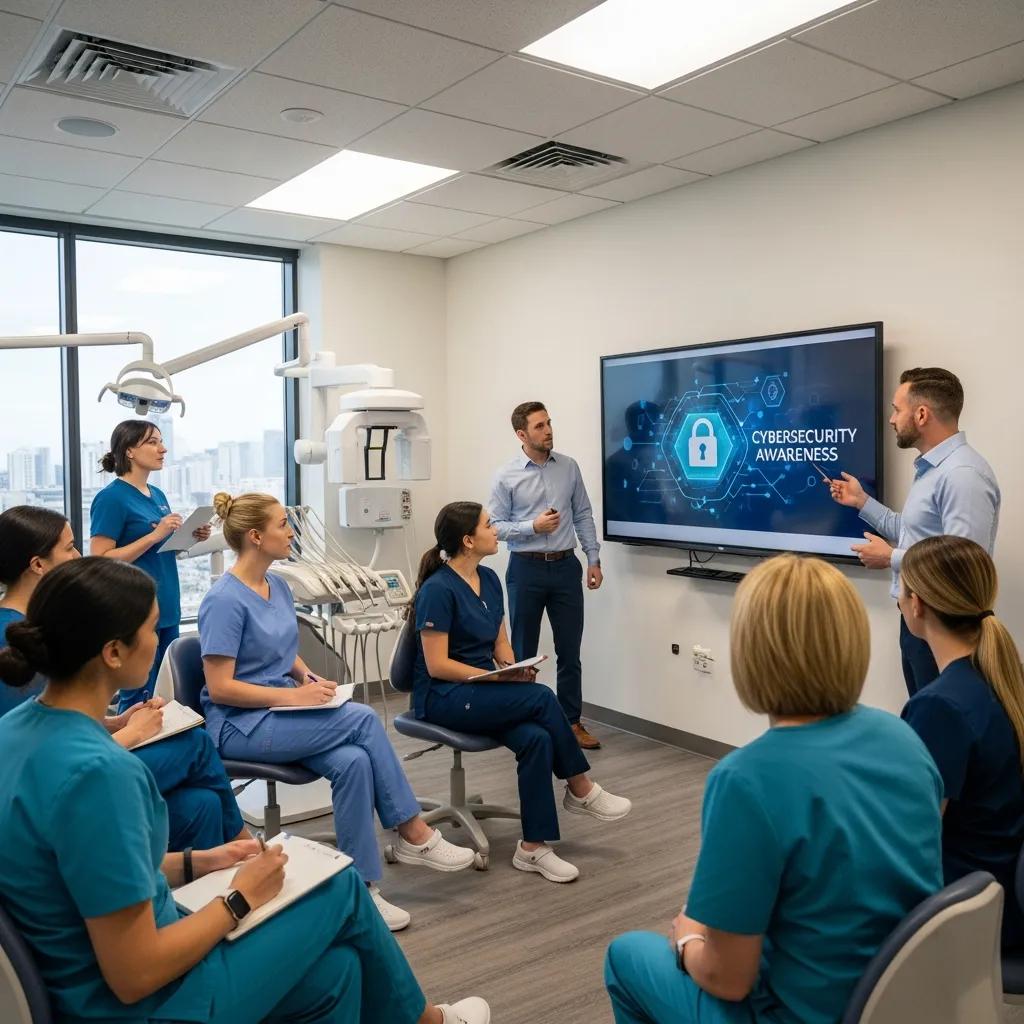
Your staff are both the first line of defense and a common source of compromise — focused training reduces phishing success and improves reporting. Effective programs mix onboarding security briefings, quarterly micro‑training, role‑specific modules, and simulated phishing campaigns to measure progress. Cover phishing recognition, password hygiene, secure device use, and handling of patient data. Track phishing click rates and remediation steps to target follow‑up and to document compliance for audits.
How can staff recognize and stop phishing and other cyber threats?
Train staff to notice mismatched sender domains, urgent or unexpected requests, and unsolicited attachments. Teach a simple verification routine: pause, confirm via a separate channel (call or internal message), and report the message to IT or managed services. Provide clear reporting channels and an internal playbook that includes temporary credential resets and forensic preservation steps. Fast, consistent reporting reduces attacker dwell time and limits breach scope.
What should ongoing cybersecurity awareness cover in dental offices?
A modular curriculum should include phishing recognition, password and MFA hygiene, device security and patching, secure record handling, and social engineering awareness. Deliver short micro‑modules quarterly, run monthly phishing simulations, and require an annual policy refresher. Use KPIs — phishing click rate, training completion, and remediation time — to guide follow‑up and to show due diligence. Keep modules role‑specific so front‑desk, clinical, and administrative teams see scenarios that match their daily work.
This approach drives steady improvement in behavior and provides documented evidence of ongoing security awareness.
How do managed IT services and incident response plans strengthen dental cybersecurity?
Managed IT services deliver continuous monitoring, automated patching, centralized backups, and rapid incident response that reduce downtime and regulatory risk for dental clinics. Outsourcing gives access to dental‑specific IT expertise and consistent processes without hiring full‑time staff. An incident response (IR) plan complements managed services by defining detection, containment, eradication, recovery, and review steps that shorten outages and provide compliance documentation. Below are the benefits and a simple IR template to help clinics adopt managed services or improve in‑house plans.
What are the benefits of DentalTek’s managed cybersecurity solutions?
DentalTek provides managed cybersecurity and IT services built for dental clinics — continuous monitoring, network support, cloud backups, and remote or onsite assistance that fit dental workflows. Our dental focus helps ensure smooth integration with practice management and EHR systems while keeping HIPAA and data‑security best practices front and center. Clinics that work with DentalTek gain a partner who configures firewalls, maintains encryption and backups, and supports incident response — reducing downtime and lowering overall IT costs. For practices that prefer demos or support, DentalTek offers practical, dental‑specific options to help you stay compliant and operational.
These managed services give clinics a clear path to outsource security operations while keeping control over clinical workflows.
How can dental practices create and run incident response plans?
A solid incident response plan follows five clear phases: identify and scope the incident, contain systems to prevent spread, eradicate threats and restore from verified backups, recover operations with prioritized system restores, and hold a lessons‑learned review to improve controls. Assign roles — incident lead, communications lead, technical lead — and prepare templates for patient and regulator communications to meet notification timelines. Define triggers for engaging managed services, external forensics, and legal or cyber‑insurance resources. Regular tabletop exercises and full‑restore tests validate responsibilities and technical recovery steps. A documented, tested IR plan shortens recovery, improves communication, and supports regulatory and insurance requirements after an incident.
Frequently Asked Questions
What steps can dental practices take to improve their cybersecurity posture?
Start with a multi‑layered approach: segment networks with firewalls, enforce multi‑factor authentication (MFA), and keep software up to date. Run routine risk assessments and train staff to spot phishing. Establish a robust backup strategy that combines local and cloud backups, and perform regular audits to verify compliance with HIPAA and PIPEDA. These steps reduce risk and give you a practical roadmap to improve security over time.
How often should dental practices run cybersecurity training for staff?
Train staff at least quarterly with short, focused modules and supplement with monthly simulated phishing tests. This cadence keeps teams aware of new threats and reinforces good habits like MFA use and safe handling of patient data. Track completion and click rates so you can follow up where it matters most.
What are the consequences of a data breach for dental practices?
A breach can lead to fines, reputational damage, and legal exposure. Regulators such as HIPAA and PIPEDA can levy significant penalties for non‑compliance. Clinics also face costs for forensic investigations, communications, and potential litigation, plus operational disruption that impacts patient care and revenue. Strong prevention and tested recovery plans reduce these risks.
How can dental practices make sure they comply with HIPAA and PIPEDA?
Build a compliance program with regular risk assessments, documented policies, staff training, and vendor due diligence. Keep records of your efforts — training logs, risk assessments, and contracts — and update security measures as threats and regulations change. Regular audits and clear documentation help demonstrate compliance to regulators.
What role does incident response play in dental cybersecurity?
Incident response defines what to do when a breach occurs: who leads, how to contain and remediate, and how to communicate with patients and regulators. A tested IR plan reduces downtime, limits damage, and provides evidence for regulators and insurers. Regular drills ensure the plan works in practice.
Which backup solutions are recommended for dental practices?
We recommend a hybrid backup approach: local copies for fast restores and cloud backups for offsite resilience. Use immutable backups that attackers can’t modify or delete, and schedule regular incremental and full backups with automated integrity checks. This mix balances speed, security, and cost while improving recovery confidence.
Conclusion
Strong cybersecurity in dental practices protects patient data, improves operational resilience, and helps you meet HIPAA and PIPEDA obligations. Focus on employee training, a tested incident response plan, and reliable backup strategies to reduce breach risk and recovery time. These measures preserve patient trust and keep care running smoothly in an increasingly digital environment. Explore our resources or contact DentalTek to strengthen your practice’s cybersecurity today.

