
Cloud backup vs local storage for dental practices — choosing the right data‑protection approach
Dental practices store highly sensitive patient records, large imaging files, and practice‑management databases that must be protected and recovered quickly. Your backup choice affects HIPAA compliance, appointment continuity, and how fast you can resume care after an outage. This guide compares cloud backup, local storage, and hybrid options; recommends practical architectures that match dental workflows; and explains how to operationalize backups that address HIPAA and ransomware resilience. You’ll learn about recovery speed and retention differences, the security controls to require from vendors, how a hybrid 3‑2‑1 strategy maps to typical practice data (PM databases and imaging), and clear vendor evaluation criteria. Throughout we use straightforward terms like dental cloud backup, practice management backup, and hybrid backup to help match technical choices to clinic size, bandwidth, and recovery goals. At the end we offer a concise checklist and an invitation to request a demo or support review with DentalTek for a hands‑on example.
This is a practical playbook you can act on: fast local restores for patient appointments, immutable offsite copies for ransomware protection, and regular restore drills to prove recoverability. Each section defines concepts, explains why they matter, and gives examples of operational benefits for a dental office. Recommendations reflect current best practices and reference ideas such as the 3‑2‑1 backup rule, immutability, and common practice management integrations. Read on to compare cloud and local options, understand HIPAA controls, plan a hybrid setup, harden for ransomware, and pick the right backup partner for your clinic.
Cloud vs Local Backup for Dental Practices: Secure Data Protection
Cloud backup stores managed copies of clinic data offsite on remote infrastructure and is accessed over the internet. Local storage means on‑premise devices like servers, NAS units, or RAID arrays that keep backups inside the clinic. Cloud gives offsite resilience, versioning, and provider‑managed retention to reduce physical risk and automate long‑term storage. Local storage delivers faster restores and direct access for same‑day recovery during patient care. The choice affects recovery point objectives (RPO), recovery time objectives (RTO), capital vs. operating costs, scalability for growing imaging volumes, and reliance on internet connectivity. Knowing these trade‑offs helps you design backups that support appointment continuity, imaging workflows, and compliance while minimizing downtime.
Grasping the practical differences between cloud and local storage is essential for designing a reliable backup strategy.
Cloud vs. local storage for dental practice data
Consider where patient records and imaging live — on clinic systems or in the cloud — and the risks that follow. Local devices can be fast but vulnerable to site incidents; cloud copies reduce physical risk but depend on bandwidth and vendor controls.
| Approach | Characteristic | Impact for dental clinics |
|---|---|---|
| Local storage (on‑premise) | Recovery speed (RTO) | Very fast restores for same‑day patient access and appointments |
| Cloud backup (offsite) | Scalability & retention | Easy scaling for imaging archives and long‑term retention without onsite hardware |
| Local storage | Security controls | Managed by clinic IT; exposes physical risk unless replicated offsite |
| Cloud backup | Internet dependency | Requires reliable bandwidth for seeding and restores; incremental transfers reduce load |
| Cloud + local (hybrid) | Cost model | Blend of capital and operational expense; balances speed with resilience |
This comparison explains why many clinics choose a mixed design: local copies reduce appointment disruption, while cloud copies protect against site‑wide loss. The sections that follow unpack how local systems are built and the advantages and limits of cloud backups.
How does local storage work in dental practices?

Local storage typically uses an on‑premise server or NAS configured with RAID to tolerate disk failure, plus backup software that creates scheduled snapshots of practice management databases and imaging folders. Typical setups include a primary PM database server and a secondary on‑site backup target for daily restores; imaging systems often write large DICOM or image files to dedicated storage that’s backed up on a schedule. This architecture gives very low RTOs because IT staff can restore directly from the local appliance during the day, keeping appointments on track. Local‑only systems, however, face physical risks — fire, theft, or site failure — so they should be paired with an offsite copy to meet realistic business‑continuity needs.
Experts commonly stress physical security for local backups and the value of layered protection.
Dentists’ data backup: hard drives vs cloud services
“If you use removable drives for backups, disconnect and store them securely offsite,” says one risk advisor. The best practice is multiple copies across locations to reduce exposure.
Local workflows must produce database‑consistent snapshots for PM systems and include quick validation steps to ensure integrity. Understanding those operational details helps when evaluating cloud benefits for offsite resilience.
What are the advantages and limitations of cloud backup?
Cloud backup gives offsite redundancy, automated retention, and managed snapshots that protect patient records and imaging against physical loss and ransomware by keeping copies isolated from the clinic network. Cloud platforms commonly offer incremental‑forever backups, immutable snapshots, and geographic redundancy to simplify long‑term retention of imaging archives and PHI. Limitations include dependence on internet bandwidth for initial seeding and large restores, subscription or per‑GB pricing, and reliance on vendor SLAs for availability and restore performance. Clinics with large imaging volumes should evaluate transfer acceleration, deduplication, and resumable transfers to reduce restore time and bandwidth costs.
When adopting cloud, confirm the service supports encryption in transit and at rest, vendor‑managed immutability options, and practical restore testing to validate real‑world recovery times. These controls are essential to verify before signing a backup agreement and are discussed further in the HIPAA section.
Why is HIPAA compliance critical for dental cloud storage?
HIPAA matters because dental practices hold Protected Health Information (PHI) that must be secured, disclosed only as allowed, and retained per regulations. Backup choices influence legal exposure by determining where PHI resides, who can access it, and how it’s transmitted and stored. Implementing HIPAA‑aware backup practices — encryption, detailed audit logs, and a Business Associate Agreement (BAA) — reduces legal risk and shows due care in protecting patient information. Clinics should insist on these controls from any cloud backup provider to ensure PHI handling aligns with regulatory expectations and incident‑response plans.
Key compliance checks include strong encryption standards, a formal BAA, and robust access controls and logging. The following subsections explain the technical safeguards and contractual items that enforce HIPAA requirements and additional security layers for backups.
How does cloud backup ensure HIPAA compliance?
Cloud backup supports HIPAA compliance by combining technical safeguards — encryption in transit and at rest, role‑based access control, and audit logging — with contractual protections like a Business Associate Agreement that defines the vendor’s responsibilities. Encryption should use industry‑standard algorithms and secure key management so only authorized parties can decrypt PHI. Access controls require multi‑factor authentication for admin accounts and least‑privilege policies for restore operations. Audit logs and immutable snapshots demonstrate retention and reduce tampering risk, aiding forensic review after an incident. Third‑party attestations (SOC 2, ISO 27001) provide extra assurance, and clinics should include restore testing clauses in contracts to validate compliance in practice.
Applying these measures makes backup systems defensible under HIPAA and establishes a clear chain of responsibility during incident response and audits.
What security measures protect patient data in dental backups?
Effective backup security combines immutability, logical isolation, and proactive monitoring to lower ransomware and data‑exfiltration risk. Immutable backups prevent snapshots from being altered or deleted for a set retention window, creating a dependable recovery point after a compromise. Logical air‑gapping or isolated offsite copies limit lateral movement by attackers, while MFA, role separation, and strict key management reduce administrative risk. Continuous monitoring and alerts for backup failures, unexpected changes, or unusual restores enable rapid investigation. Regular restore testing validates that backups are recoverable and remain intact over time.
These controls, built into backup and disaster recovery plans, keep patient data available and protect clinic operations even during active cyber threats. The next section explains how a hybrid approach gives both fast restores and strong offsite protection.
How does a hybrid backup strategy benefit dental offices?
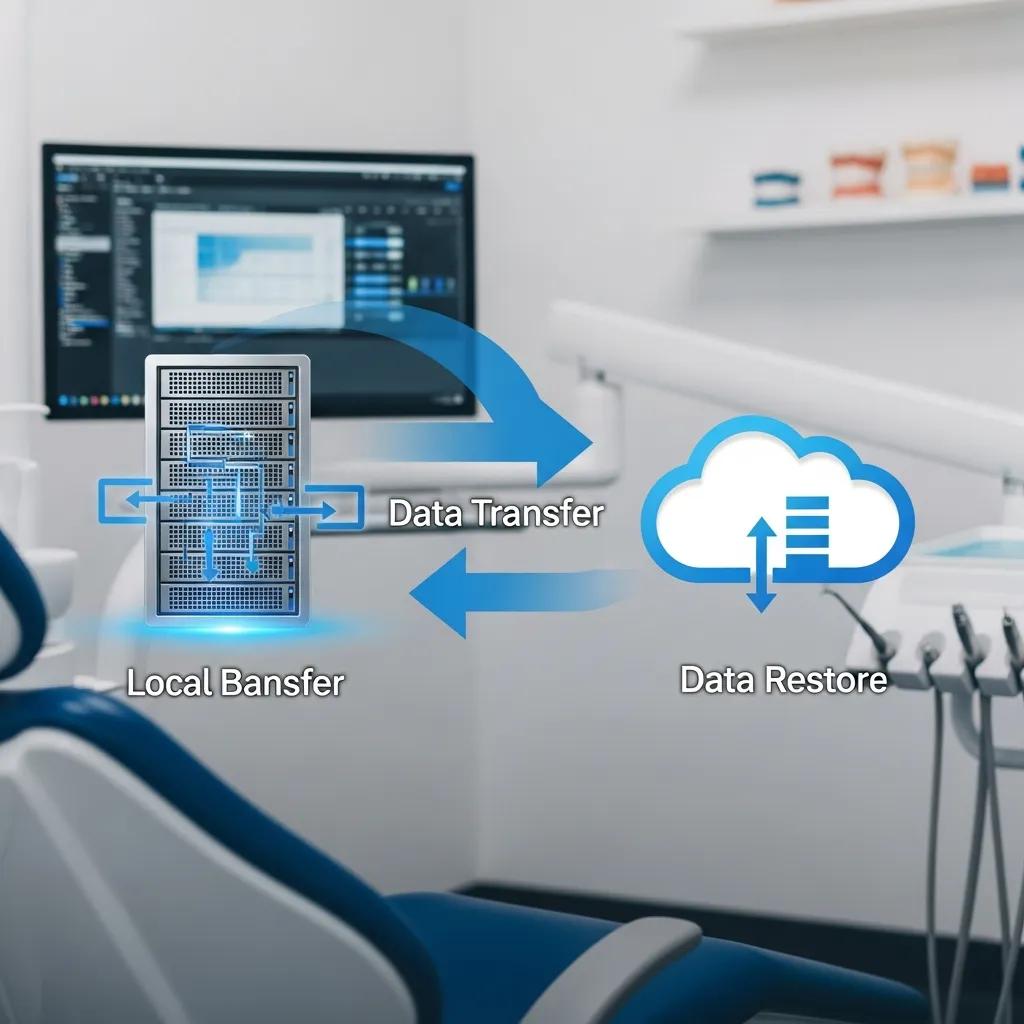
A hybrid backup strategy pairs a local copy for rapid restores with an offsite cloud copy for resilience, following the 3‑2‑1 rule: three copies, on two media types, with one copy offsite. This design gives clinics the speed needed for same‑day appointments while protecting against site‑wide incidents and ransomware that can affect on‑prem systems. Hybrid solutions let clinics apply different retention policies by data type — short local retention for daily appointment data and longer cloud retention for imaging archives and legal records. The hybrid model balances capital and operational costs while optimizing RTOs and RPOs for critical dental workflows.
| Component | Attribute | Practical value |
|---|---|---|
| Local copy | Immediate RTO | Fast restores during patient appointments and same‑day operations |
| Cloud copy | Offsite resilience | Protects against physical loss and supports long‑term retention |
| Management | Responsibilities | Clear roles for restores, testing, and monitoring |
| Retention | Policy application | Short‑term local retention plus extended cloud archive for imaging |
This breakdown maps technical components to operational outcomes. The following subsections define the 3‑2‑1 rule for common dental artifacts and show an applied implementation model.
What is hybrid backup and the 3‑2‑1 rule for dental data?
Hybrid backup follows the 3‑2‑1 rule by keeping at least three copies of data: the production copy, a local backup on different media (for example an on‑prem NAS), and an offsite cloud copy. A practical mapping for dental clinics is: the production PM database on the clinic server, a daily local snapshot retained for a short window to enable rapid restores between appointments, and a cloud snapshot with longer retention for imaging and legal records. Sample retention might be local daily snapshots retained 14–30 days for quick recovery and cloud archives retained for multiple years to meet recordkeeping requirements. Using database‑consistent backups for PM systems and deduplicated cloud storage for imaging reduces storage costs while preserving recoverability.
Following this rule ensures clinics can recover quickly from routine incidents and still meet compliance and archival needs.
How does DentalTek implement hybrid backup solutions?
DentalTek implements hybrid backup with a structured service model: audit, takeover, upgrade, and ongoing maintenance. During the audit we assess PM systems, imaging volumes, and your RTO/RPO targets to design a hybrid mix that pairs fast local restores with offsite cloud retention. The takeover phase establishes local snapshots and seeds remote cloud copies so redundancy is immediate. Upgrades focus on deduplication, immutability, and integrations with partner technologies (Microsoft, Veeam, Dell, and others) to improve performance. Ongoing maintenance includes monitored backups, scheduled restore tests, and SLA‑backed support. This stepwise approach reduces downtime, strengthens compliance posture, and delivers a predictable operational model for clinics using managed backup services.
Describing a vendor process helps clinics see the path from assessment to a resilient hybrid environment.
What are effective disaster recovery and ransomware protection strategies for dental practices?
Disaster recovery and ransomware protection combine preventive controls, hardened backups, and practiced response plans that match recovery targets to clinic operations. Preventive measures include patch management, endpoint detection and response (EDR), and network segmentation to reduce attack surface. Backup‑hardening techniques — immutable snapshots, isolated offsite copies, and frequent verification — ensure recoverability. A practical recovery plan specifies RTOs and RPOs by system (PM database vs imaging), communication steps for staff and patients, and a prioritized restore order to get clinical operations back quickly. Regular tabletop exercises and full restore drills validate both technical and operational readiness for real incidents.
A clear view of evolving cyber threats, especially ransomware, is essential to build effective protections.
Ransomware threats & backup strategies for operational resilience
Ransomware remains a top cyber threat. Attackers encrypt data, often exfiltrate files, and use multi‑stage extortion. Robust backups — immutable, isolated, and tested — are the practical bedrock of resilience against these attacks.
The next subsections explain prioritized ransomware defenses and the role backups play in formal disaster recovery playbooks.
How can dental practices protect against ransomware attacks?
Ransomware protection blends layered technical controls with people‑focused measures and resilient backups. Core defenses include timely patching, endpoint detection and response (EDR), network segmentation to limit lateral movement, least‑privilege access and MFA for critical systems, and staff training to reduce phishing risk. Backups should be immutable and logically air‑gapped so attackers cannot encrypt or delete them. Crucially, clinics must run restore tests regularly to confirm backups work and that recovery procedures meet defined RTOs. Together, these steps create a defense‑in‑depth posture where backups are a proven recovery path, not an untested hope.
These preventative and detective controls reduce incident likelihood and maximize recoverability when problems occur.
What role does backup play in dental disaster recovery plans?
Backups are the backbone of a dental disaster recovery plan, providing the data needed to restore operations and meet RTO/RPO commitments. A pragmatic playbook lists systems by priority — practice management databases first to resume scheduling and chart access, followed by imaging and auxiliary systems — and assigns estimated restore windows for each. Backup validation, including integrity checks and full‑restore rehearsals, confirms RPOs are realistic and that staff know alternative workflows while systems are offline. Communication templates for patient notifications and inter‑staff coordination reduce confusion during recovery. Mapping backups to operational steps turns data protection into actionable business continuity.
Making backup validation a routine part of IT maintenance changes backups from theoretical insurance into dependable operational capability.
How to choose the right dental data backup provider?
Choosing the right provider means matching clinic needs to vendor capabilities across restore SLAs, compliance features, integration, and support responsiveness. Evaluate restore SLAs and documented tests, insist on a signed Business Associate Agreement (BAA) and strong encryption, verify compatibility with your practice management and imaging workflows, and look for transparent pricing that scales with imaging growth. Prefer providers who offer local support or managed services to handle takeover and ongoing maintenance. Ask for recent restore test results, dental references, and details on immutable snapshot policies to separate credible vendors from those with unproven backups. Use the checklist below to guide vendor conversations and balance speed, security, and cost.
- Restore SLA and testing
: Confirm documented restore time targets and recent test results. - Compliance features
: Require a BAA, encryption in transit and at rest, and detailed audit logging. - Integrations
: Ensure database‑consistent backups for your PM software and efficient imaging handling. - Support model
: Prefer providers offering managed takeover, continuous monitoring, and scheduled maintenance. - Pricing & scalability
: Seek transparent models that grow cost‑effectively as imaging volumes increase.
This checklist helps clinics evaluate providers concisely. The table below highlights vendor attributes to discuss during selection.
| Vendor factor | Attribute | Why it matters |
|---|---|---|
| Support SLA | Response & restore times | Directly affects appointment continuity and patient care |
| HIPAA features | BAA, encryption, logging | Determines legal compliance and audit readiness |
| Integrations | PM & imaging compatibility | Ensures database‑consistent restores and minimal data loss |
| Pricing model | CapEx vs OpEx & scalability | Influences total cost of ownership as imaging grows |
| Case studies | Dental‑specific examples | Demonstrates relevant operational experience |
What factors should dental clinics consider when selecting backup services?
When choosing a backup service, separate true must‑haves from nice‑to‑haves. Must‑haves include a BAA, strong encryption, restore SLAs, and documented restore tests. Nice‑to‑haves include advanced deduplication, compressed imaging archives, and vendor partnerships with established technology stacks. In vendor interviews, request a clear rundown of the takeover process, sample monitoring dashboards, and what the vendor will test during restore drills. Confirm whether the provider supports hybrid designs (local appliance + cloud archive) and whether their management model fits your IT resources. Finally, verify integration with your practice management software and imaging pipeline to ensure database consistency during restores.
How does integration with dental practice management software affect backup solutions?
Integrating with practice management systems (examples: Dentrix, EagleSoft, OpenDental) requires database‑consistent backup methods — application‑aware snapshots or transactional dumps — to avoid corrupt restores and ensure clinical continuity. Imaging generates large files that benefit from deduplication and policy‑driven archival to control storage costs; treat imaging differently from transactional PM data with distinct retention and RPO targets. Integration testing must include full restores that reunite PM databases and imaging repositories so charts open correctly and images link to records. Run an integration test before final acceptance to confirm the provider can restore both PM and imaging within your expected RTOs.
Mapping data types to backup strategies ensures technical choices yield usable recoveries during real incidents. For clinics wanting hands‑on help, request a demo or support review.
For clinics seeking implementation help or a demo, DentalTek provides managed services and a clear operational model — audit, takeover (installing local and remote backup systems as a first priority), upgrade, and ongoing maintenance — that aligns with the evaluation criteria above. Contact DentalTek to schedule a demonstration or review your backup posture with a specialist focused on dental IT and compliance.
Frequently asked questions
What is the 3‑2‑1 backup rule and why is it important for dental practices?
The 3‑2‑1 backup rule recommends keeping three copies of data: the production copy and two backups, on at least two different media, with one copy stored offsite. For dental practices this reduces single‑point failures, protects against site disasters and cyberattacks, and supports regulatory recordkeeping. It’s a simple, practical way to keep patient data safe and available.
How often should dental practices perform backup tests?
Clinics should test backups at least quarterly and after any major change to systems or retention policies. Regular testing verifies backup integrity, confirms recovery procedures, and uncovers issues before an actual incident — minimizing downtime and protecting patient care.
What are the potential risks of relying solely on local storage for backups?
Relying only on local storage exposes you to physical risks like fire, theft, or site‑wide hardware failure. A single disaster could destroy all local copies. Local‑only strategies also miss the offsite protection cloud backups provide, increasing recovery risk and complicating HIPAA compliance for long‑term retention.
What should dental practices look for in a backup provider’s service level agreement (SLA)?
Look for clear restore time commitments, uptime guarantees, and defined support response times. The SLA should describe the provider’s responsibilities for security and HIPAA compliance, the cadence of restore tests, and reporting/audit provisions. Clear SLAs reduce ambiguity during incidents and help protect appointment continuity.
How can dental practices ensure their cloud backup solution is secure?
Choose providers that use strong encryption in transit and at rest, enforce multi‑factor authentication, provide role‑based access controls, and undergo regular security audits. Confirm they will sign a Business Associate Agreement (BAA) and offer immutable snapshot options and logging to support forensic review if needed.
What are the benefits of integrating backup solutions with practice management software?
Integration ensures database‑consistent backups and restores, preventing corruption and preserving appointments, charts, and billing records. It enables automated, application‑aware backups that fit your clinic’s workflow and reduces manual errors. Proper integration makes recovery predictable and practical when you need it most.
Conclusion
Choosing the right backup solution is essential to protect patient data, meet compliance obligations, and keep your clinic running. Understanding the trade‑offs between cloud, local, and hybrid strategies helps you protect sensitive records while minimizing downtime. A tested, hybrid approach — local for speed and cloud for resilience — is often the best balance for dental practices. For personalized advice or a demo, contact DentalTek and we’ll review your backup posture and recommend a practical, compliant plan.

